Blog
Attack on the Tower: Exploring OpenSFF as a Workstation Platform
Introduction
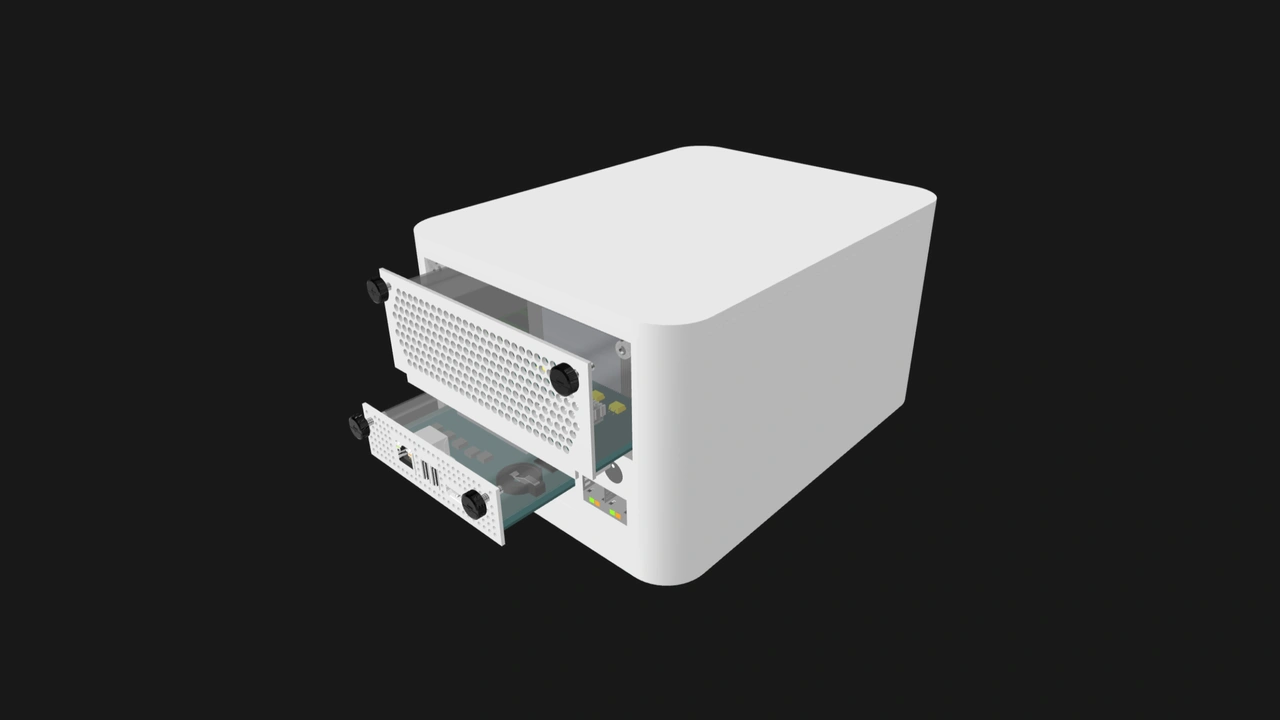
Desktop workstations are being equipped with more and more cores, memory, and graphics horsepower. But they’re still mainly available as proprietary, sealed towers, especially for businesses who need guaranteed support for a fleet of systems.
Our open standard offers a proposition akin to DIY PC building: a workstation can be one or more Compute Nodes slotted into an Enclosure, which would handle power, cooling, networking, and node management. It would be vendor-agnostic, more serviceable, and more scalable than existing options.
But everything has a tradeoff. In this article, we’re going to go over the strengths of our standard as a workstation platform, and where traditional hardware is still the better choice.
The advantages of OpenSFF as a workstation platform
Our standard consists of a set of specifications that define three components. The Compute Node is a self-contained processing module. One or more nodes slot into an Enclosure, an active electronic housing that provides shared power, cooling, and networking. Lastly, we define the Management Module, an optional component that provides KVM redirection and power control locally, remotely, or both for all nodes in a compatible Enclosure.
Nodes and Management Modules connect to Enclosures using one or two connectors based on the SFF-TA-1002 standard, eliminating the need for most internal cables. Both modules are secured using only a pair of captive M4 thumbscrews.
This open, modular architecture results in a variety of benefits for workstation builders and their customers.
Vendor-neutral
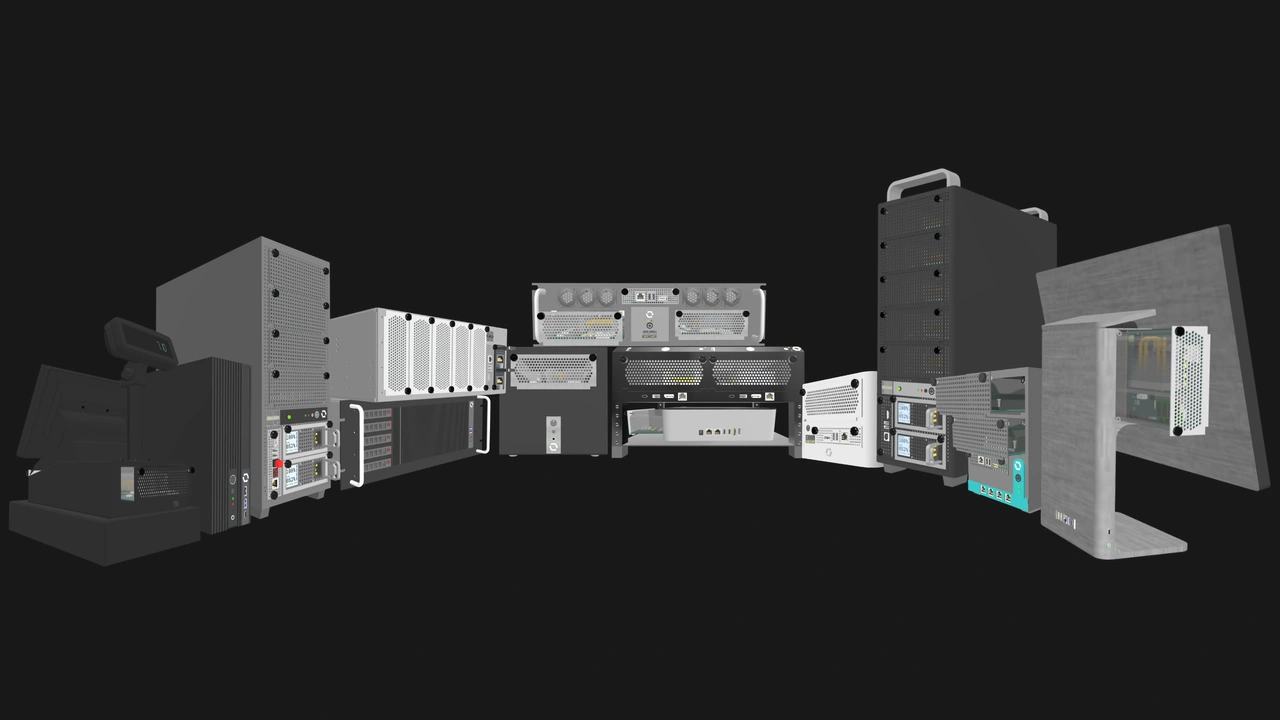
Any Compute Node will work with any Enclosure, regardless of their vendors. The same goes for the Management Module and compatible Enclosures. You don’t have to be locked into one vendor’s pricing, support, or end of life policies.
Flexible I/O
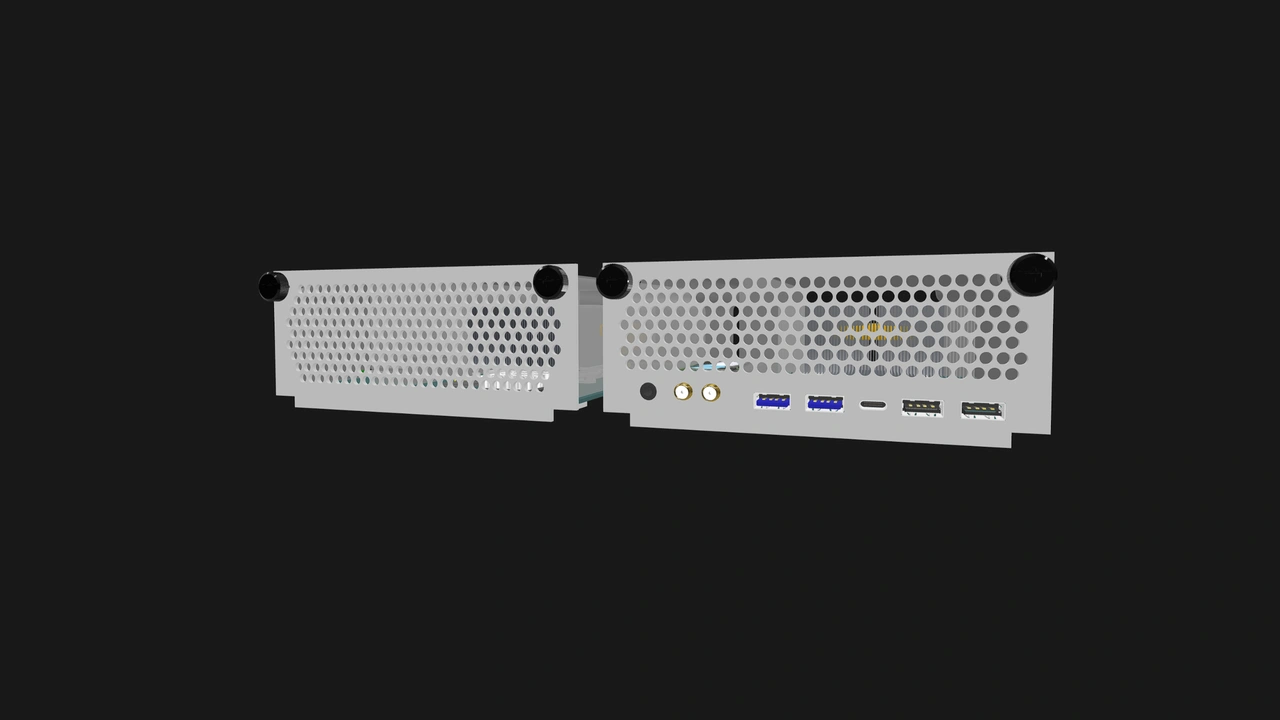
Compute Nodes are required to carry a specific set of signals (including two 2.5GbE, USB 2.0 and USB 3.0+, DisplayPort 1.4+) that Enclosures can expose, split, or consume in a variety of ways. In addition, vendors can add more connectors on their node’s rear I/O shield.
Scalable and serviceable
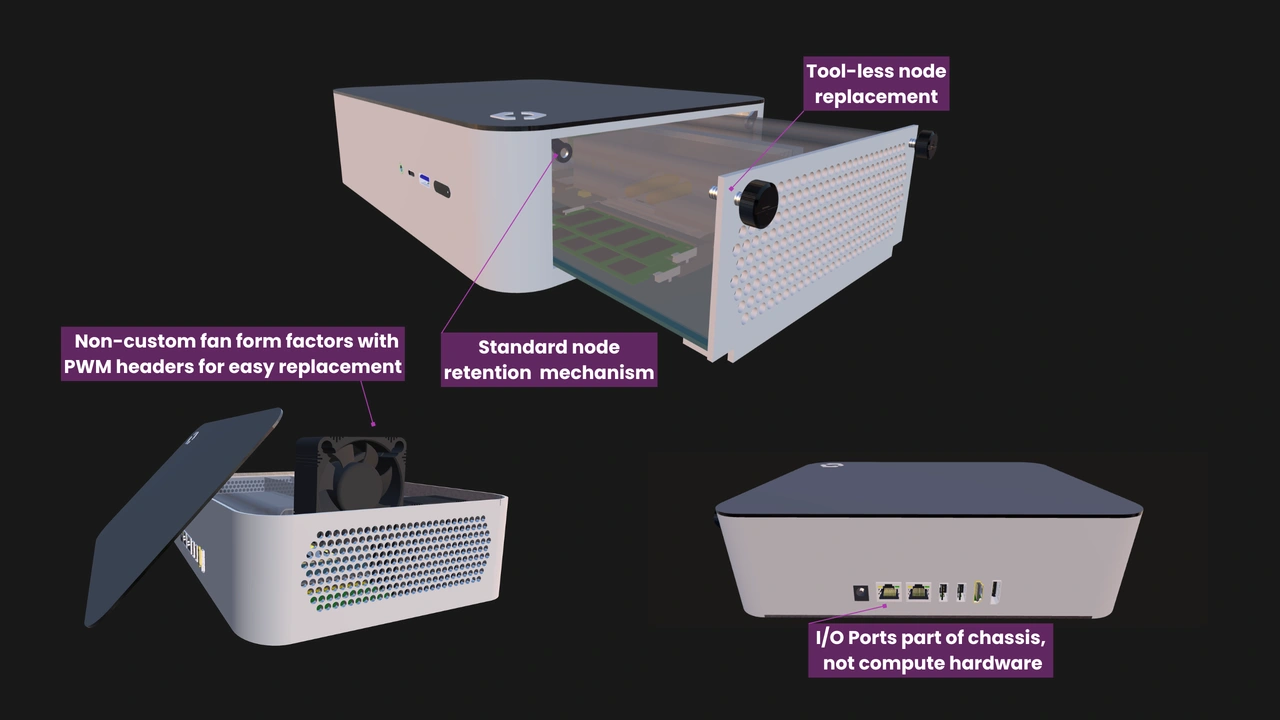
Our standard’s modularity and tool-less mounting mechanism enables workstations that can serve multiple lifecycles, ultimately making them more cost-effective and environmentally friendly. You can swap nodes or Management Modules while retaining your Enclosure, or vice-versa. Enclosures have no defined form factor or layout, so it’s possible to have a serviceable, mixed vendor all-in-one workstation—a first of its kind.
Internal network fabric
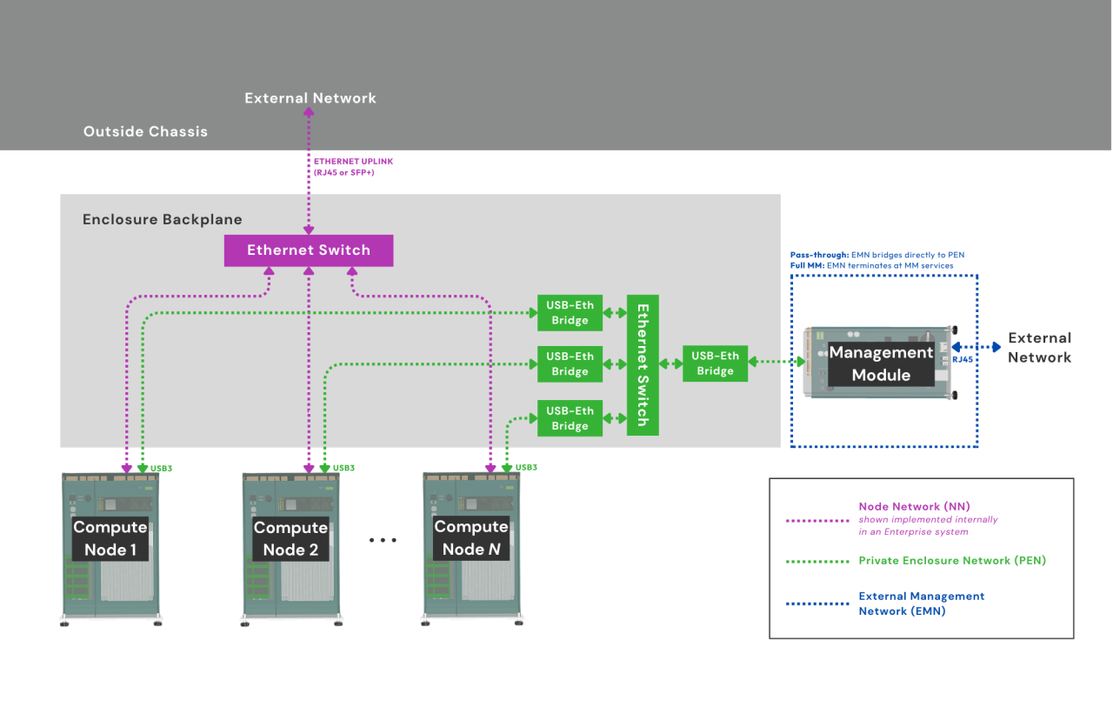
Enterprise Enclosures implement internal switching between installed nodes, eliminating the need for discrete network switches and reducing cable clutter even further. They also have a dedicated internal node management Ethernet fabric for security. Core Enclosures can also have one or both of those fabrics.
Vendor-agnostic node management
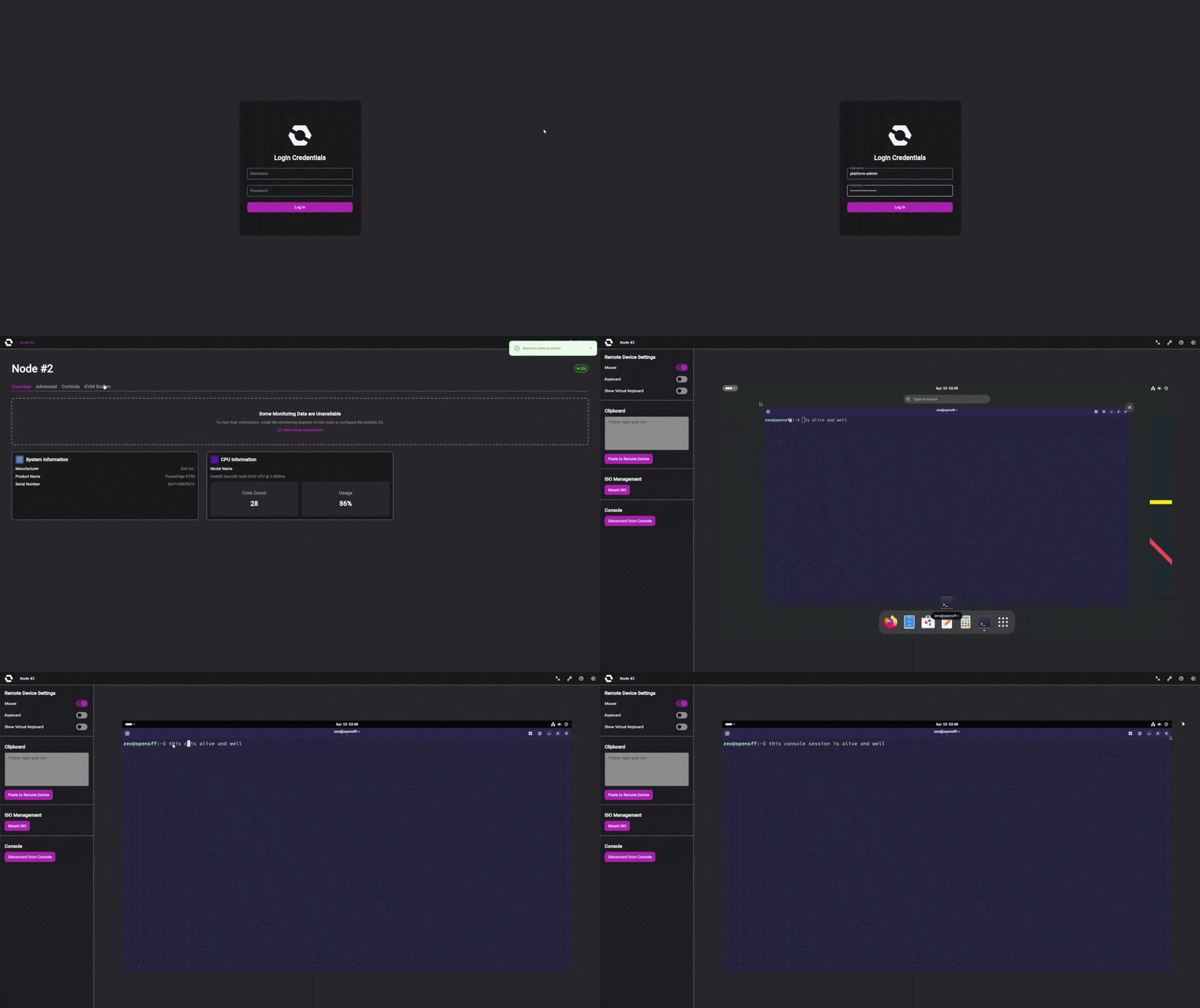
We already mentioned that Management Modules and compatible Enclosures from different vendors will work together as one system, but we’d like to emphasize the significance of this architecture since node management has historically been exclusive to proprietary systems. Affordable vendor-agnostic KVM devices have become available in recent years, but you need to plug in one of those devices per node along with even more cables.
A single Management Module would give you access to all nodes in an Enclosure, and it connects using the same cable-less card-edge connector that Compute Nodes use. We’re also working on a default Management Module OS that vendors can extend or use as a template.
The constraints of OpenSFF as a workstation platform
No single standard or device can account for all use cases. We’re developing our standard primarily for compute-heavy workloads outside traditional data centers, which means setting certain limits to ensure interoperability, serviceability, and durability.
120W Compute Node Maximum Power Target (MPT)
Each Compute Node slot in an Enclosure delivers up to 120W to ensure that OpenSFF-compatible systems will be durable and safe to use for long periods. Our standard isn’t suited for use cases that require discrete GPUs or power-hungry CPUs. Future versions of our specifications may support a significantly higher MPT, but we’re committing to 120W per node for the foreseeable future.
Single PCIe Gen4 x1 lane
Our custom pinout for the Compute Node’s connectors leaves us with one PCIe 4.0 x1 lane. That’s enough for additional SATA storage or I/O, but not for discrete graphics or other expansion cards.
Fixed baseline node I/O
As we mentioned, vendors are required to provide only a specific set of I/O signals on Compute Nodes. It’s up to them to provide more ports or additional interfaces such as USB4 through the node’s rear I/O shield. This keeps Compute Nodes compact, power-efficient, and useful across a wide range of use cases and Enclosure types.
That said, there’s enough space on the I/O shield for plenty of additional ports. Users aren’t stuck to a particular node and can easily choose and swap the module at their own pace and budget.
In summary, 3D rendering, AI or ML training, simulations, and other workloads that need a discrete GPU, a high-TDP CPU, or serious PCIe expansion would still be better off looking into traditional workstations such as the Dell Pro Precision 9 T6, top-of-the-line mini PCs such as Apple’s Mac Studio, or DIY builds.
Sample OpenSFF-compatible workstations
To give you a better idea of what’s possible with our standard, let’s go over a few concept systems that are highly suited to some of the most common workstation applications today.
Company-issued workstation
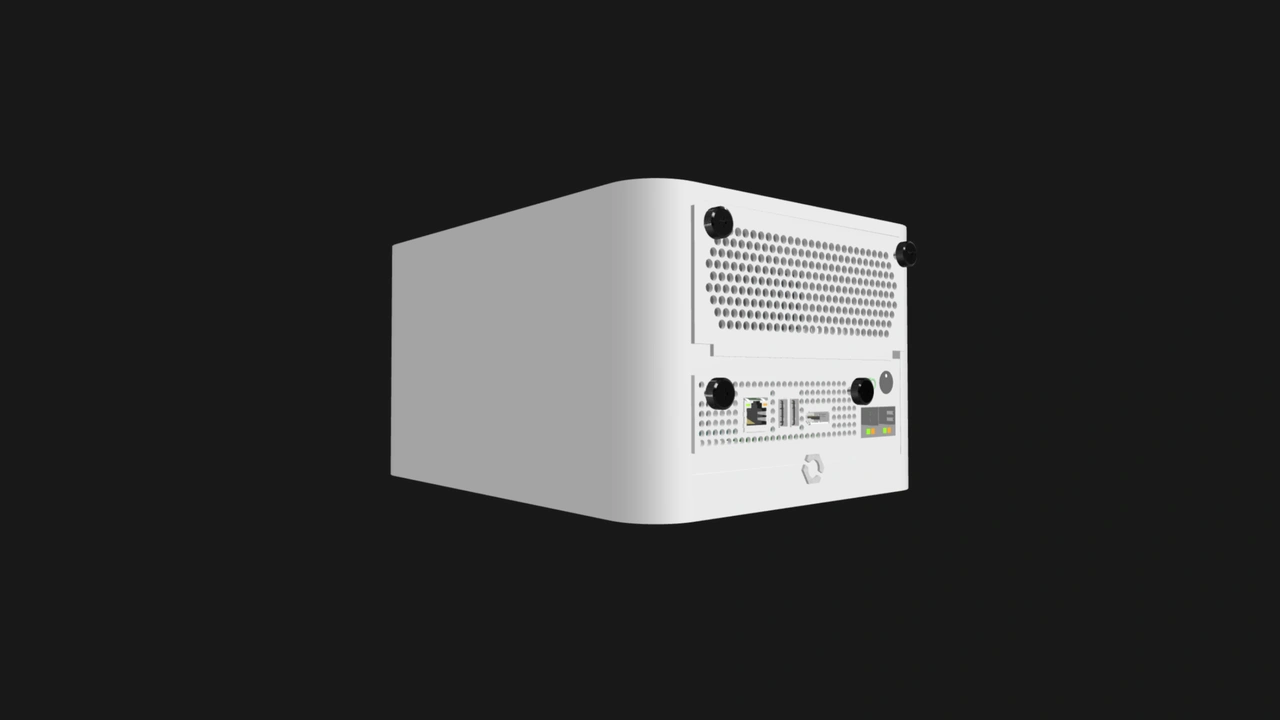
Our concept system would consist of a Core Enclosure that has a Management Module slot, a Compute Node with a midrange CPU, user-serviceable RAM and SSD, and a Management Module that supports remote power control and IP-KVM.
Software development, general office computing, and other deployments that don't need a discrete GPU or high-TDP CPU are fair game. This is important for vendors because this is where the market is growing: the entry-level and mid-tier segment.
For accounting and operations, vendor-neutral sourcing will be a breath of fresh air. IT teams would be more than happy to manage machines that have standardized remote management and are easy to troubleshoot, deploy, and upgrade.
3D modeling workstation
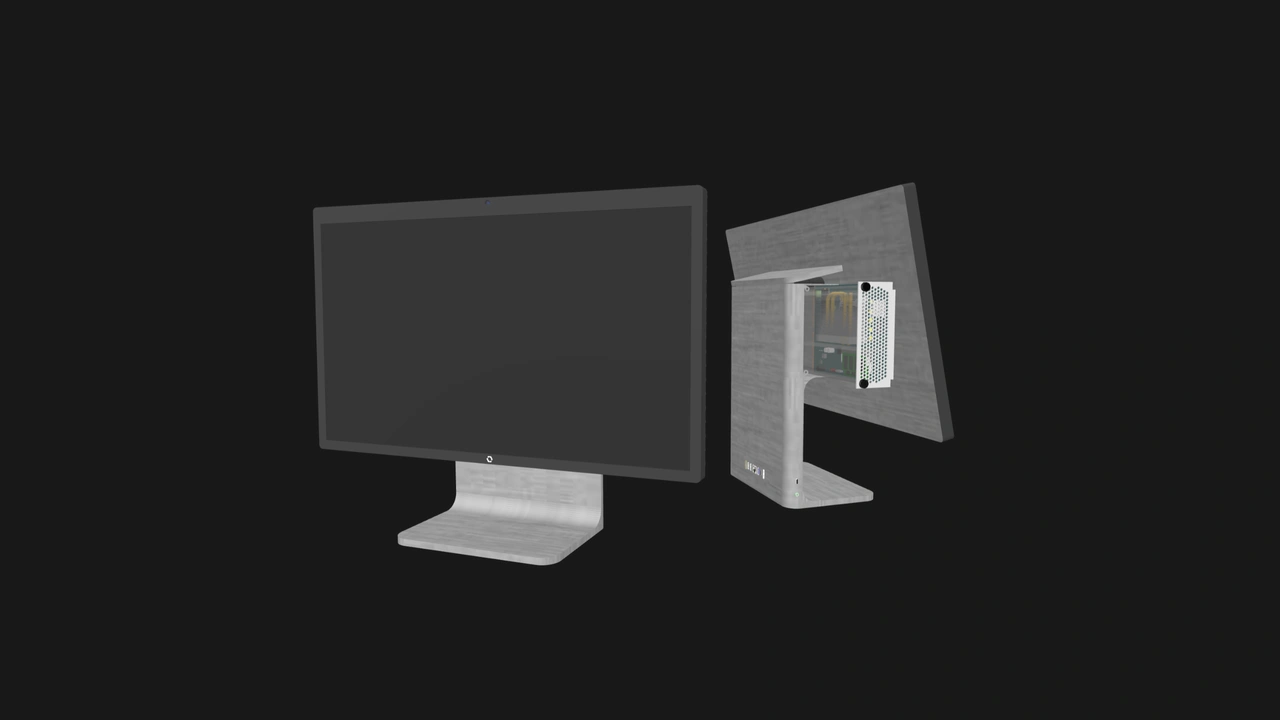
Our concept system would have an all-in-one Enclosure with a touchscreen or stylus-compatible display, an ergonomic stand, and a Compute Node with capable integrated graphics and a USB4 port on its rear I/O shield to connect to high-speed external storage or USB hubs.
An OpenSFF-compatible system can still be a good workstation for architects and other creatives who work with 3D models, thanks to powerful integrated GPUs such as the AMD Radeon 8060S. It may be a tight fit power-wise, but vendors have already proven that they can downscale chips to meet similar power requirements. For example, the ASUS ROG Flow Z13 runs the AMD Ryzen AI MAX+ 395 processor—which is equipped with the Radeon 8060S—at 90W max.
As we mentioned, our standard enables longer-lasting, easily upgradeable workstations regardless of the form factor. The Enclosure’s display can be used to its fullest simply by swapping in a more capable node as the years go by.
Data science workstation
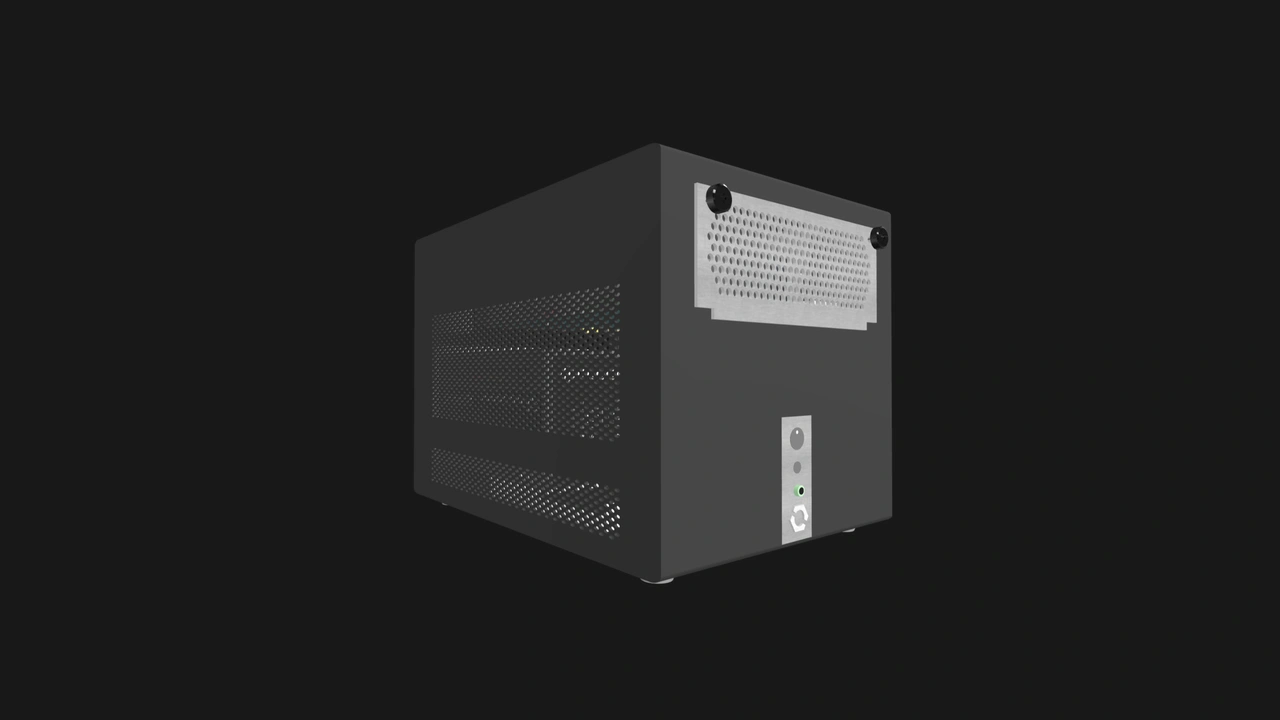
Our concept system would have an Enterprise Enclosure that has several SATA drive bays, and an Enterprise Compute Node with maxed out RAM and enterprise-grade NVMe SSDs. The Enterprise Connector on the node would provide the additional Ethernet interfaces for fast, low-latency access to the Enclosure-bound drives.
Data preparation, local prototyping, and other CPU-bound workloads need RAM and fast storage. Once again, users can retain the Enclosure while easily upgrading to a more capable or more efficient node later on, such as one that’s equipped with unified memory or an Arm-based SoC.
The on-site team pod
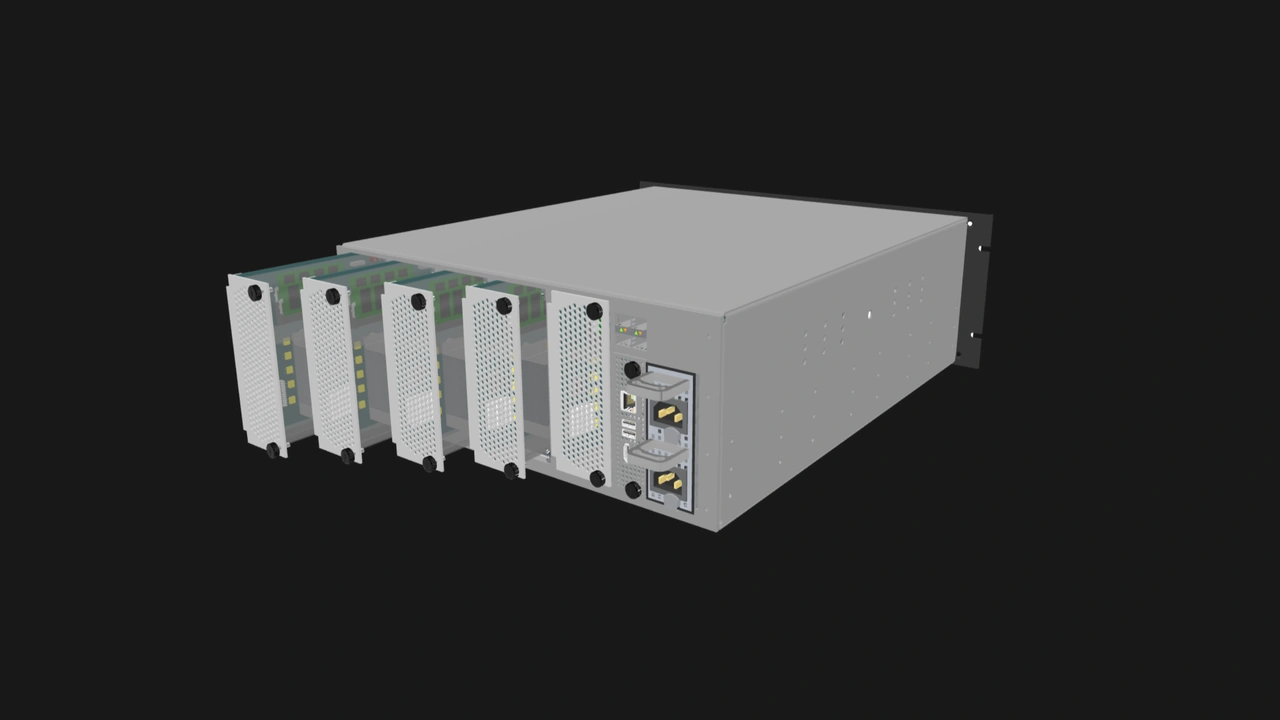
This is a deployment with no comparable existing solution at this power range. Our concept system would consist of a multi-node Enclosure where each Compute Node is connected to the monitor and peripherals of a different desk. Power, cooling, networking, and management would all be centralized, yet each node can be serviced without touching the others.
A smart Management Module capable of remote management will make the admin’s life easier, but they can also keep an affordable module that provides only local access as an emergency spare.
Build with OpenSFF
OpenSFF-compatible workstations won’t try to outperform ATX towers. They’ll provide shared infrastructure, be easily managed, long-lasting systems, and allow everyone to benefit from a growing market instead of being locked into a single vendor’s catalog.
We encourage you to read our specifications, and we would be grateful if you help spread the word about OpenSFF. For technical clarifications, partnerships, and other inquiries, reach out to our development team at [email protected].
Other Articles

Meet OpenSFF: an open hardware standard that enables cross-vendor compatibility, modular systems, and sustainable hardware reuse.
August 11, 2025
We go over the rise of virtualization and the open software adopted by home server enthusiasts, as well as the current challenges and the future of the hobby.
September 06, 2025

Learn why OpenSFF adopted the SFF-TA-1002 connector standard and how it enables our vision.
September 18, 2025