Blog
A Brief History of Home Servers, Part 2: The Modern Era
Introduction
Welcome to the second part of our nostalgic journey through the progress of home servers. In the first part, we looked at the first self-hosting ventures such as BBSes and Gopher sites, sped through the dark ages of dial-up Internet, and ended at the dawn of broadband and the birth of our online communities.
The foundation laid in those early decades of home computing set the stage for an explosion of innovation that would define homelabbing as we know it today. What started as simple file sharing and communication platforms has evolved into sophisticated infrastructure that can be as capable as business deployments.
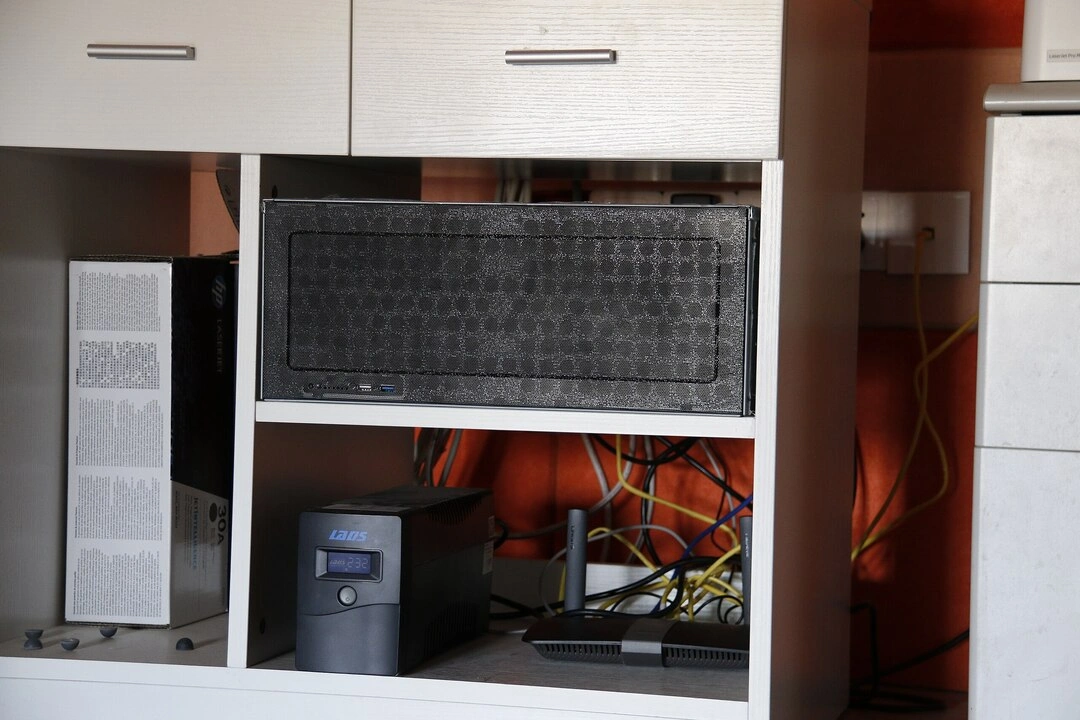
This is the story of how virtualization democratized enterprise-grade computing, how communities matured from scattered forums to thriving networks, and how the challenges facing today’s hobbyists may drive the next wave of innovation in modular and sustainable computing.
The Rise of Virtualization: The 2010s
One for all
The 2010s followed up the previous decade’s broadband revolution with another significant milestone. This time, it would be virtualization software that would redefine how home servers operated.
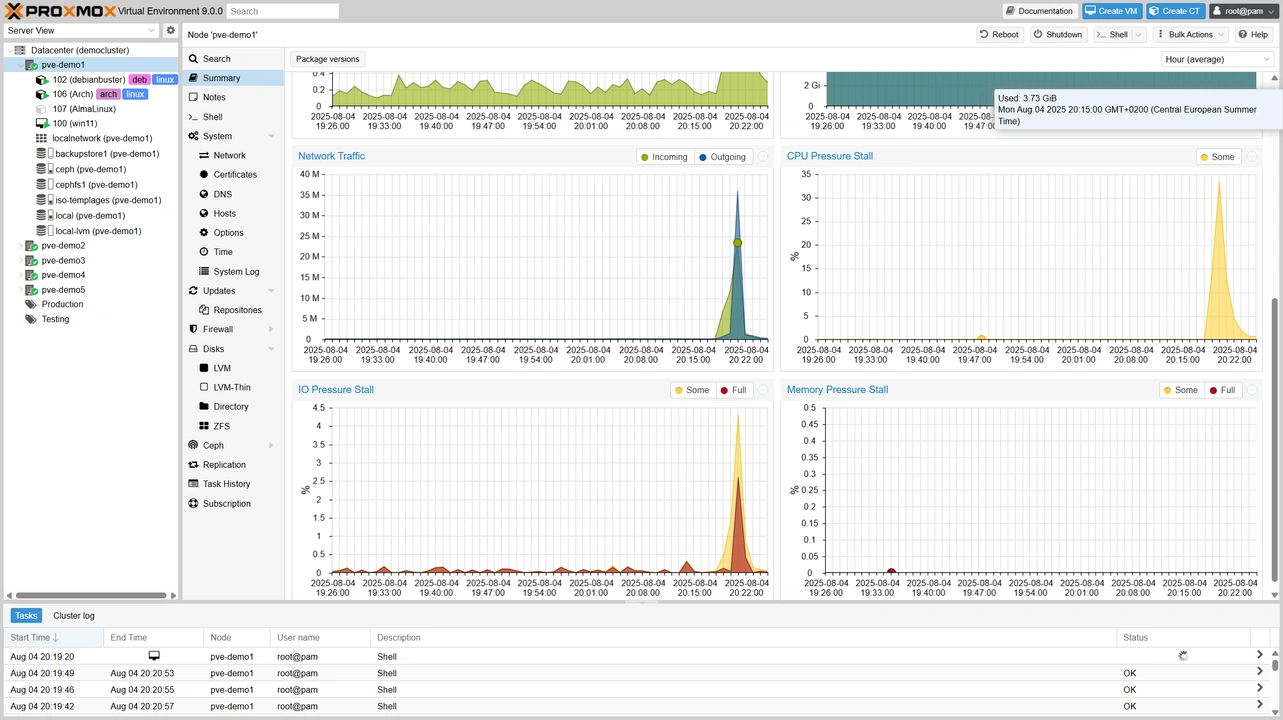
VMware ESX had been available since 2001, but it was primarily an enterprise technology. In 2010, its revamped version VMware ESXi became accessible to home users through free licenses. While the free tier of the popular hypervisor has limited features , KVM and Proxmox provide capable open-source alternatives.
Home servers can now run multiple operating systems at once, allowing one hardware setup to have several dedicated environments for specific tasks. The ability to spin up virtual machines for testing, isolate services for security, and maximize hardware transformed home servers into flexible platforms limited only by our RAM, CPU, and imagination.
This transformation coincided with the flood of used enterprise hardware hitting the market. Machines such as the HP ProLiant DL380 and Dell PowerEdge R710 originally cost thousands of dollars, but were now available at much lower prices on sites like eBay. Yes, they were loud and power-hungry, but they also had lots of ECC RAM slots, redundant power supplies, and reliability for heavy workloads.
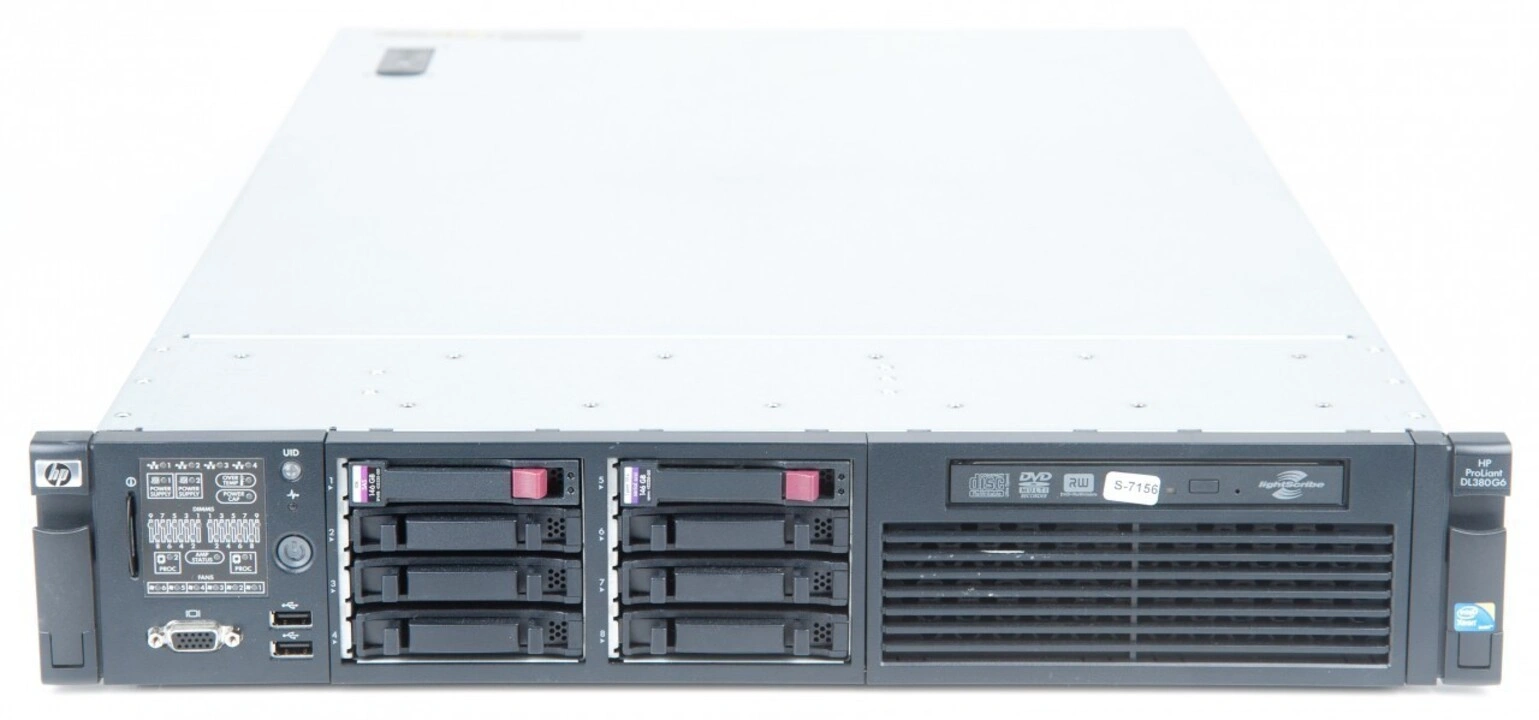
The learning curve was steep. Enterprise hardware came with its own vocabulary, management software, and configurations that assumed that you were a trained sysadmin. Luckily, many home server enthusiasts were exactly that. Online communities helped with the knowledge transfer needed to bridge that gap, and turned enterprise gear into viable homelab foundations.
Thinking inside the box
Docker’s release in 2013 was another watershed moment for home servers. Containers offered a middle ground between the complexity of running multiple servers on bare metal and the resource overhead of full virtualization. Now, deploying a new application could simply involve pulling a container image rather than configuring dependencies, managing versions, and dealing with conflicts.

Portainer, launched in 2016, provided a web interface that made Docker accessible to users who would rather use a GUI than deal with the command line. This combo enabled homelabbers to run dozens of applications on a single machine with minimal resource overhead and maximum isolation.
This period also saw the launch of many of today’s popular self-hosted alternatives to commercial services. Plex and later on Jellyfin transformed media consumption. Home Assistant brought professional-grade home automation to enthusiasts. Pi-hole provides network-wide and platform agnostic ad blocking. Nextcloud offers file synchronization and collaboration tools that keep us in control of our data. Such applications made sure enthusiasts never ran out of things to put in their virtual boxes.
This humble Pi is good, actually
The Raspberry Pi redefined the value proposition of capable computing. Its first single board computer (SBC), the Model B, released in 2012 for just $35. It became an entire generation’s no-brainer entry point to Linux and server administration (along with many other computer science and engineering skills). While not as powerful as desktop PCs, it excelled as a dedicated machine: a DNS server, VPN endpoint, IoT gateway, and more.
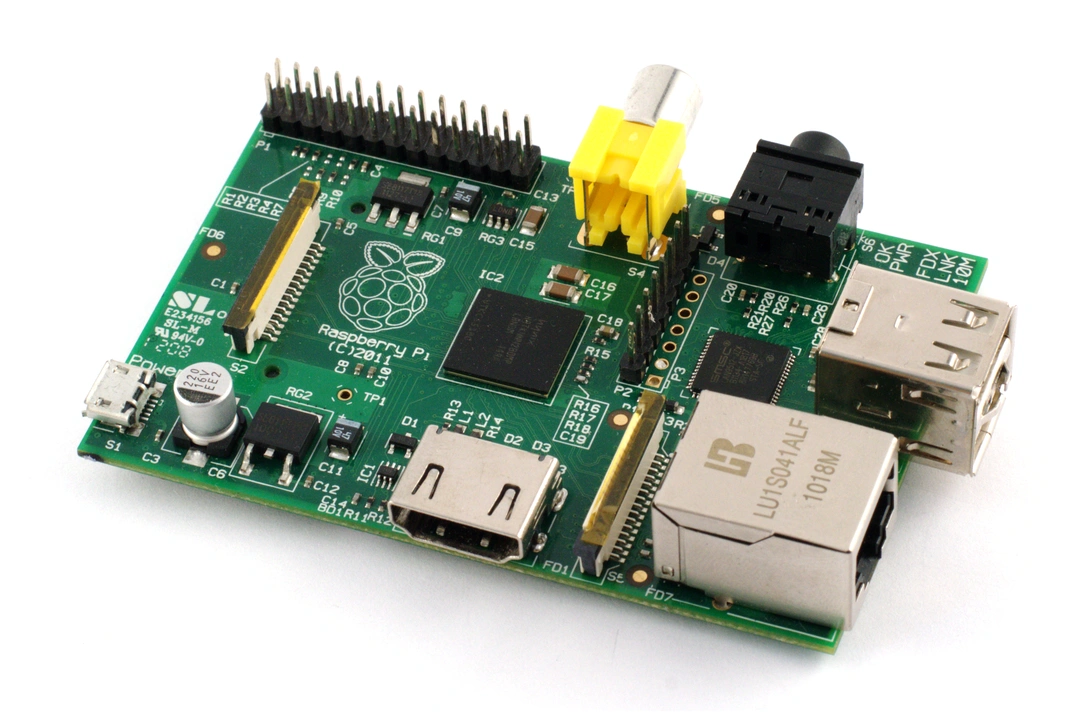
Along with its price and capabilities, the Raspberry Pi demonstrated that effective servers didn’t need to be power-hungry towers. Its ARM processor sparked interest in low-power computing, which would go on to have a significant influence in the broader market.
With its massive community, extensive documentation, and dizzying array of add-on boards and kits, this humble computer proves that open hardware platforms can succeed.
Go big and go home
The 2010s also brought significant improvements to home networking. Ten Gigabit Ethernet, once an exclusive feature in enterprise hardware, became relatively affordable for enthusiasts. Managed switches with VLAN support allowed for neat network segmentation, especially for those with tons of connected devices such as IoT appliances and security cameras.
pfSense arrived to provide enterprise-grade routing and firewall capabilities on commodity hardware. Ubiquiti’s UniFi line brought professional-grade wireless and network management to those who could afford it. Its ecosystem made it much easier to deploy multiple access points with centralized management and detailed analytics.

These technologies and vendors enabled more sophisticated homelab architectures. Services could be segmented for security, bandwidth could be more easily allocated based on priority, and remote access became much simpler to achieve without compromising security.
Strength in clusters: The 2020s
Pandemic prosumers
Similar to many other hobbies and pursuits, the COVID-19 pandemic also ended up encouraging more people to dive into home servers and homelabs. Some even enlisted their server to help research a cure. The supply chain disruptions that made new hardware more expensive or unavailable further encouraged enthusiasts to repurpose existing equipment and build custom solutions. Video conferencing and remote work also convinced many to invest in better networking gear, further blurring the lines between professional and personal IT.
Music to my peers
Perhaps nothing demonstrates the sophistication that today’s homelabs can reach better than the community’s adoption of the container orchestration platform Kubernetes. Enthusiasts are now able to command even a handful of mini PCs or Raspberry Pis to run setups that were originally designed for massive cloud deployments.
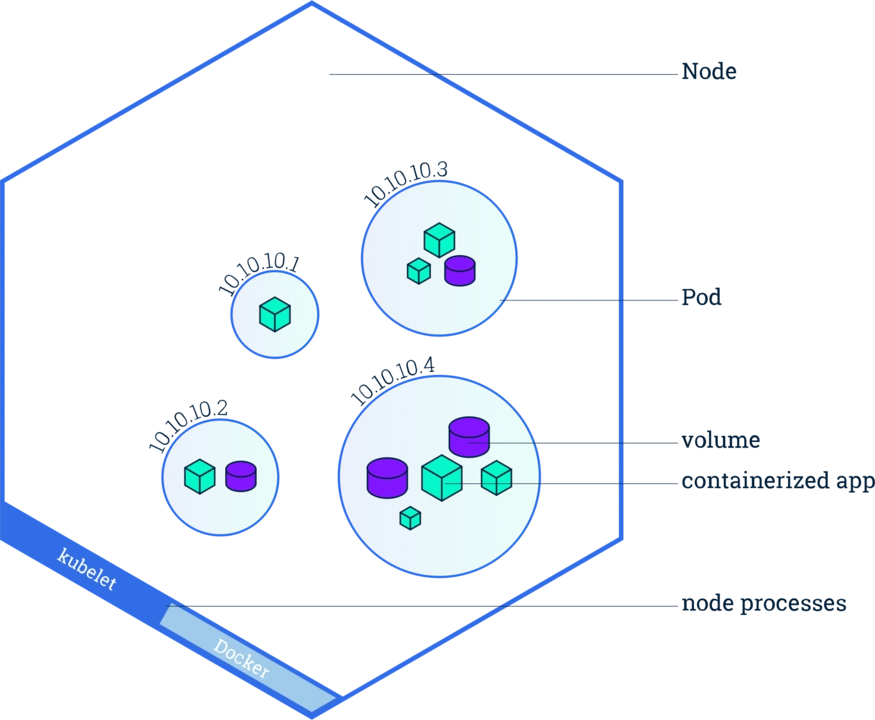
Projects like k3s and MicroK8s made Kubernetes accessible to single nodes and small clusters, while tools like Helm have simplified application deployment. These home Kubernetes clusters are now one of the most popular use cases for homelabs, allowing IT professionals to continue to learn, test, and develop without risking or working with their company’s equipment.
The hype reaches the home
Despite the mixed reputation of generative AI, more and more homelabbers are becoming interested in running such tools. While running or training local language models do require powerful hardware, the prospect of enjoying the benefits of AI while retaining complete control over one’s data is tempting. Then there’s the joy of testing and benchmarking for its own sake.
A bit of the cloud couldn’t hurt
It may be ironic at first glance, but today’s home server enthusiasts are increasingly integrating cloud resources into their setups. Remote access, storage, and backups can be improved or simplified with the help of cloud tools and resources such as Tailscale, Backblaze, and Rclone.
Knowledge streams
The homelab community now has easy access to many gathering hubs and learning resources. YouTube creators such as Jeff Geerling, Lawrence Systems, and TechnoTim have built substantial followings by making videos about or related to home servers and homelabs, while making complex topics accessible through demonstrations and tutorials. LinusTechTips, one of the biggest tech channels on YouTube, occasionally covers home servers, introducing the concept to viewers who might not otherwise encounter it.
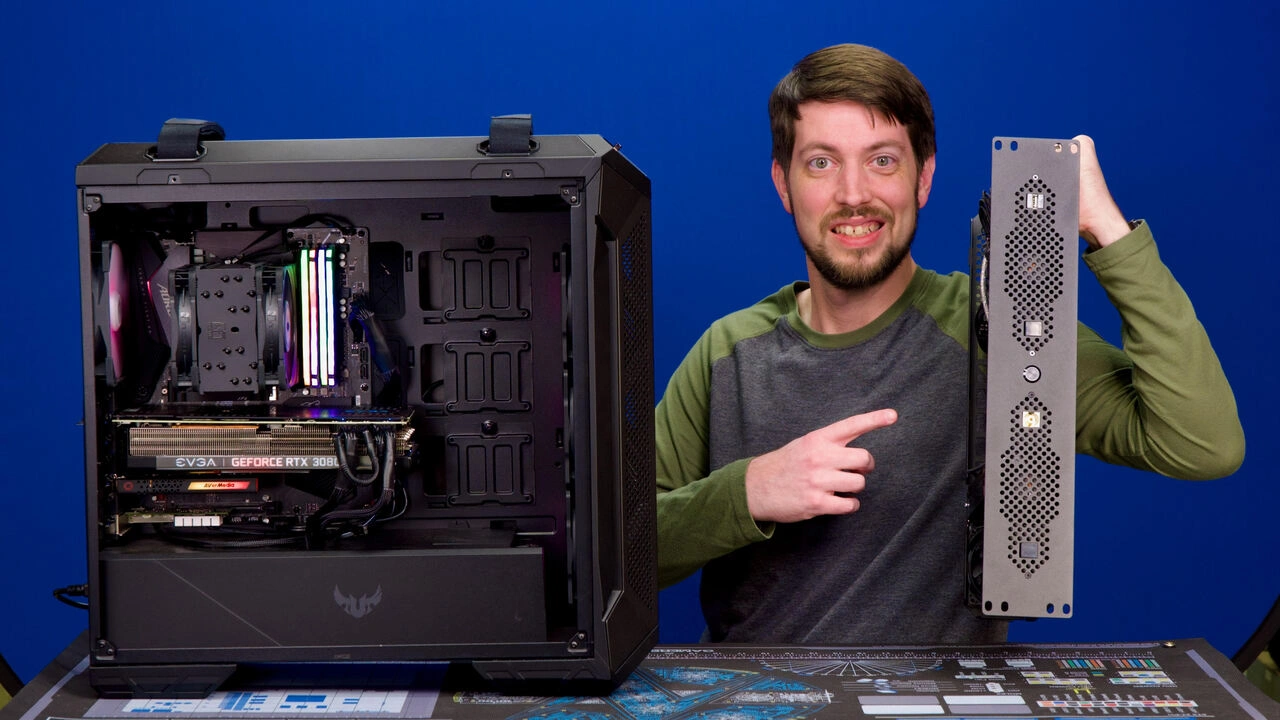
ServeTheHome provides detailed hardware reviews and guides to help homelabbers make informed decisions. Their Project TinyMiniMicro, an ongoing series of guides and overviews about using mini PCs as servers, started in 2020 and has since encouraged many enthusiasts to look into this now-dominant form factor.
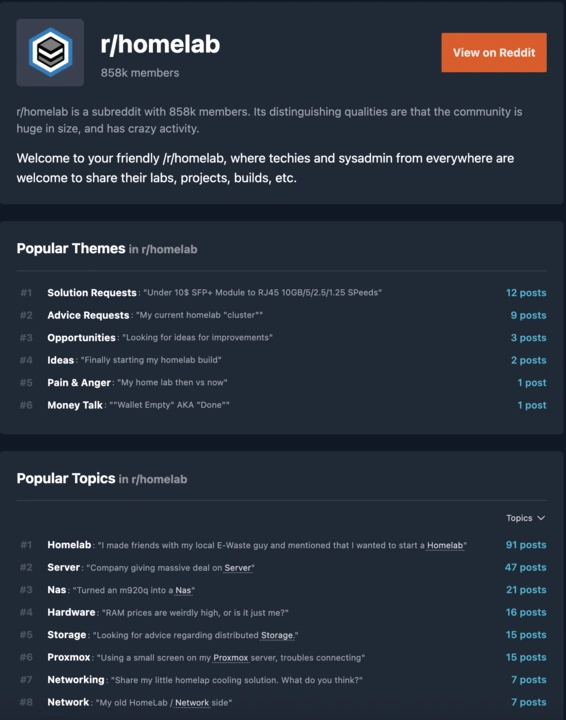
Of course, there’s Reddit. Created in 2012, the r/homelab subreddit has grown to over 850,000 members. Related communities such as r/DataHoarder (880K+ members) and r/selfhosted (580K+ members) provide further proof of the hobby’s growth.These communities and their peers on Discord and other platforms make it easier to discover the hobby, ask for help, and take pride or laugh at the ups and downs of having home servers. Most of its members value creativity, resourcefulness, and experimentation more than “perfect” hardware and solutions. While the technology has become more sophisticated, the DIY spirit and social aspects that defined earlier eras are still alive and well.
Current challenges and concerns
Is there a spreadsheet for this?
Before they even have the chance to be confused by networking and software, today’s homelabbers can be overwhelmed at the very start of their journey due to the sheer number of hardware options. On one hand, this variety enables solutions for practically every use case and budget. But it can also lead to decision paralysis and compatibility issues.
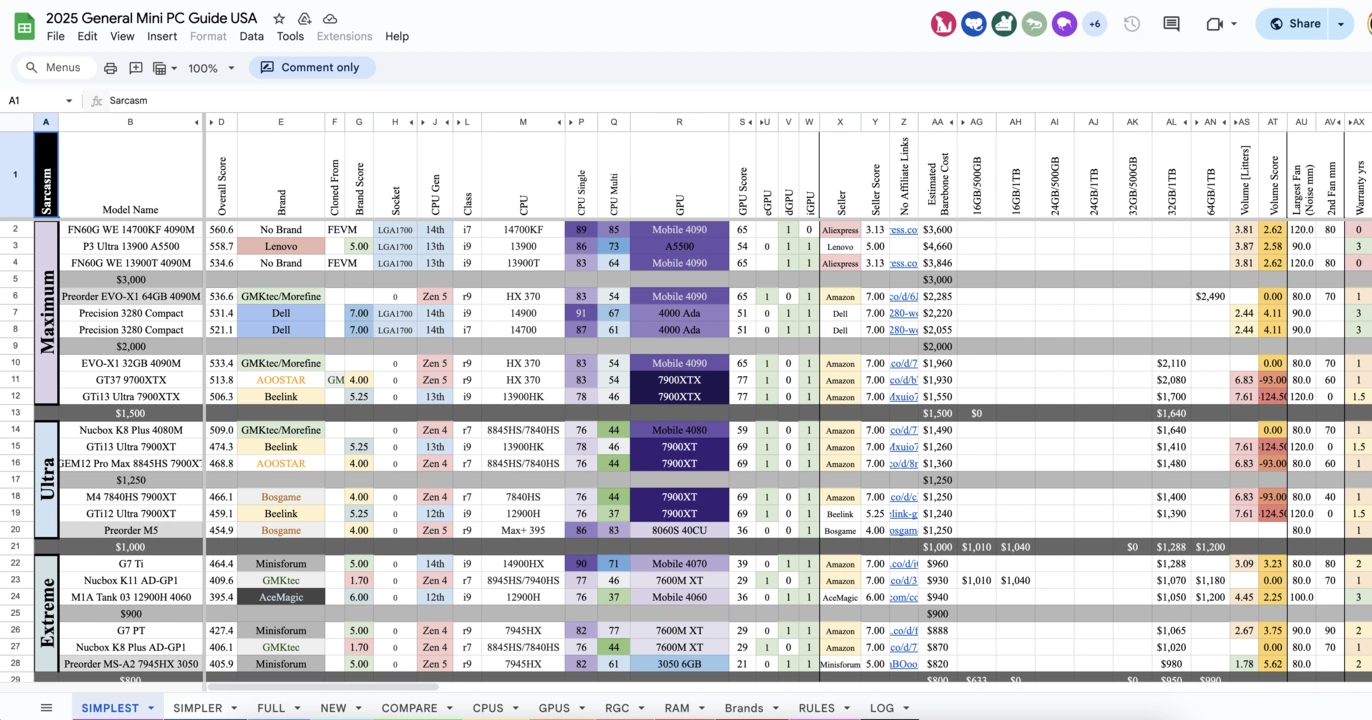
The lack of standardization means that designing and creating a home server often involves hunting down specific guides, creating custom mounting solutions, and learning different management approaches.
Pieces of puzzles
Each new piece of equipment can lead to hours of research on power, cooling, mounting, and connectivity requirements. Upgrade paths are often unclear, and end up being more about what you can get your hands on than what you should ideally have.
Modern homelabs are collections of disparate hardware held together by open software and niche mounting solutions. The steady progress in 3D printing technology has enabled some enthusiasts to come up with beautiful and creative setups, but it also highlights the need for consistent form factors and interfaces.
Maintaining our main server
The community’s desire to repurpose hardware will forever be one of its greatest strengths. But while economical and environmentally beneficial in the short term, repurposing also creates a different set of challenges. Older machines tend to be less efficient, noisier, and hotter.
Enthusiasts are also keenly aware of the environmental impact of the inevitable home server upgrade or replacement. It’s an ongoing concern that’s continuously pit against the desire to experiment and be at the forefront of technology.
The future of home servers and homelabbing
As technology advances, so does the hobby. New ARM platforms still bring significantly increased performance per watt compared to their predecessors, while RISC-V represents an open alternative that is gradually enabling new categories of specialized hardware.
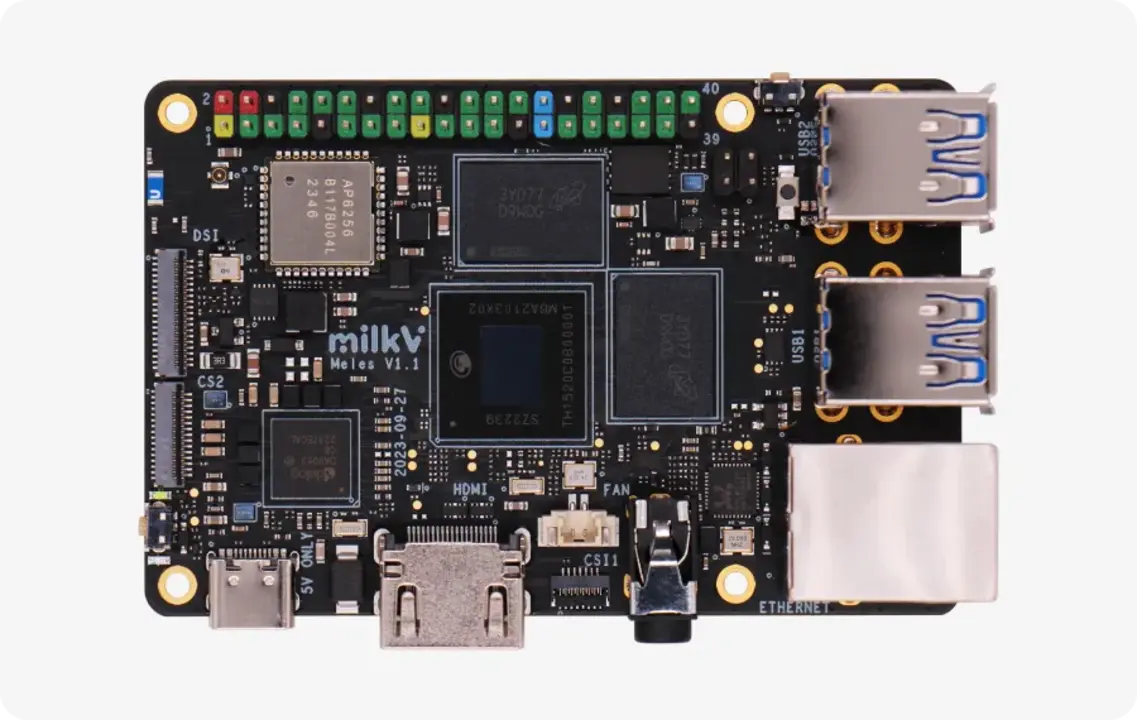
Mini PCs continue to cram more horsepower into their small cases, while the likes of DeskPi and UCTRONICS prove that there is a market for vendors that truly understand the community’s needs.
The evolution towards a middle ground where cloud resources are regularly leveraged may turn tomorrow’s “homelabs” into an infrastructure that remains for personal use yet extends beyond the home network.
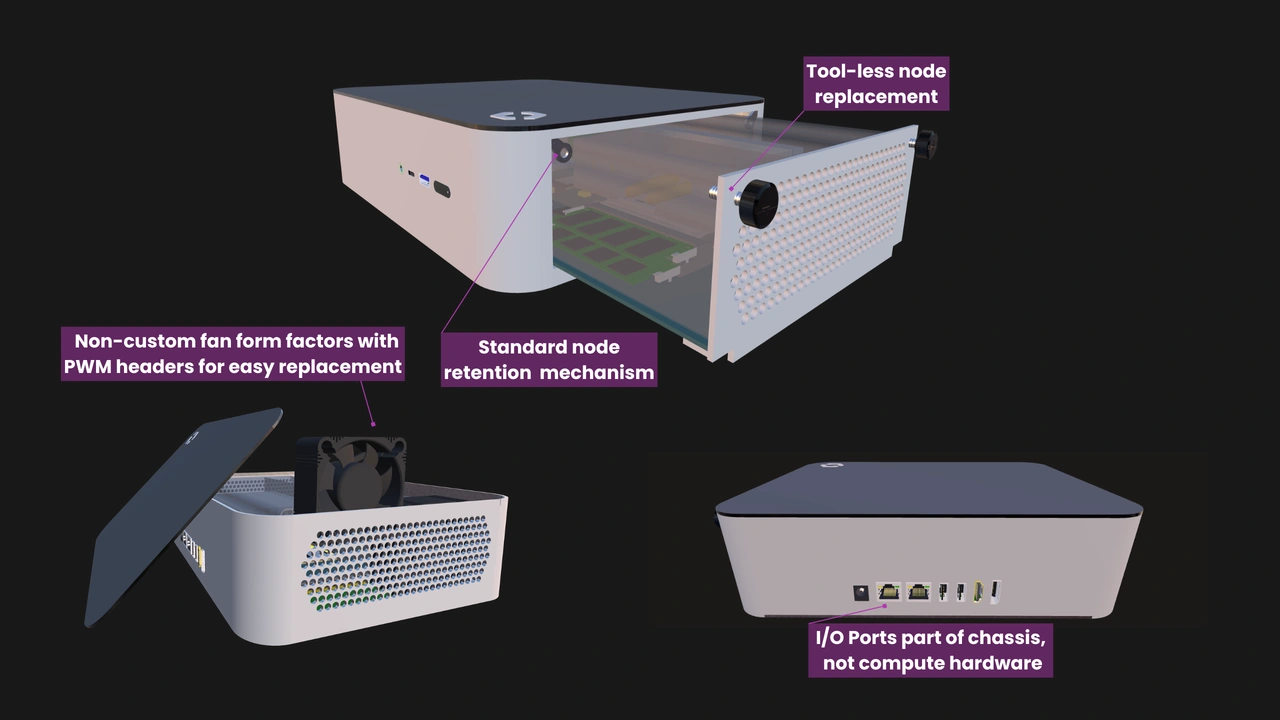
It’s also at this point that OpenSFF hopes to make a significant contribution to the community. Our hardware specifications for vendor-agnostic, scalable, and serviceable multi-node systems address many of the challenges homelabbers face today while giving manufacturers the flexibility to adopt tomorrow’s innovations.
The set up is never finished
The journey from BBSes to Kubernetes represents more than just technological progress. The evolution of home servers reflects our desire to connect, learn, and control. We believe that the future of home servers and homelabs will continue to be shaped by the same forces: people pushing boundaries, communities sharing knowledge and support, and DIY innovations pointing the way for commercial solutions.
If you enjoyed reading this, we invite you to learn more about OpenSFF and our specifications, and we would be grateful if you help spread the word about our standard. For technical clarifications, partnerships, and other inquiries, reach out to our development team at [email protected].
Other Articles
Meet OpenSFF: an open hardware standard that enables cross-vendor compatibility, modular systems, and sustainable hardware reuse.
August 11, 2025
We go over the rise of virtualization and the open software adopted by home server enthusiasts, as well as the current challenges and the future of the hobby.
September 06, 2025

Learn why OpenSFF adopted the SFF-TA-1002 connector standard and how it enables our vision.
September 18, 2025