Blog
A Flexible Foundation: A Closer Look at Core Enclosures
Introduction
In our OpenSFF Enclosure innovation article, we explained how we are giving manufacturers and system integrators the freedom to innovate and add or focus on certain features. Our hope is that this will give customers a wide variety of Enclosures to choose from, assured that they will enjoy the interoperability, scalability, and serviceability inherent in OpenSFF regardless of their choice.
Today, we will look at how Core Enclosures embody this flexibility and adaptability. With the right configuration, they can also be great if not better suited for many use cases compared to Enterprise Enclosures.
We understand why this may sound confusing at first. It is also easy to think that, like most branding these days, “Core” is just a fancy way of saying that a product is basic or meant to be a starter kit. But that could not be further from the truth.
While our modular approach was inspired by blade servers, a great way to appreciate the flexibility of Core Enclosures is to look at ATX PC cases. Some cases go all out on airflow, while others focus on aesthetics. There are budget offerings, but there are many mid-range and expensive models as well. Yet they are all compatible with ATX (and smaller) motherboards, ATX power supplies, and many other desktop PC components.
Let us dive deeper into the differences between a Core and an Enterprise Enclosure, then look at a few practical examples of systems built around a Core Enclosure.
The difference between Core and Enterprise Enclosures
Both Core and Enterprise Enclosures must be mechanically and electrically compatible with all Compute Nodes. The main difference is that Enterprise Enclosures are required to have certain components, which in turn enable features that are vital to business users.
An Enterprise Enclosure must include:
- Both Core and Enterprise connectors in each Compute Node slot.
- A Management Module slot.
- At least three internal network switches: two for the Node Network, which Compute Nodes use to communicate and connect to external networks, and one for the Private Enclosure Network, which is used solely for out-of-band management.
- At least two power supply bays with support for redundancy, and one power supply already installed.
- A shared power architecture.
In addition, when equipped with a Management Module, an Enterprise Enclosure must support the following features:
- KVM signal routing: Wired-only when using a pass-through Management Module, wired and IP-KVM when using a full-featured Management Module.
- Management networking: When using a pass-through Management Module, this is accessed through the Ethernet port on the module. When using a full-featured Management Module, management can be done through the module’s software.
We intend the Enterprise class label to become a symbol that guarantees these advanced features, which make Enterprise Enclosures well suited for business use cases such as high availability configurations.
So what is a Core Enclosure? It is any OpenSFF Enclosure that does not have all of these components and support all the aforementioned features.
Vendors are free to create Core Enclosures with some or none of these Enterprise capabilities. Many users would not need or want to have multiple power supplies, built-in switches, network management, and the expanded I/O options offered by Enterprise Compute Nodes.
As we will demonstrate in the following use cases, our vision for Core Enclosures is to allow vendors to cater to a heterogenous market with competitive options when it comes to price, size, simplicity, and adaptability.
Use case #1: Workstation or desktop PC
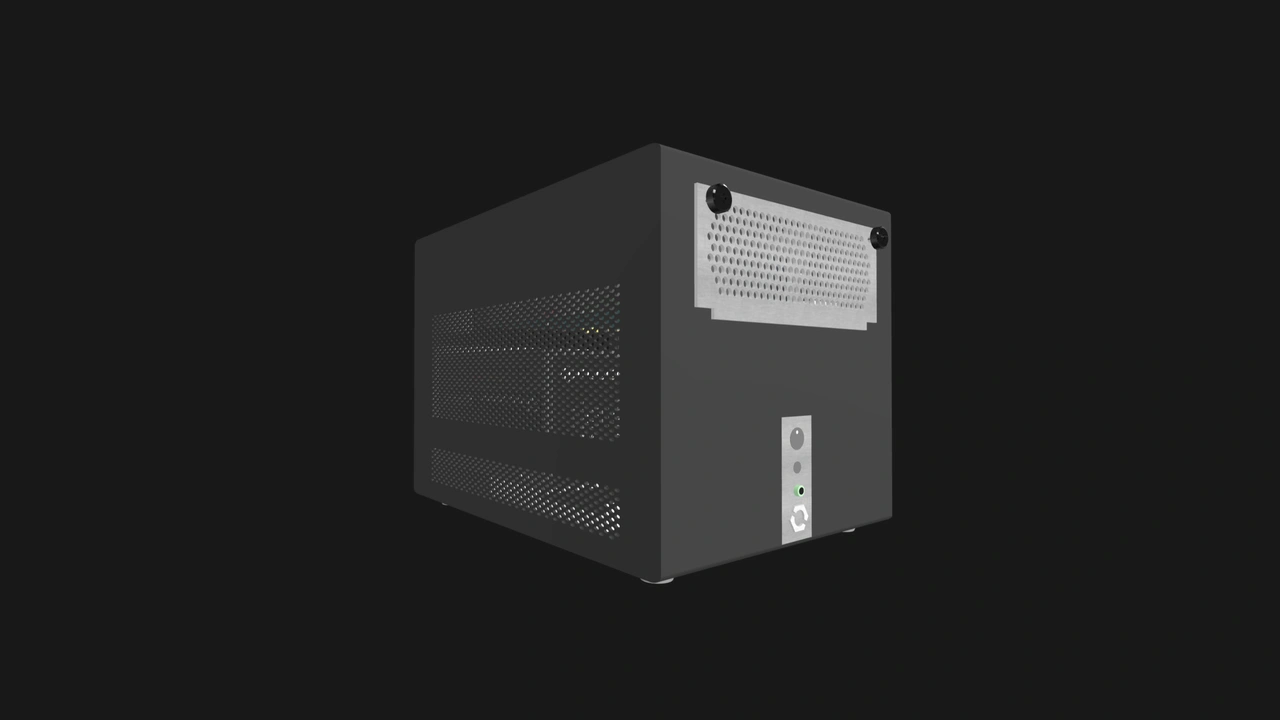
For many offices, businesses, or home users, a workstation must be compact, easy to operate, and cost-effective. Hence the success of mini PCs. A Core Enclosure fills this role better than an Enterprise one because it can be designed for simplicity. There is no need for internal switches, KVM redirection, or redundant power supplies in a typical desktop system.
A Core Enclosure with a single Compute Node slot can look and work much like today’s workstations - including all-in-one PCs - but with one key difference: its Compute Node is swappable.
If a user decides to upgrade from a Compute Node powered by an Intel processor to one with an AMD CPU, they can easily do that while the rest of the system - including the Enclosure and the power supply - remains in service. It does not matter if you bought your first OpenSFF system from vendor A. You can buy a Compute Node from vendor B and be assured that you can replace the original Compute Node, and with minimal tools at that. You can even get an Enterprise Compute Node and slot it in the Core Enclosure.
The simplicity of this Core Enclosure and its resulting OpenSFF system as a whole would also make it easier for the general public to understand specifications and what fits their needs, making purchasing less confusing and stressful. Servicing would also be easier with fewer components to identify and worry about.
A Core Enclosure for a workstation or desktop PC could simply have:
- One Core Compute Node slot
- One ATX or SFX power supply
- One 2.5GbE port, one DisplayPort out, one USB-A port, and one USB-C port
Use case #2: Test machine or lab bench
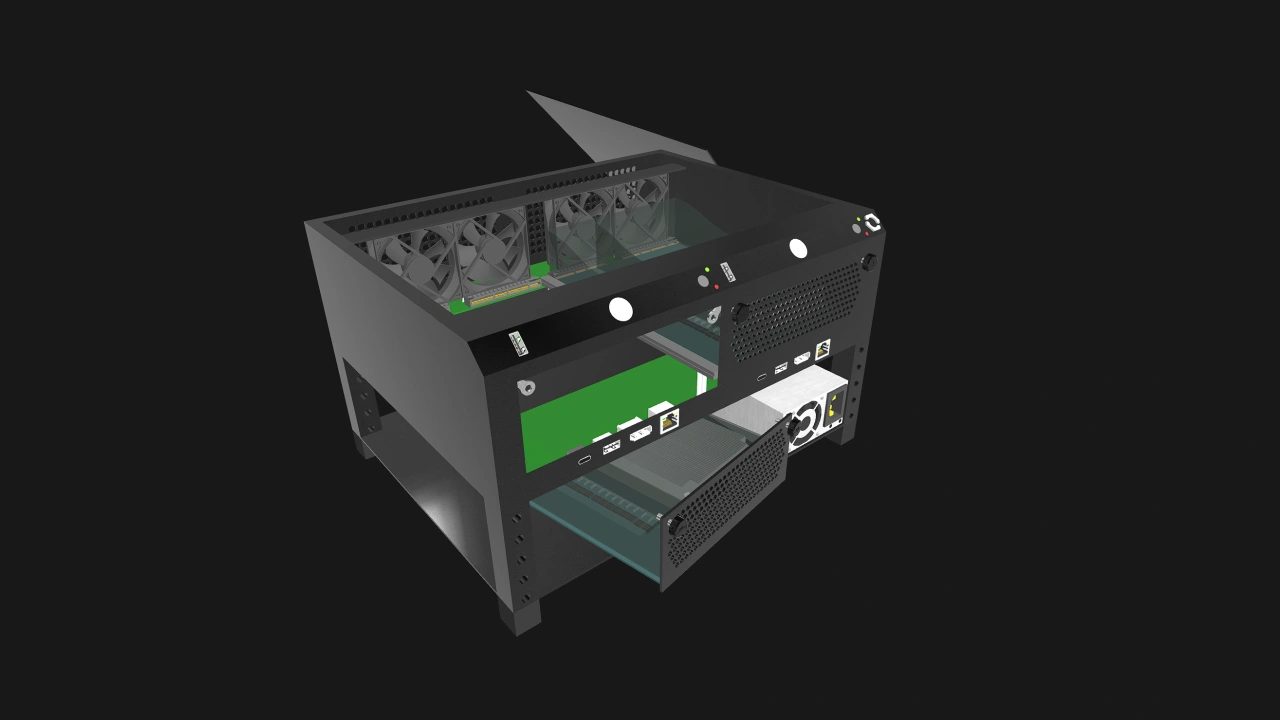
Development teams, QA engineers, and other IT testers often need a flexible test platform. A Core Enclosure with two Compute Node slots can make A/B testing more efficient and convenient. For instance, one node can run Windows while the other is installed with a Linux distribution. Once again, there is no need for internal switches or a Management Module for remote access. The priority is to easily access the hardware directly for debugging and testing.
With the right Core Enclosure, resetting and reconfiguring the Compute Nodes could be done with lesser downtime and even in a space-constrained workbench.
This test machine Core Enclosure would have:
- Two toolless Core Compute Node slots
- An ATX or SFX power supply
- Front panel power and reset button and USB for each Compute Node slot
- One 2.5GbE port, one DisplayPort out, one USB-A port, and one USB-C port
Use case #3: Custom appliance
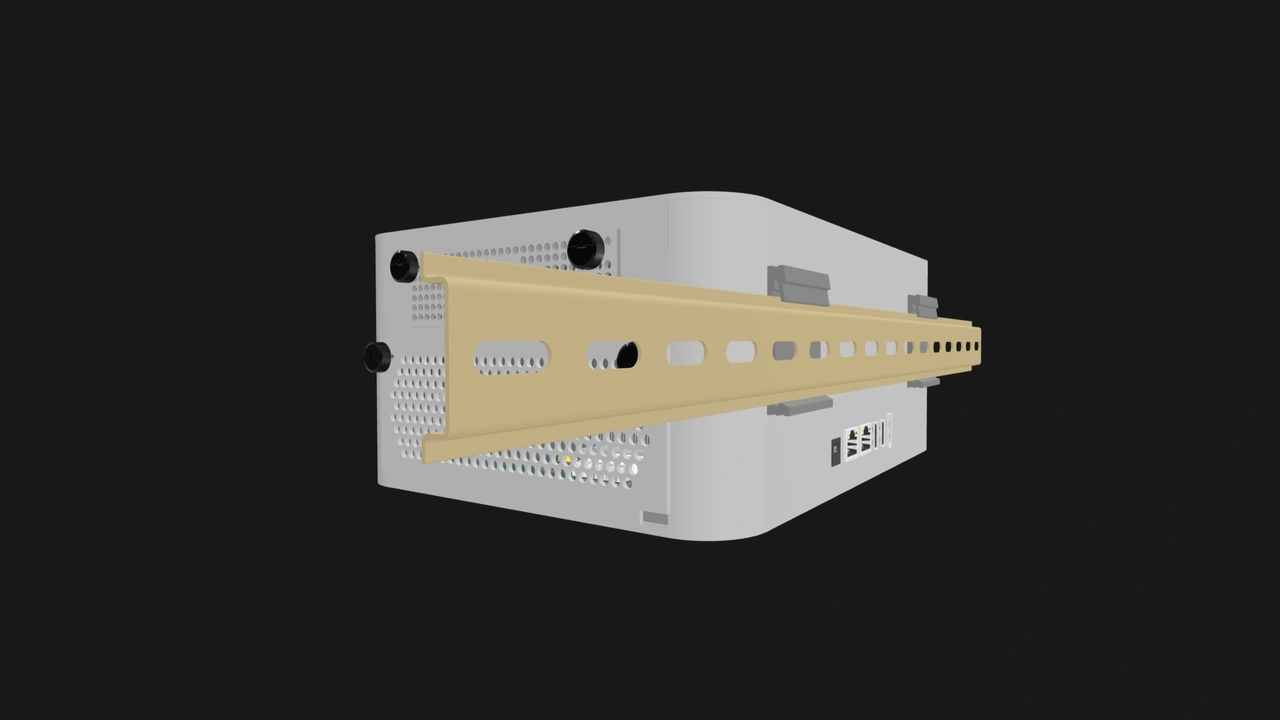
Core Enclosures also lend themselves to targeted deployments such as in kiosks, vending machines, or industrial machine controllers. This is where its adaptability truly shines. A Core Enclosure can be stripped down to the exact features needed, including ones from the Enterprise class. This could cut down on cost, power, space, and number of components to service.
For example, an OpenSFF system built for a kiosk could combine a low-power Enterprise Compute Node, a pass-through Management Module, and a ruggedized Core Enclosure. The Compute Node’s DisplayPort would handle the user-facing display, while the Management Module would allow technicians to port in for servicing.
This Core Enclosure would have:
- One Compute Node slot
- One Management Module slot
- An external power supply
- One 2.5GbE port, one DisplayPort out, one USB-A port, and one USB-C port
- IP5X rating for dust resistance
- DIN mounting
Use case #4: Field or edge device

For devices that are expected to operate continuously even in unpredictable conditions, self-contained reliability matters more than rack-level redundancy. A Core Enclosure ruggedized for inhospitable environments would be perfect for managing IoT devices or providing on-site analytics.
A Core Enclosure for edge computing could have:
- Two Core Compute Node slots: One for the main node, and another one for a node that would provide more I/O.
- A 9v to 36v DC input with surge protection
- Dust-filtered PWM intake fans
- IP54 or higher rating water- and dust-resistance
- A lockable front access panel
- Support for 5G connectivity
- Additional ports such as RS-485 and CAN if necessary
Use case #5: Thin client/VDI endpoint
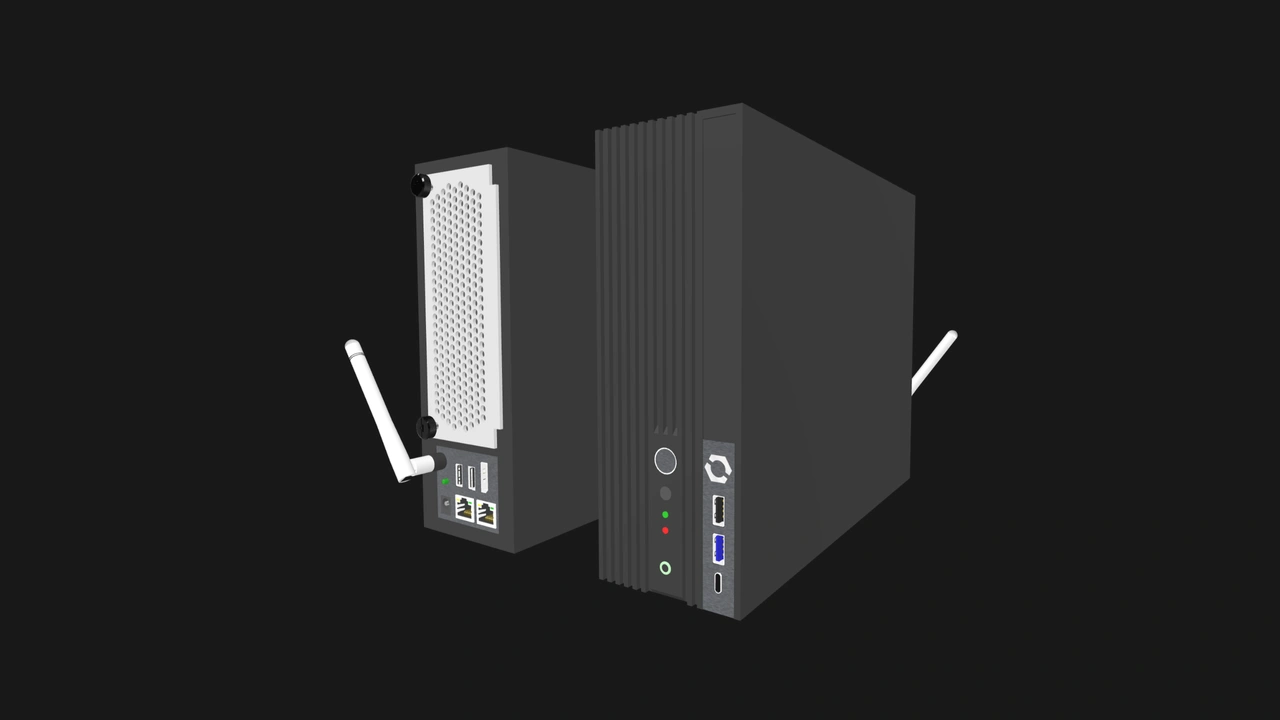
Schools, offices, and contact centers often run Virtual Desktop Infrastructures. These setups require endpoints that are cheap, reliable, and unobtrusive. A Core Enclosure can be easily specced to fit the bill. Once more, there is no need for internal networking or redundant power, which should keep the endpoint slim. It would pair well with a Compute Node with a low-powered SoC, such as the Intel N100.
A small Core Enclosure mounted behind a monitor would fit in perfectly in such environments. The Compute Node can be easily swapped while retaining the Enclosure and power supply.
This lightweight system would have a Core Enclosure with:
- One Core Compute Node slot
- One 150W external DC power brick
- One Wi-Fi 6 or 7 card
- VESA mounting
Build with OpenSFF
Enterprise Enclosures are much more rigid in their specification to give business users peace of mind. Core Enclosures allow OpenSFF systems to go beyond the realm of dense servers and enterprise applications. They can be appropriately designed and equipped for a variety of use cases and environments, including homes, retail sites, and on the edge.
The adaptability of Core Enclosures also keeps interoperability and sustainability at the forefront. We have long been able to repurpose consumer devices for enthusiast and even small business use. But try handing down a server blade to a home user.
Compute Nodes can serve drastically different use cases across several lifetimes. The more use cases Enclosures enable, the more we extend the longevity and usability of Compute Nodes.
For vendors, Core Enclosures represent a playground for innovation and differentiation while still benefiting from a shared ecosystem. Businesses could significantly reduce procurement and servicing complexity. Enthusiasts could potentially have more options for modular setups. Budget users would benefit more from secondhand markets, with a less wasteful and gradual upgrade path.
Help us spread the word about OpenSFF and our specifications. For technical clarifications, partnerships, and other inquiries, reach out to our development team at [email protected].
Other Articles

Meet OpenSFF: an open hardware standard that enables cross-vendor compatibility, modular systems, and sustainable hardware reuse.
August 11, 2025
We go over the rise of virtualization and the open software adopted by home server enthusiasts, as well as the current challenges and the future of the hobby.
September 06, 2025

Learn why OpenSFF adopted the SFF-TA-1002 connector standard and how it enables our vision.
September 18, 2025