Blog
Lay Low Connections: Internal Connectivity in Enclosures
Introduction
When you are looking to purchase a computer, one of the first things you typically consider are its external ports. Models within a product family are sometimes segmented based on the quantity of their ports. It is therefore easy to assume that the ideal computer should have as many external ports as possible. We ourselves explored our standard’s maximum port configurations in one of our articles.
But our Enclosure specification actually has minimal requirements for external connectivity. More importantly, the specification explicitly allows the Enclosure to consume the installed Compute Node’s signals internally. Vendors can route DisplayPort to an integrated display, USB to embedded peripherals, or Ethernet to an onboard radio. The specification also points out that Compute Node signals may be left unconnected to the Enclosure, as long as the omission does not interfere with the Compute Node’s ability to operate normally in other compatible Enclosures.
Internal signal consumption in OpenSFF systems
Mechanics
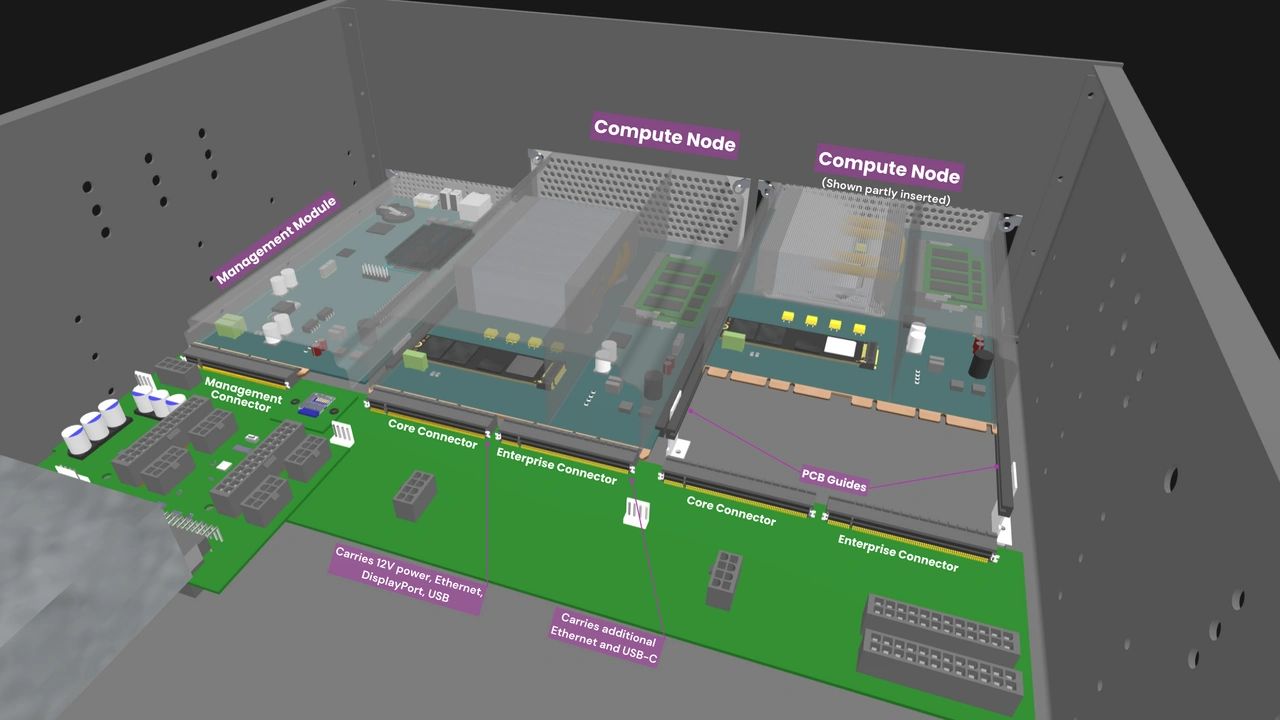
Every Compute Node delivers its signals through one or two SFF-TA-1002 4C+ connectors. Once those signals reach the Enclosure’s backplane, how those signals are consumed or connected is up to the Enclosure designer. This is just one of the ways that the Enclosure differs from a typical computer chassis. It is an active hardware component that intercepts signals and determines how they are used.
Cost benefit
Connectors and external ports add cost. Adding an RJ45, USB, or video output jack also means adding a receptacle, retention mechanism, protection from electrostatic discharge, and testing process. Eliminating unnecessary external interfaces is a straightforward way for vendors to reduce cost without compromising on quality or a device’s primary functionality.
Security and privacy benefit
Each external port increases a system’s attack surface. Organizations handling sensitive data often modify their system’s software or hardware to mitigate risks related to external connectivity. For example, in the US, the National Institute of Standards and Technology (NIST), the Department of Defense (DoD), and the Center for Internet Security (CIS) publish security policies that are adopted by tens of thousands of institutions. The NIST explicitly recommends disabling or removing unnecessary I/O ports, while the DoD and CIS both recommend disabling mass USB storage in the operating system.
As such, there are businesses built entirely around accessories that physically block a computer’s ports, and there are even vendors that offer tamper-proof servers. But instead of attempting to reduce the attack surface after the fact or creating proprietary products, vendors can adopt OpenSFF to provide default and interoperable hardware-level protection. They can easily design compatible Enclosures that leave Compute Node signals unconnected, or ones that consume the signals internally for capabilities that are accessible only by their intended users.
Sample implementations
OpenSFF systems can be designed to replace existing sealed edge appliances used in various consumer, commercial, or industrial environments. The following concepts illustrate how vendors can start with a Core Enclosure and take advantage of internal signal consumption to create specialized and secure systems.
Interactive kiosk and digital signage
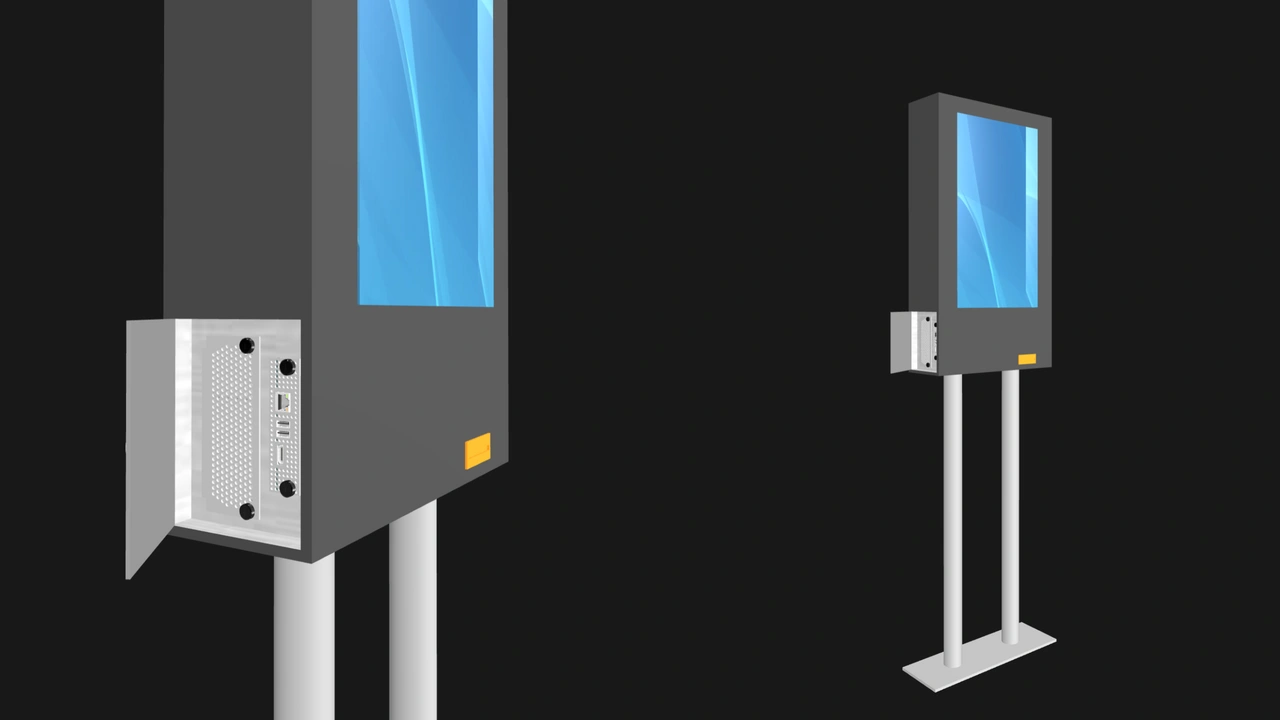
A single-node managed Enclosure powering a touchscreen kiosk. The Enclosure can route the Compute Node’s DisplayPort signal as well as a USB signal to the touchscreen. Two more USB signals may be routed to a light sensor and an embedded Wi-Fi or 5G network adapter.
Existing kiosks are typically powered by mass produced mini PCs or system boards that have a glut of unnecessary ports. With OpenSFF, vendors can ensure that their kiosk has none of those costly and risky excesses. Operators can manage the appliance over the network, perhaps via SSH or through a web portal. The Enclosure’s Management Module slot can be locked behind a physical access panel.
Smart home controller
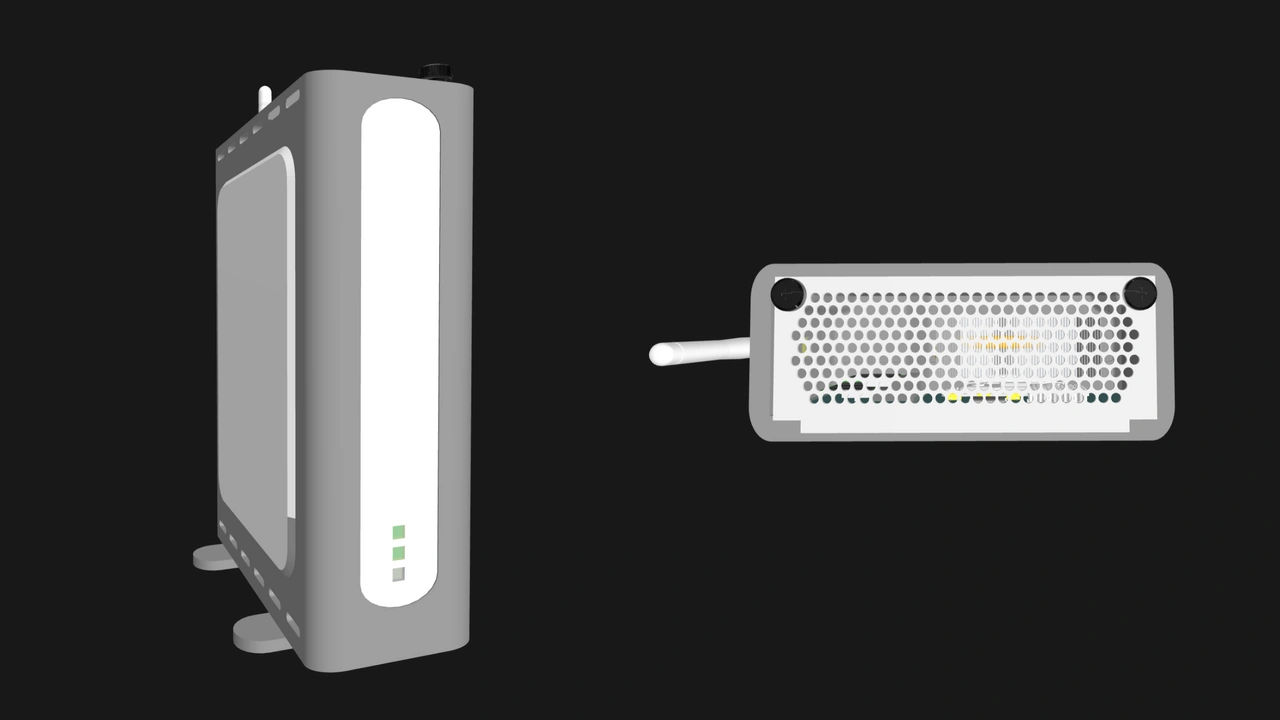
A residential or commercial automation hub can consume a Compute Node’s USB signals by hardwiring them directly to embedded Zigbee, Z-Wave, or Thread radios. The Enclosure’s only visible I/O would be RF antenna connectors, and perhaps a factory reset button. Just as with the kiosk, users can access the controller’s dashboard through a web browser.
Point of Sale (POS) system
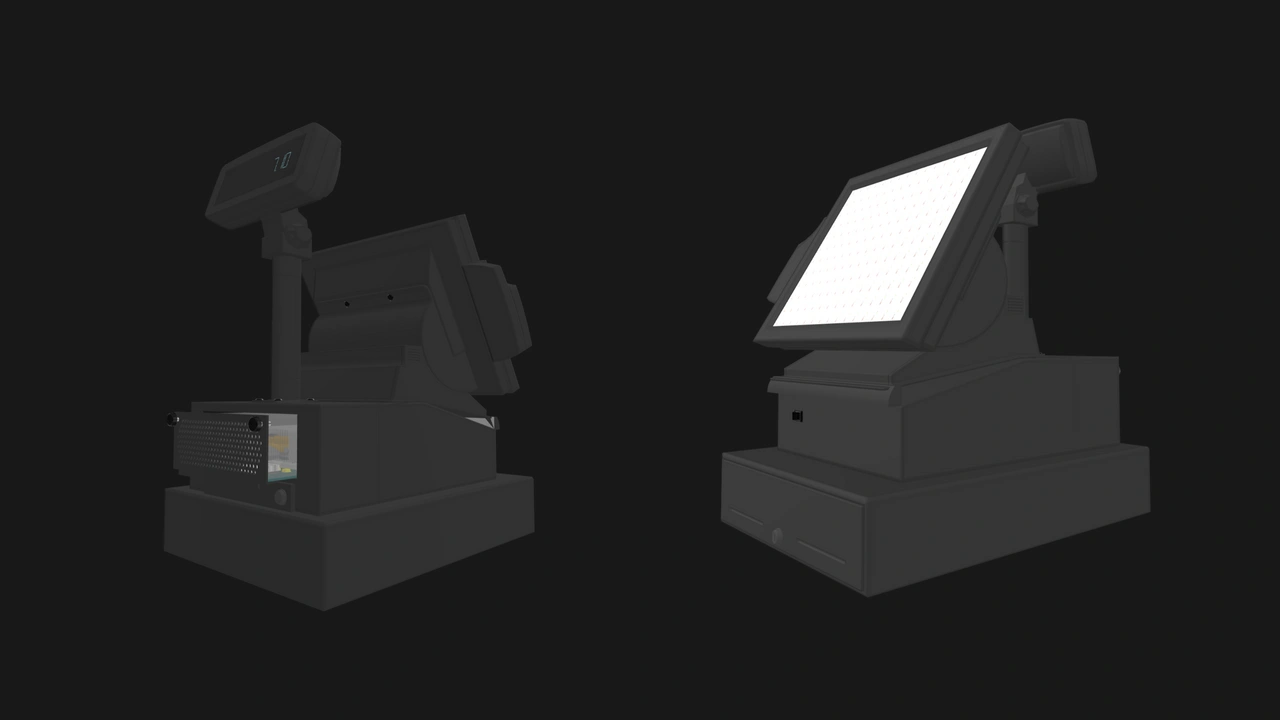
An all-in-one POS terminal could consume a Compute Node’s network, USB, and DisplayPort signals for the payment terminal interface, cash drawer, barcode scanner, receipt printer, and touch display. The cashier can interact only with the touchscreen, while the technician services the POS system through its Management Module, once again locked behind an access panel.
Remote telecom gateway
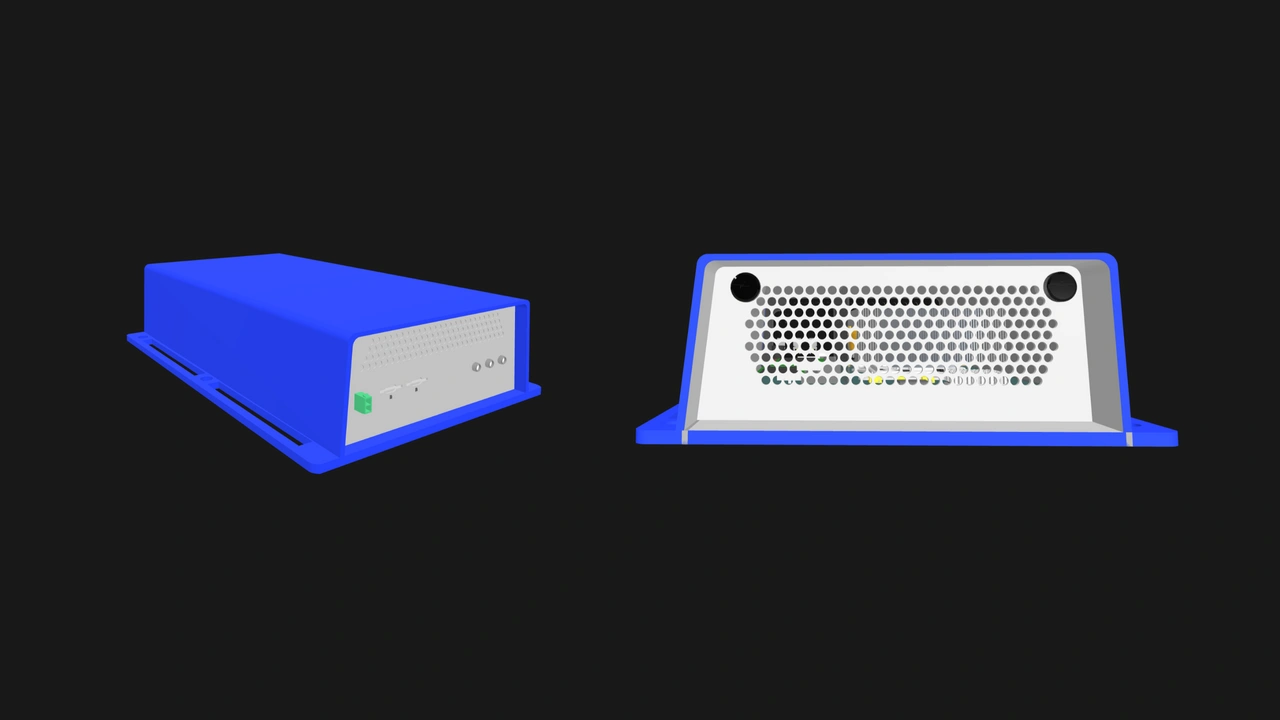
A weatherproof router for construction sites, rural offices, and other remote locations. Its Enclosure consumes the Compute Node’s Ethernet and USB signals to drive an industrial-grade 5G modem. Its external I/O would be limited to RF antenna connectors and sealed SIM card slots. It has no extraneous USB or Ethernet ports, and the appliance can be managed remotely over its out-of-band network.
Enterprise Enclosures
The concepts we discussed hinge on the flexibility of Core Enclosures. On the other hand, Enterprise Enclosures are primarily meant to be reliable, managed multi-node servers. But that purpose already involves internally consuming several Compute Node signals, as mandated in the Enclosure specification.
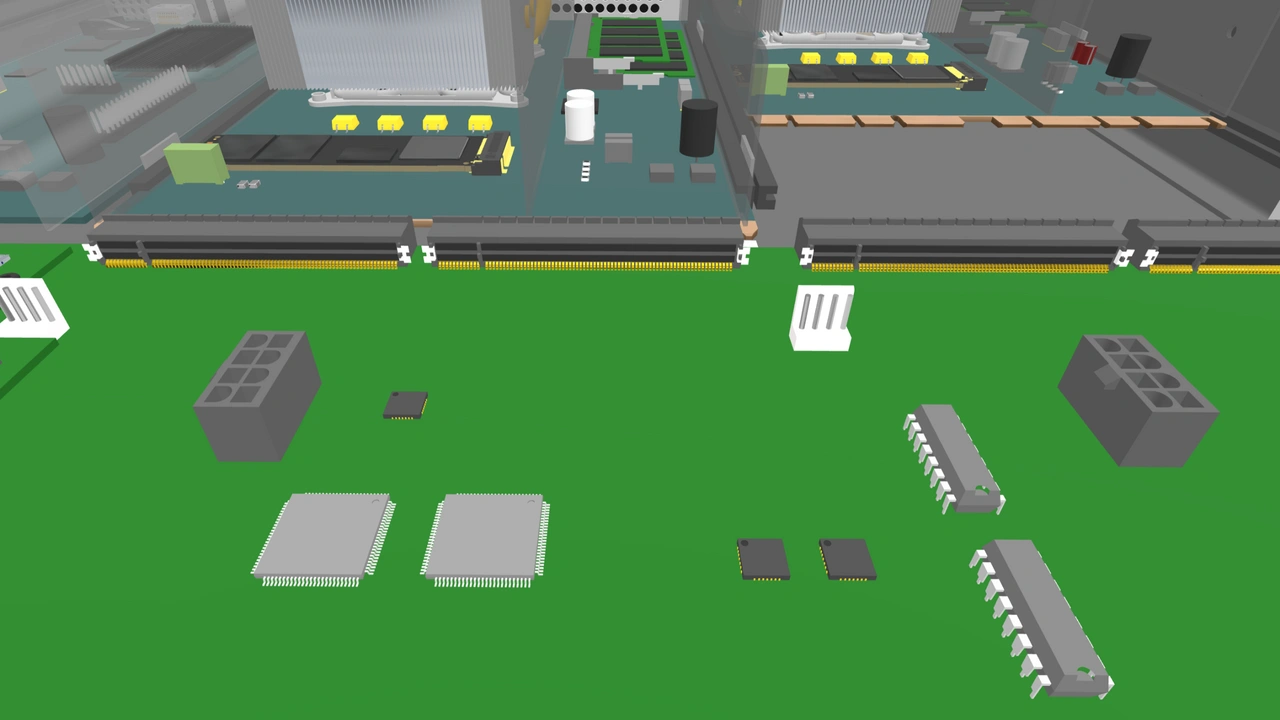
At minimum, a compatible Enterprise Enclosure internally consumes:
- Two Ethernet signals for the Node Network, an internal Ethernet fabric for general purpose traffic.
- One USB 3.0 signal for the Private Enclosure Network, an internal out-of-band management network.
- One USB 2.0 signal for the keyboard, mouse, and virtual media emulation components of the Management Module’s KVM functionality.
- One DisplayPort signal for the video component of the Management Module’s KVM functionality.
Blade servers popularized this architecture, absorbing individual blades’ networking, console, and management signals to eliminate extra cabling. But their cost, lock-in, and management complexity make them ill-suited for small and medium-sized businesses. Enterprise Enclosures allow vendors to fill in that significant void in the market.
On the security front, the only external port that is required in multi-node Enclosures is one network uplink. Vendors can easily create Enterprise Enclosures that satisfy stringent compliance requirements. Users can also isolate Compute Nodes from the Management Module by cutting power to the Private Enclosure Network's Ethernet switch via an internal jumper.
Beyond the baseline, unassigned Compute Node signals open up additional enterprise features. For instance, vendors can route a spare USB 2.0 Compute Node signal to a hardware security module mounted on the Enclosure’s backplane, eliminating the need for a separate appliance or a removable dongle. A Compute Node’s extra USB 3.0 signal can be connected to an internal boot drive, simplifying Compute Node replacements and allowing the operating system to be updated or reinstalled without touching the data stored in Compute Nodes.
Enterprise Enclosures can also internally consume the additional signals available in Enterprise Compute Nodes. The additional USB-C signal can be connected to a shared drive, while the additional Ethernet signals can be dedicated to a storage network, keeping storage traffic isolated from the Node Network without the need for external cabling.
Build with OpenSFF
When it comes to external connectivity, less is sometimes more. The Enclosure’s ability to consume Compute Node signals internally or leave them unconnected can reduce cost and security risks more efficiently compared to existing solutions with fixed external ports. Even as compatible Enclosures evolve and diverge, they will remain part of an interoperable and vendor-neutral ecosystem, providing users with sustainable options instead of asking them to commit to a single solution.
We encourage you to read our specifications, and we would be grateful if you spread the word about OpenSFF. For technical clarifications, partnerships, and other inquiries, reach out to our development team at [email protected].
Other Articles

Meet OpenSFF: an open hardware standard that enables cross-vendor compatibility, modular systems, and sustainable hardware reuse.
August 11, 2025
We go over the rise of virtualization and the open software adopted by home server enthusiasts, as well as the current challenges and the future of the hobby.
September 06, 2025

Learn why OpenSFF adopted the SFF-TA-1002 connector standard and how it enables our vision.
September 18, 2025