Blog
If It Ain’t Fixed, Break It: How OpenSFF Can Lead to Better All-in-One PCs
Introduction

The all-in-one (AIO) is one of the oldest desktop PC form factors, predating the discrete tower and monitor setup that many people think of as the default. It has held a steady presence in homes, offices, and other space-constrained settings. It’s easy to set up and move, thanks to its small footprint and need for fewer cables. But the AIO never became the dominant form factor due to a handful of persistent problems with its serviceability, and ultimately, longevity.
What’s interesting is that several major vendors have already tried to fix those problems, and they came up with the same general idea: the best all-in-one isn’t one. They reinvented the form factor into a modular platform, but their attempts didn’t stand the test of time.
In this article, we’ll sum up the lineage of AIO PCs, the form factor’s constraints, and how our open standard can lead to a better and lasting modular alternative.
A brief history of AIO PCs
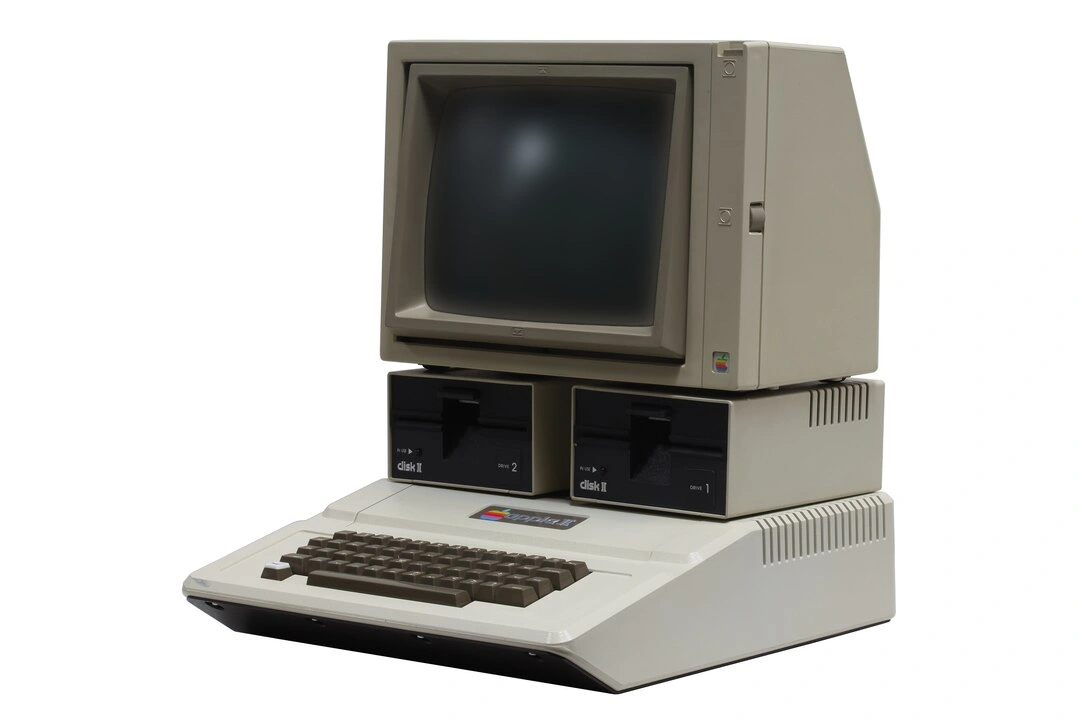
Many of you will be familiar with one of the very first home computers: the Commodore PET from 1977. This iconic PC combines a monitor, keyboard, and cassette drive into a single chassis. But the form factor’s origins may actually have come from an even older and more interesting system. Launched in 1972, HP’s 9830A was a calculator and computer hybrid. It has a 32-character monochrome alphanumeric display, a tape drive, and a mechanical keyboard with programmable keys in one unit.
Apple continued to bring the form factor to the mainstream with generations of AIOs, from the Apple II to the Lisa. Apple of course still has an AIO line, the iMac, which bears the design language that defines modern AIOs. The keyboard is no longer attached to the unit, but the system board, monitor, and peripherals such as the webcam and speakers are still in one sealed unit.
Beyond being easy to set up even for non-techies, AIOs are a staple in schools, showrooms, offices, and healthcare settings. These are all places where desk space is tight and cleaning happens often. A single unit with only a few cables attached to it is much easier to work around than a dedicated monitor, a tower, and their nest of cables.
The AIO PC’s constraints
Similar to laptops and mobile devices, many AIO PC components are soldered or otherwise inaccessible. This makes upgrades or replacements difficult, if not impossible.
You’ll realize just how serious the problem is when you consider that its components age at very different rates. Monitors in particular can stay perfectly usable for 7 to 10 years, with some industrial models lasting as long as two decades. The same is often true of the monitor stand, webcam, speakers, microphone, and even the chassis itself. Those parts aren’t under constant stress and rarely fail on their own. Unfortunately, the compute hardware isn’t so durable. Even if the CPU or other board components stay fine, better versions will inevitably come out in a few years. Operating systems and other software can also demand more and more performance as they are updated. When you want to replace the compute, you’re going to replace the entire unit.
That naturally leads to costly repairs, downtime, and ultimately, a lot of unnecessary e-waste. Instead of replacing only a failed system board, you’ll have to send your entire PC to the shop or discard it altogether. If one component can’t be repaired, perfectly good parts are scrapped by association. That’s been the case in millions of homes and businesses around the world.
What vendors have done to fix AIO PCs
In 2019, HP, Dell, and Lenovo all released more practical evolutions of the form factor. The idea was simple: a separate compute unit that still pairs well mechanically with the rest of the system.
Dell took an elegant, conservative approach with its OptiPlex Ultra. It housed the compute hardware into a thin module that slotted into the monitor stand. A few cables connected the module to the display and integrated peripherals. The OptiPlex Ultra went through a couple of generations before being quietly discontinued in 2021.
The Mini-in-One Display from HP took a simpler approach. The monitor-and-peripheral unit had a slot at the back with a USB-C connection for an HP mini PC. Both pieces were sold separately, and the mini PC could be used as a regular desktop unit. Based on the last version of its maintenance documentation, it appears that the Mini-in-One also lasted for only a couple of years.
The Lenovo ThinkCentre Tiny-in-One (TIO) went furthest with modularity and lasted the longest out of the three. The 2023 versions of the TIO monitors have no internal PC bay or slot. They simply had a 3-in-1 connector on the rear side that lets you dock a ThinkCentre Tiny or ThinkStation Tiny PC directly onto the monitor, no cables needed. Like the Mini-in-One and its compatible HP mini PCs, the two halves of the TIO system could be purchased and used separately. The TIO monitor has DisplayPort and HDMI inputs, while the Tiny PCs doubled as regular desktop units. And like Dell and HP’s products, the TIO line has been discontinued as well. The last versions of TIO monitors appear to have been released in 2023.
We think that Dell, HP, and Lenovo all had the right idea, but they didn’t go far enough. Each of their products was a proprietary, single-vendor solution that involved different form factors, connections, and parts. Instead of working together to form an industry standard, they all tried to push their own take on a similar idea.
How OpenSFF can lead to a long-term solution for all-in-one desktops
We’re a nonprofit organization developing an open-source hardware standard. Vendors will be able to use our specifications to create modular, serviceable alternatives to many sealed computing devices, including the AIO PC. Our specifications define three components. The Compute Node contains the processing hardware and primary storage. The Enclosure is an active electronic housing that provides power, cooling, and networking to one or more nodes. It has no defined shape or layout, which means it can be anything from a traditional tower, a mini PC, or an all-in-one terminal. Finally, there’s the Management Module, which provides console access and power control for maintenance or troubleshooting.
Unlike Dell, HP, and Lenovo’s attempts, we present a self-reinforcing solution. Any Compute Node will work with any Enclosure, regardless of their vendors. An OpenSFF-compatible AIO Enclosure and the node you pair it with don’t even have to be designed as a specific pair. HP could specialize on AIO Enclosures, knowing that Dell, Lenovo, ASUS, or any other vendor would have Compute Nodes that pair well with their product. That’s more competition and more options for everyone.
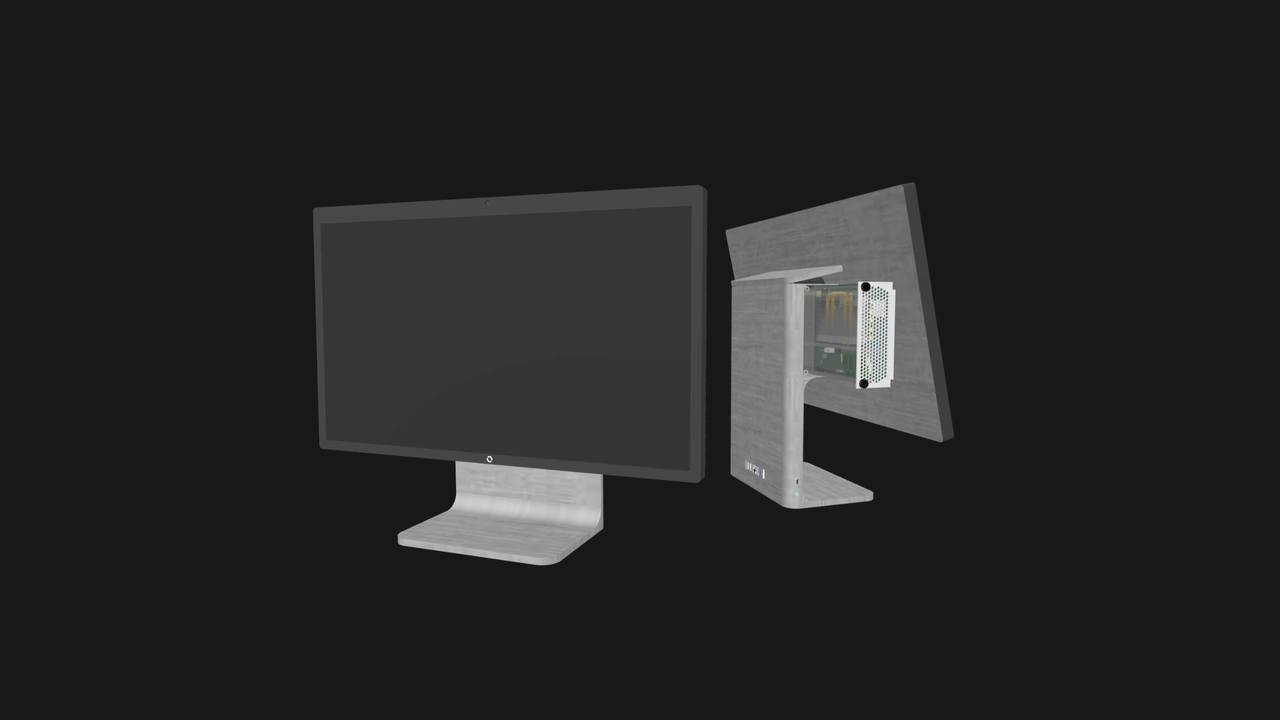
To ensure interoperability, we define a standardized electrical and mechanical interface for nodes and Management Modules, including the connector's pinout and mechanical requirements. This interface is built around an open connector, allowing vendors to independently develop compatible products without relying on proprietary hardware or high licensing fees.
Our cable-less, tool-less connection is similar in spirit to what Lenovo designed with the TIO. But since OpenSFF is a standard, nodes and Enclosures pair the same way across all compatible vendor products. You’ll be able to swap nodes and migrate to AIO Enclosures with different displays, peripherals, and I/Os as easily as a technician would. Our standard should also make it easier for repair shops to source replacement parts, since they’re not reliant on a single vendor.
The usable lifespan of OpenSFF-compatible components goes further than vendor-neutrality. It spans device categories too. When we said that any Compute Node works with any Enclosure, we also meant that a node that was originally in a server, mini PC, or any other OpenSFF-compatible system would also work with an AIO Enclosure, and vice-versa.
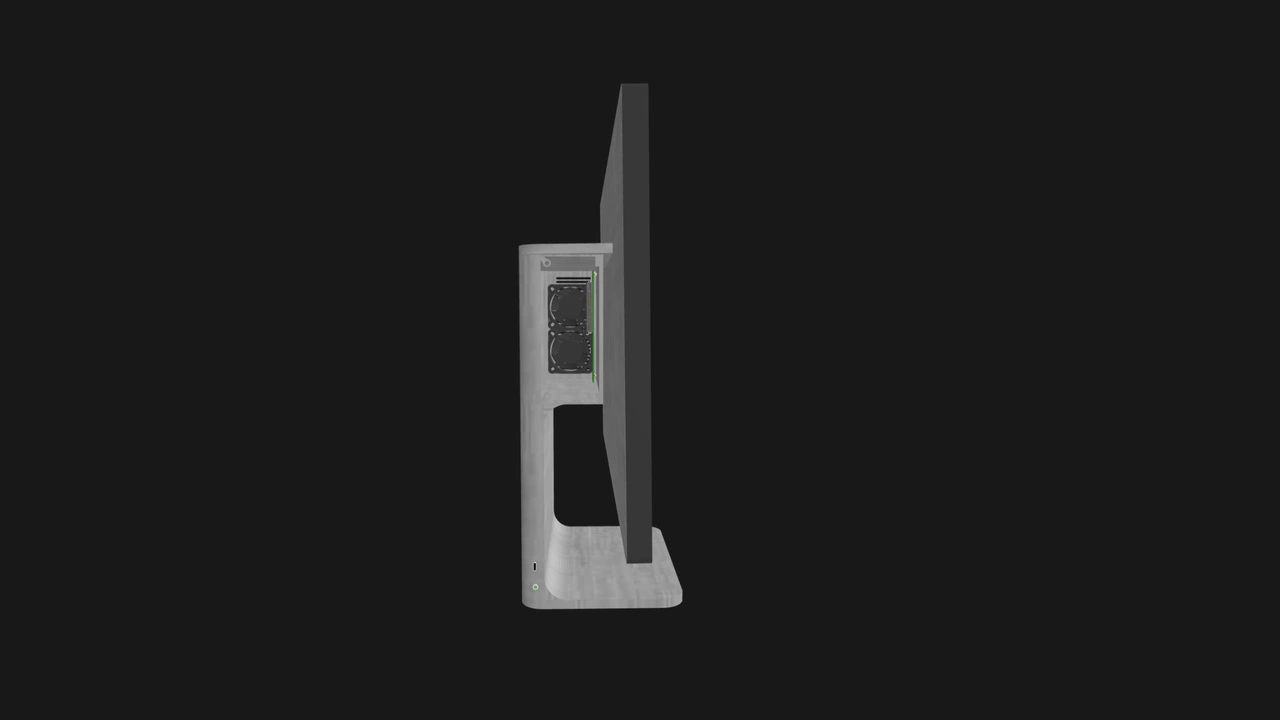
In a world with OpenSFF, your AIO’s lifecycle would be significantly different. You buy an AIO Enclosure and a Compute Node—perhaps separately from different vendors— and use them together for a few years. When the original node is no longer up to the task, you can swap in a new node, while the same screen, stand, and peripherals stay put. Perhaps you’ll even get a mini PC Enclosure for your old node and repurpose it as a media server.
Conversely, you can swap to a new Enclosure and take your original node and data with you. You can keep doing this at your own pace and budget over the years, as both new and secondhand parts enter the market.
Build with OpenSFF
Major vendors figured out that the best way to save the all-in-one PC was to break it apart. What none of them saw through was a common platform, and that’s partly why their offerings faded.
OpenSFF enables vendors to implement that modularity under a shared foundation. One standard for many modular PCs. Which begs the question—perhaps the term “all-in-one PC” needs to be retired as well?
If you enjoyed reading this, we invite you to learn more about OpenSFF and our specifications. We would also be grateful if you spread the word about our standard. For technical clarifications, partnerships, and other inquiries, reach out to our development team at [email protected].
Other Articles

Meet OpenSFF: an open hardware standard that enables cross-vendor compatibility, modular systems, and sustainable hardware reuse.
August 11, 2025
We go over the rise of virtualization and the open software adopted by home server enthusiasts, as well as the current challenges and the future of the hobby.
September 06, 2025

Learn why OpenSFF adopted the SFF-TA-1002 connector standard and how it enables our vision.
September 18, 2025