Blog
Mount & Blade: An Overview of Server Organization
Introduction
Rack cabinets are the organizational backbone of IT equipment, from warehouse-sized data centers to homelabs perched on desktops. The 19" rack standard introduced in 1965 is still widely used, but a lot has happened in the past 60 years. Fridge-sized servers aren’t going anywhere, but mini PCs and other compact systems are also being used as nodes for small to medium-scale applications.
Thanks to containerization technologies such as Docker and Kubernetes, a cluster of mini PCs can handle moderate workloads. Even single-board computers (SBC) like the Raspberry Pi can sometimes be used to make the tiniest of servers. So it’s no surprise that half-width or 10" mini racks are becoming popular among home server users. There are also modular platforms that you can use to make perfectly-sized racks for your specific set of equipment.
Let’s take a look at these different server mounting solutions, then briefly go over how OpenSFF offers a more streamlined approach to server organization.
The tried and tested 19" rack
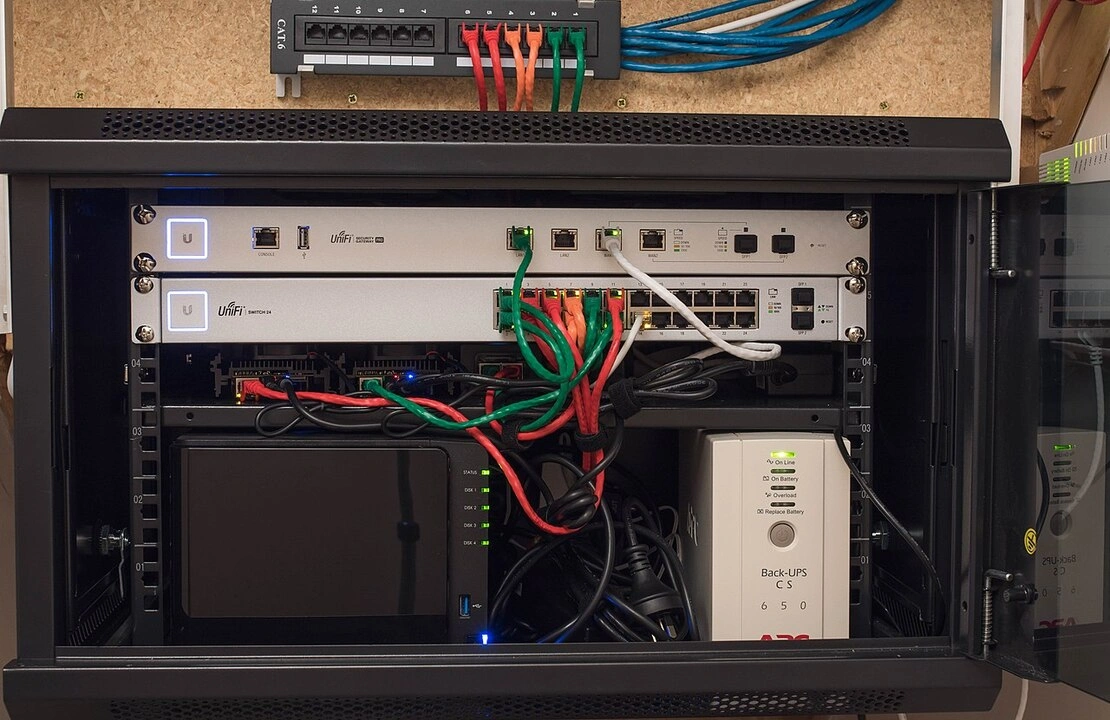
The 19" rack is one of the designs defined in ECIA EIA-310, a standard for “cabinets, racks, panels, and associated equipment.” EIA-310 was first published by the Electronics Industry Association (EIA) in May 1965, and is currently maintained by the Electronic Components Industry Association (ECIA).The standard defines one rack unit (1U) to be about 1.75” tall and 18.3“ wide. If we include the width of the mounting holes, we get the magic number: 19”. To make up for the inconsistency introduced by this wiggle room, racks usually come with mounting slots instead of holes.
While rack makers have 0.7” of width to play with, you should actually be more mindful of your equipment’s depth. Rack cabinets are usually between 32” to 42” deep, but there are exceptions. Take AV racks such as the Gator Frameworks Elite for example. They can be great home server racks and do adhere to the 19" standard, but they are usually only around 12” to 18” deep. That said, mini PCs and networking equipment would likely fit in an AV rack.
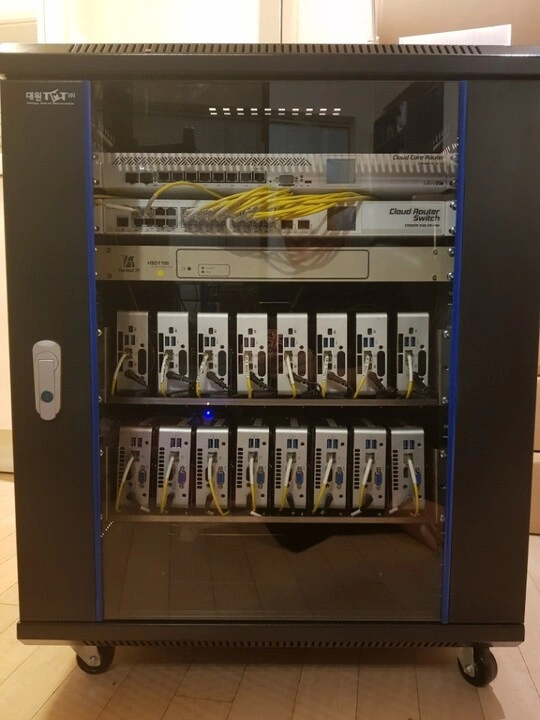
Despite their varying dimensions, rack cabinets are actually broadly categorized as either enclosed or open-frame. Enclosed cabinets such as this 15U Sysracks cabinet provide security, dust protection, and sound dampening. However, open-frame racks are usually more affordable than enclosed cabinets. It's also easier to mount devices, manage cables, and keep your equipment cool in an open-frame rack than in an enclosed cabinet.
Another way you can narrow your search for a server mounting solution is by thinking about how it fits in your space, i.e. wall-mounted or floor-standing. A wall-mounted cabinet saves on floor space and can keep your server safe from curious kids or pets. To account for their installation, wall-mounted options such as this 6U rack from Navepoint typically have hinged gates or removable side panels for easy access. But you’ll need to make sure that both the cabinet and your wall can handle your setup’s weight.
On the other hand, floor-standing racks are way simpler to place and access. Many of them can be fitted with casters, such as this Raising Electronics rack. You can assemble your server in a spacious area before wheeling the whole thing into its permanent spot, or vice-versa. But even if you have a tight space or budget, you still have a wealth of options for servers and matching mounting solutions.
The compact 10" mini rack
The 10" mini rack has become the de facto mounting solution for compact setups such as homelabs. It usually has aluminum frames and acrylic panels to strike a balance between cost, durability, and weight.
DeskPi’s RackMate is the most popular line of 10" mini racks. The 4U RackMate T0 and the 8U RackMate T1 can serve most homelab needs. As with many 19" racks, there are lots of RackMate accessories, from shelves and patch panels to a touchscreen monitor, so you have some room to customize your build.
If you don’t find prebuilt options appealing, you can head to IKEA, connect extrusions, or warm up your 3D printer.
DIY Options
IKEA furniture
The LACK side table has achieved cult status among homelabbers. Legend has it that the first “Lack Rack" held only a network switch. But that humble hack unveiled the furniture’s hidden potential: the gap between its legs is 19”. The table has around 8U of vertical space and is stackable, but it may not be strong enough to hold all your gear as it’s mostly made of fiberboard.

If you need no more than 4U of space, the BROR utility cart is a more robust and portable alternative to the LACK side table, as it’s made of metal and has casters. The KALLAX shelves aren’t rack substitutes themselves, but each of its cubic compartments can hold a 10" mini rack.
Modular and customizable designs
If you’re willing to do more than assemble furniture, look into aluminum T-slot extrusions. These modular metal pieces make for durable and professional-looking racks. Enthusiasts mainly go for 20x20mm or 40x40mm profiles to create racks that fit their needs. Suppliers such as Misumi can cut extrusions according to your desired length.
If you have access to a 3D printer, check out printable rack designs. Michael Klements’ Lab Rax is a 10" mini rack that can be made using only about $20 of filament plus a few fasteners and brass inserts. You can use the core design to create 1U to 5U racks, and you can combine multiple Lab Raxes. You can print it even on a mid-sized 3D printer and with minimal supports.
Zhao Whang’s Rackstack is a fully customizable design, perfect for those with 3D modelling chops. It’s stackable and uses a “sliding hex nut” design that does away with cage nuts. Then there’s Patrick Potz’s HomeRacker, the 3D printable equivalent of T-slot extrusions. It uses a modular “support-connector” system that lets you print racks for various purposes, not just to mount servers.
Raspberry Pi cases and rack mounts
Raspberry Pi nodes and clusters are popular enough that they've spawned a range of matching cases and rack mounts. There are even large cases such as the C4Labs Cluster Case, which has room for eight Raspberry Pi boards.
Speaking of open hardware platforms, our standard offers a solution to server organization by addressing the root of the issue.
The OpenSFF alternative
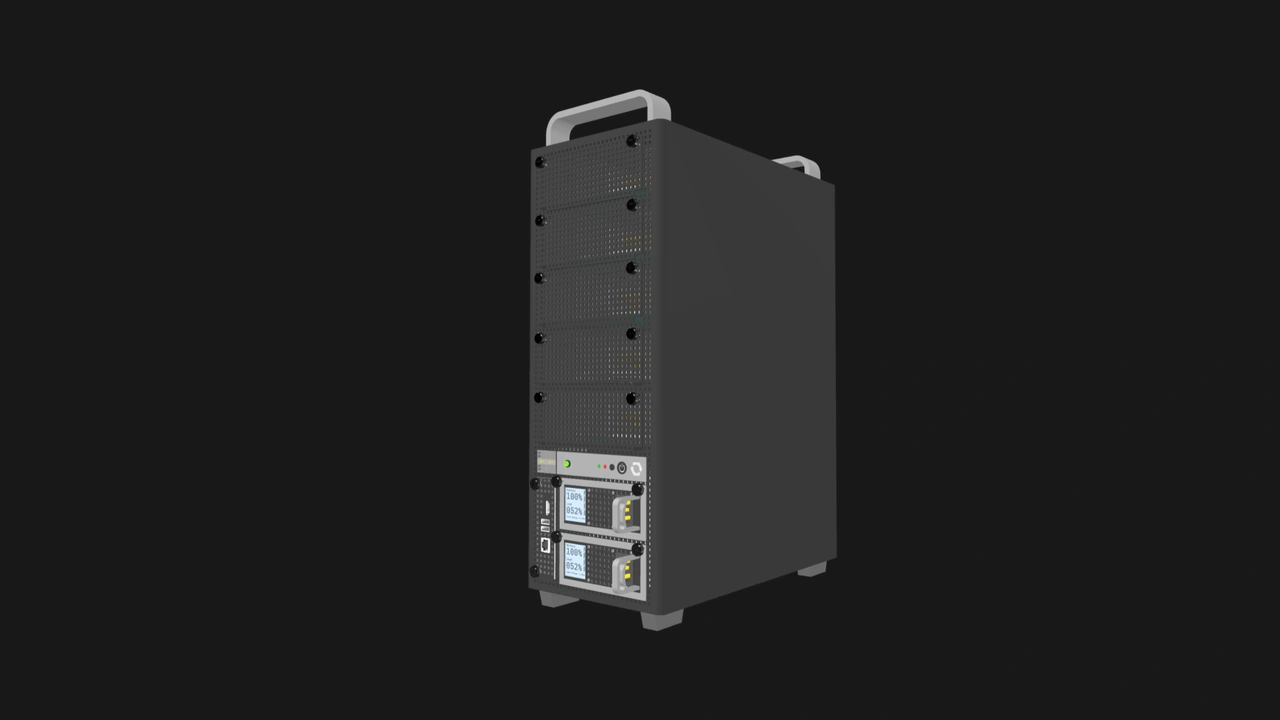
OpenSFF simplifies server organization through hardware integration. Our open, vendor-agnostic, and scalable standard adopts the blade server architecture: Compute Nodes slot into an Enclosure and share power, I/O, and cooling. The Enclosure specification also has provisions for internal networking.
The Compute Node and the Management Module have well-defined dimensions, thermal characteristics, and power budgets. On the other hand, the Enclosure has no defined shape, layout, or even maximum size. Our standard makes compute and management hardware predictable while providing flexibility when it comes to housing, power, cooling, connectivity, and networking.
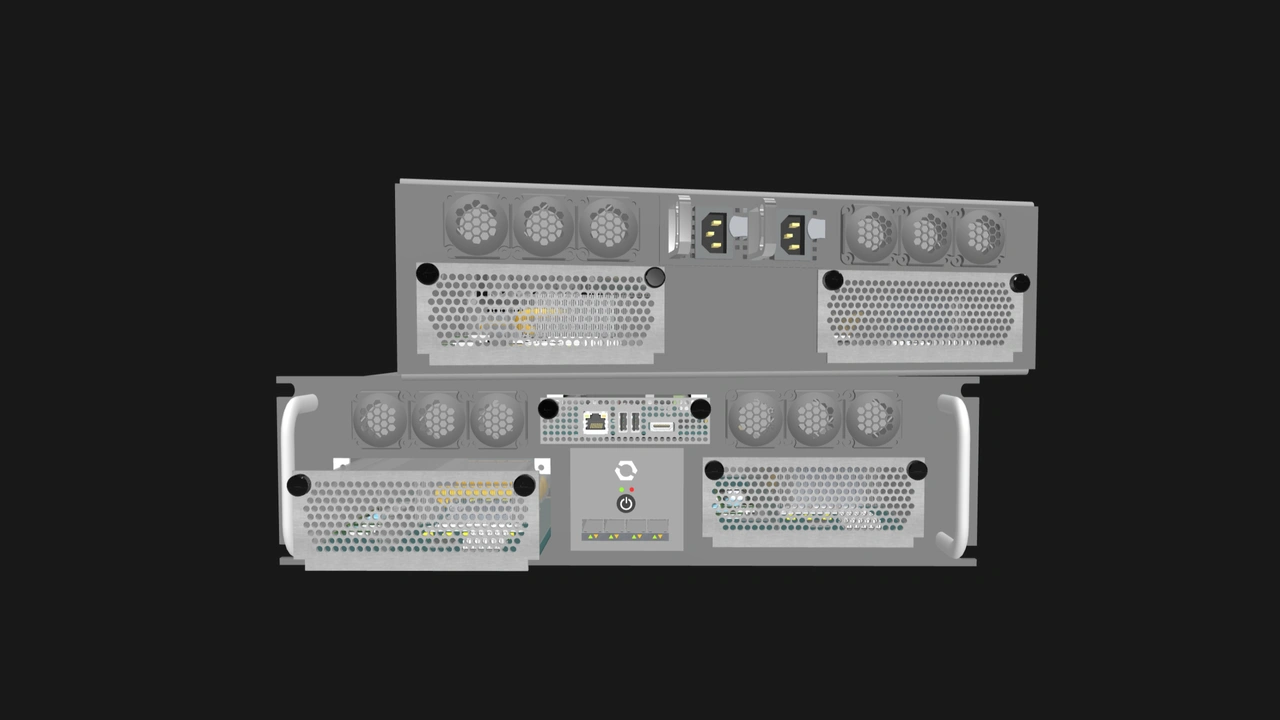
The shared power delivery eliminates the need to mount multiple power bricks and route multiple power cables. Enclosures with internal networks further cut down on cable clutter, a persistent issue that rack cabinets can’t fully fix.
The Management Module doubles as a local KVM device, and smart implementations can additionally provide remote management capabilities. Like Compute Nodes, the Management Module has a dedicated slot in managed Enclosures, which have an internal out-of-band network. That’s another device integrated into the Enclosure, and lots of cables taken out of the equation.
Build with OpenSFF
As simple as racks and cabinets may seem, they’re integral parts of server setups. EIA-310 shows how a standard can make it easier to build servers and to enjoy an ecosystem of products and community-driven designs. Meanwhile, hardware continues to become more space- and power-efficient, giving us more options for a range of budgets and needs.
OpenSFF can simplify server mounting and organization for home server enthusiasts, businesses, edge deployments, and more. Compute Nodes will become even more capable as technology evolves, and our protocol-agnostic connector has room for tomorrow’s innovations. Adopting our standard gives vendors the opportunity to serve users that would love to have integrated hardware and other enterprise features at a smaller scale.
If you enjoyed reading this, we would be grateful if you could help us spread the word about OpenSFF and our specifications. For technical clarifications, partnerships, and other inquiries, reach out to our development team at [email protected].
Other Articles

Meet OpenSFF: an open hardware standard that enables cross-vendor compatibility, modular systems, and sustainable hardware reuse.
August 11, 2025
We go over the rise of virtualization and the open software adopted by home server enthusiasts, as well as the current challenges and the future of the hobby.
September 06, 2025

Learn why OpenSFF adopted the SFF-TA-1002 connector standard and how it enables our vision.
September 18, 2025