Blog
Ready to Serve: How OpenSFF Can Lead to More Flexible Prebuilt Home Servers
Introduction
In our beginner’s guide to home servers, we echoed the community’s advice for starting out: use hardware you already own, or get something used and cheap. Then again, not everyone is in that position. You may not have a spare PC, or you’re not confident with the secondhand market in your area. Maybe you do have the hardware, but you’re not comfortable setting up the software.
Thankfully, there’s a growing niche of systems that are purpose-built to be home servers. These are preconfigured with operating systems, app stores, and other tweaks and tools for self-hosting. There are options for different budgets, use cases, and experience levels. Let’s take a look at these products, from the most accessible to the most capable. Then we’ll explore how our standard can make for more flexible and sustainable prebuilt home servers.
Prebuilt home server options
FreedomBox
The FreedomBox project is one of the oldest and most principled contributions to the home server space. Its goal is to provide a beginner-friendly alternative to commercial cloud services. The FreedomBox software is officially part of Debian, an established and stable Linux-based operating system (OS). In keeping with its mission, FreedomBox supports two prebuilt products.
FreedomBox Pioneer Edition by Olimex
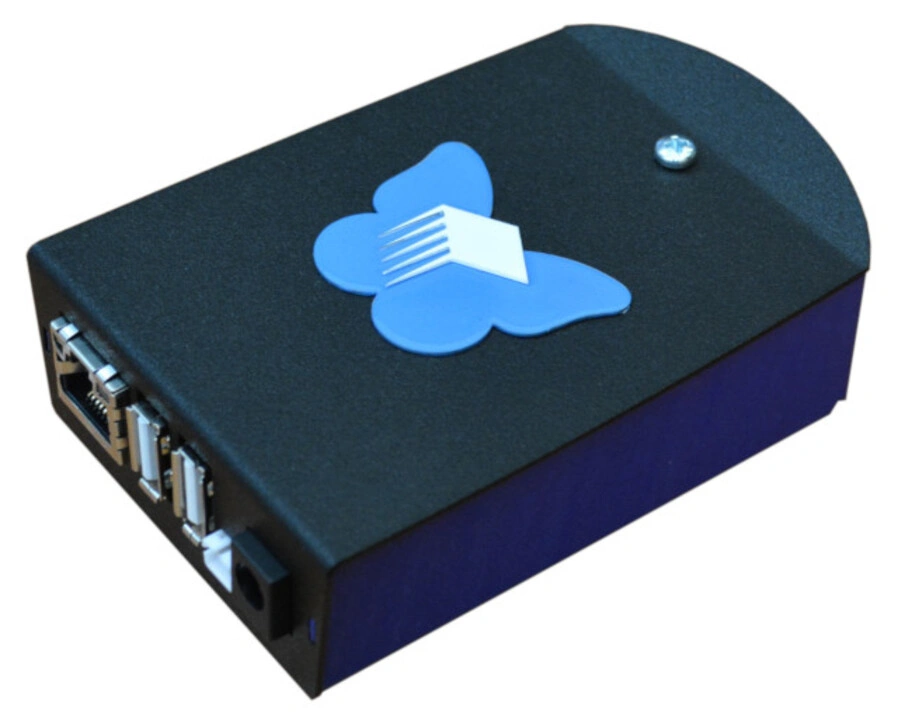
This is our number one recommendation for a starter prebuilt home server. First, it costs only around $80. Second, it ships globally. You can order it directly from Olimex or from a number of distributors, including the major electronics shop DigiKey. Third, its hardware is open-source as well: Olimex’s own ARM-based single board computer. Finally, it’s a complete kit. You get a metallic housing, a power adapter, and a microSD card with the FreedomBox software pre-installed.
The Pioneer Edition is also the only option on our list that is explicitly designed to be portable. It comes with a backup battery that you can connect to the board. Even if you don’t plan to take the Pioneer Edition with you, its battery can double as an uninterruptible power supply (UPS) in a pinch.
It’s a great option for self-hosting lightweight network services such as an ad blocker, a VPN, a secure backup service, or even a personal chat server. The FreedomBox software comes with a curated app store filled with the tools you need to get started.
FreedomBox by Libre Crafts
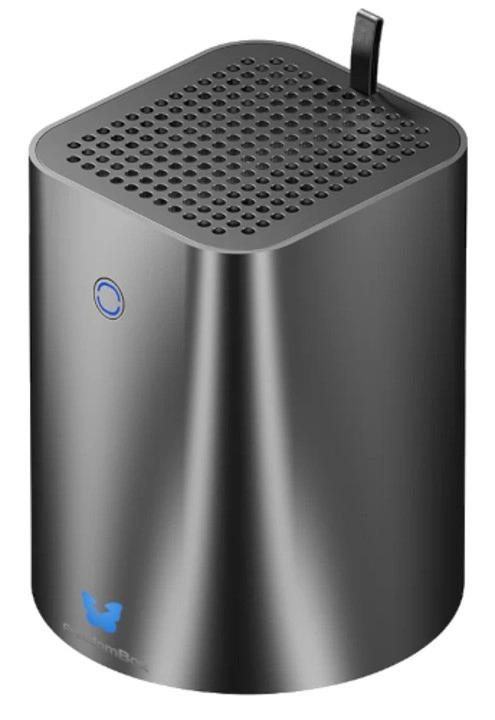
Libre Crafts is a shop run by the FreedomBox team itself. The team opted for a more capable and approachable computer compared to the Pioneer Edition. This variant has more powerful processor options, a 512GB NVMe SSD, and room for two internal 2.5” or 3.5” SATA drives. The tradeoffs are that it starts at $299 and it’s available only in the US, though Libre Crafts plans to ship it worldwide eventually.
If you can get your hands on it, you get to use FreedomBox’s user-friendly and stable environment for more demanding use cases such as streaming media.
Zima by IceWhale
Like the two FreedomBox systems, IceWhale’s home server products sit in different price brackets. Both of them are tiny, low-powered, and pre-installed with IceWhale’s minimalist ZimaOS. This polished simplicity is the Zima brand’s standout quality, and extends to its case designs as well.
There are two things you need to consider about ZimaOS. The first one is that it’s not open-source, which has a number of home server enthusiasts concerned about its users’ privacy and security. The second one is that ZimaOS’ fully unlocked version requires you to pay for a $29 lifetime license. Granted, the free version is more than enough for most home servers, especially for beginners. IceWhale officially supports several operating systems, so you don’t have to stick with ZimaOS, though that does somewhat defeat the point of a newbie-friendly prebuilt.
With those considerations in mind, let’s take a look at the ZimaBlade and the ZimaBoard 2.
ZimaBlade
This is the Zima line’s entry-level product. The ZimaBlade is a compact board in a transparent case. Powered by an Intel Celeron CPU, the ZimaBlade has two SATA ports, a PCIe 2.0 x4 slot, and a fanless design. While you can order it as a standalone system, the ready-to-use configuration—with RAM and a power adapter included—starts at around $130.
We think it’s still priced well, considering it’s enough to be a 1080p media server. Its PCIe slot also gives you room to expand. You can use that to connect more drives or a faster network card.
ZimaBoard 2
Starting at $339, the ZimaBoard 2 is the most popular and eye-catching Zima product. We wouldn’t be surprised if it's popped up on your social media feed. Its aluminum chassis doubles as a heatsink, but it does come with a small fan along with a power adapter. It runs on an Intel N150 CPU, the same processor used in the Intel variant of Libre Crafts’ FreedomBox. It also has 8GB or 16GB of DDR5 RAM, two SATA ports, two 2.5GbE ports, and one PCIe 3.0 x4 slot.
The ZimaBoard 2’s power and expandability makes it a great pick for beginners looking for a jack of all trades starter home server. Some users even connect multiple units as a cluster.
45HomeLab HL15 by 45Drives
If you have the requirements, dedication, and budget of a small business, this is the option for you. 45Drives brings its expertise in enterprise storage systems to the home server space through its 45HomeLab brand. While the brand has budget and midrange offerings, we’re going to focus on the flagship HL15 and its variants. These storage-focused servers are a major step up from the prebuilts we’ve covered so far in terms of performance, size, complexity, and price.
HL15 2.0
The latest version of 45HomeLab’s premiere storage server is housed in a 4U steel chassis. It gets its name from its 15 SATA/SAS drive bays, which lets you have up to 480TB of storage. Its prebuilt configuration starts at $2920 and comes preinstalled with Rocky Linux 9 and Houston UI, 45Drives’ web-based server management platform. The base model gets you the 3.1GHz 8-core AMD EPYC 7252 CPU, 16GB ECC RAM, 1TB NVMe SSD boot drive, and a 1000W modular power supply. You can upgrade your order with more powerful AMD EPYC CPUs, more RAM, and quieter Noctua fans.
Unlike equivalent servers offered by major server vendors, the HL15 is designed and specced to be user-serviceable. Its housing is held together with screws, and inside are standard components. You don’t have to deal with a custom board or proprietary connectors that restrict you to one vendor’s drives, RAM, or expansion cards.
HL15 Beast
True to its name, the HL15 Beast is an even more capable storage server. It has a larger 5U chassis to make room for eight 2.5” SATA bays in addition to the 15 3.5” bays. The extra volume also allows for larger heatsinks, GPUs, and motherboards. A fully assembled Beast starts at $3419, but it also has a more expensive prebuilt variant based on the AMD Ryzen 9 7950X. That one lets you pair your storage pool with up to 128GB of DDR5 RAM.
X15
This recently released edition of the HL15 is a collaboration between 45Drives and Lime Technology, the company behind Unraid. Starting at $3000, the X15 has been optimized for Unraid and comes with a lifetime license for the OS.
The tradeoffs of prebuilt home servers
These products prove that there’s a significant number of users who want to get into home servers. But there’s always room for improvement. As with most ready to use solutions, prebuilt home servers ask you to trade a degree of independence and control for convenience and guaranteed support.
You depend on a single vendor
When you buy any of the systems on our list, you’re betting that the companies behind them will support your product for years to come. If they shut down or change direction, you may be left without support or software updates. This is what happened to the early adopters who supported Kobol, a startup that created a pair of ARM-based open-source NAS devices. Despite its initial success, financial and operational difficulties led to Kobol’s closure only 4 years into its journey. In the case of ZimaOS, IceWhale can in theory lock more features behind its license in the future. It may change or drop features that you prefer or rely on. This isn’t specific to home servers, and how much you stand to lose may vary. But the risk is there.
Your prebuilt server has a fixed upgrade ceiling
Similar to laptops and mini PCs, these products have a set number of ports and limited options for expansion. You can’t add more SATA ports to your FreedomBox. You can’t swap in a newer board into the ZimaBoard 2’s case. It’s likely that you’ll eventually outgrow these products, even the HL15. Hopefully by that time you’re ready to build your own home server. Either way, you’ll come to a point where upgrading means leaving your entire setup behind.
Ultimately, you’re dealing with a fragmented market
This is the broader, long-term issue with prebuilts. Each vendor on our list has its own case design, board design, and cooling solution. On one hand, this lets them optimize and guarantee support for their products. On the other hand, their community’s knowledge, their software, and any third-party accessories for their products are not easily transferrable. It’s why a DIY home server with desktop PC components is worth the effort for more experienced users. Thanks to standards such as ATX, a traditional desktop PC gives you a wealth of hardware options at all points of your home server’s life. This is one of the reasons why we created OpenSFF.
How OpenSFF can lead to better prebuilt home servers
What we’re working on
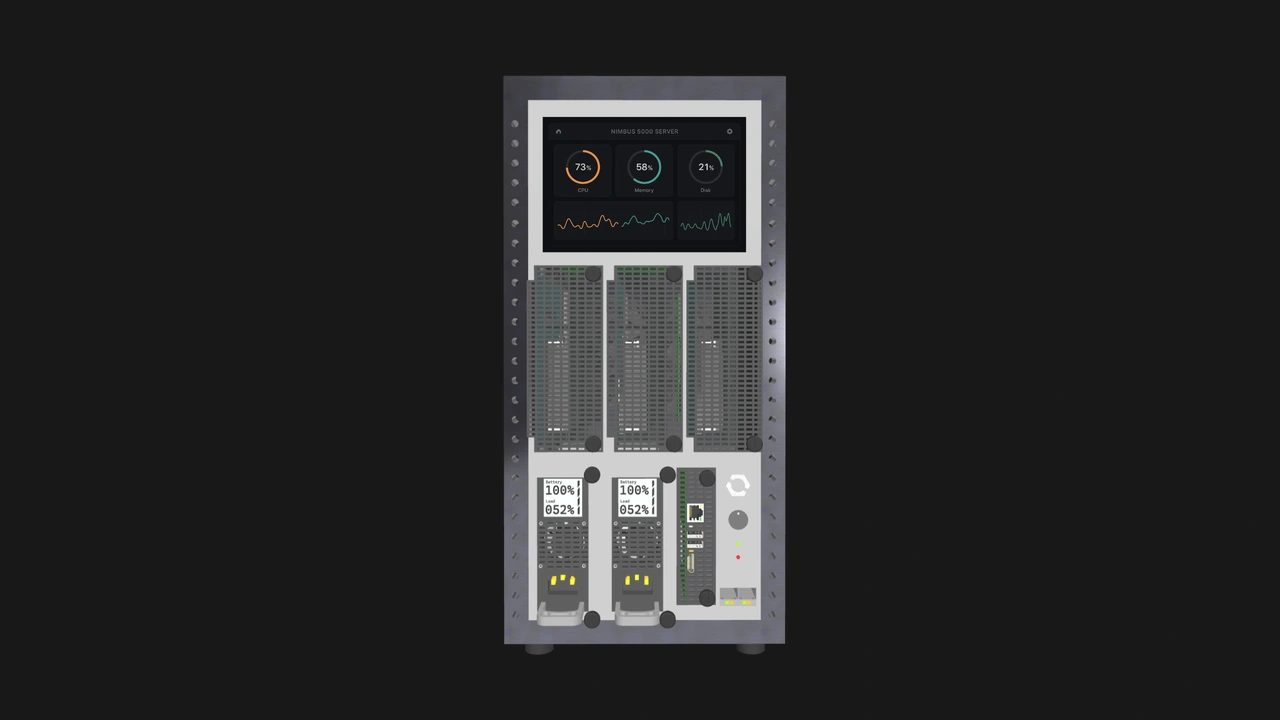
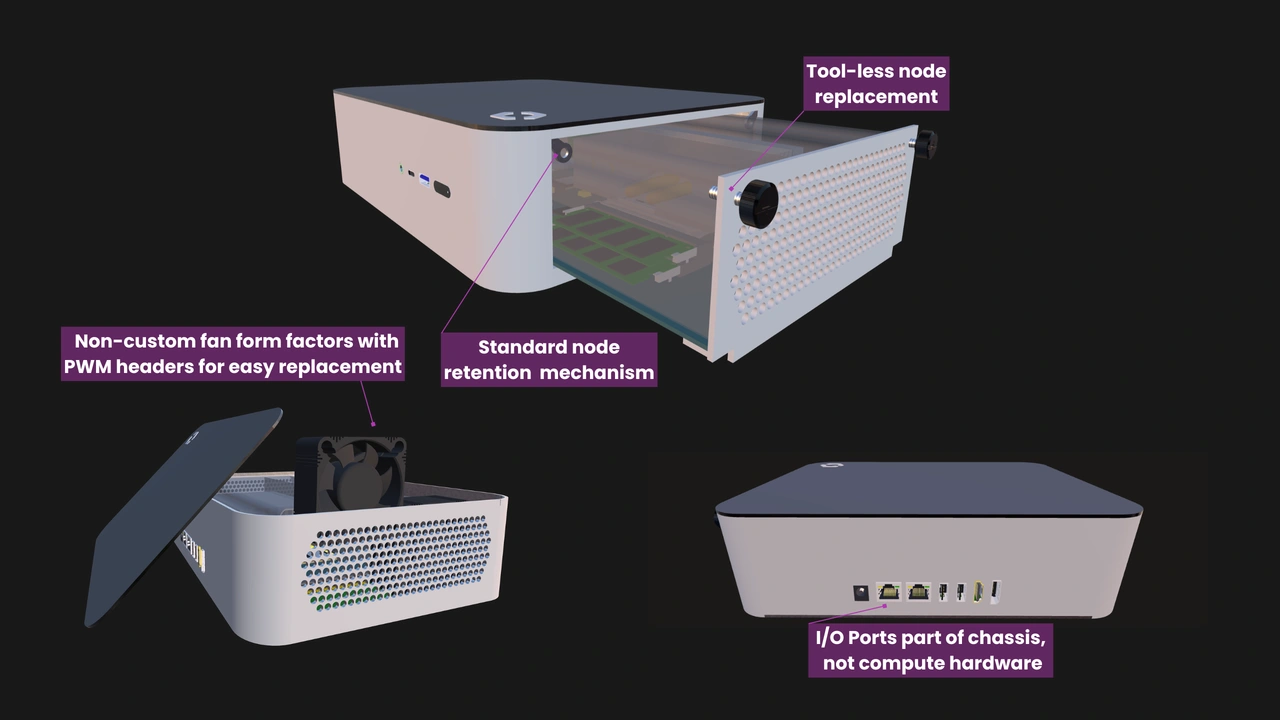
We’re developing open hardware specifications for modular small form factor computers. Our standard defines three core components. The Compute Node is a module that contains the core components of a computer: the system board, CPU, RAM, primary storage, etc. The Enclosure is a housing where you slot in one or more nodes. It handles active cooling, power delivery, and optionally, networking. The Management Module is an optional component that provides keyboard, video, and mouse (KVM) redirection and node power control. We also propose an advanced version of the module that lets you perform those functions remotely, as well as see information about the nodes in the Enclosure, such as CPU temperature or usage.
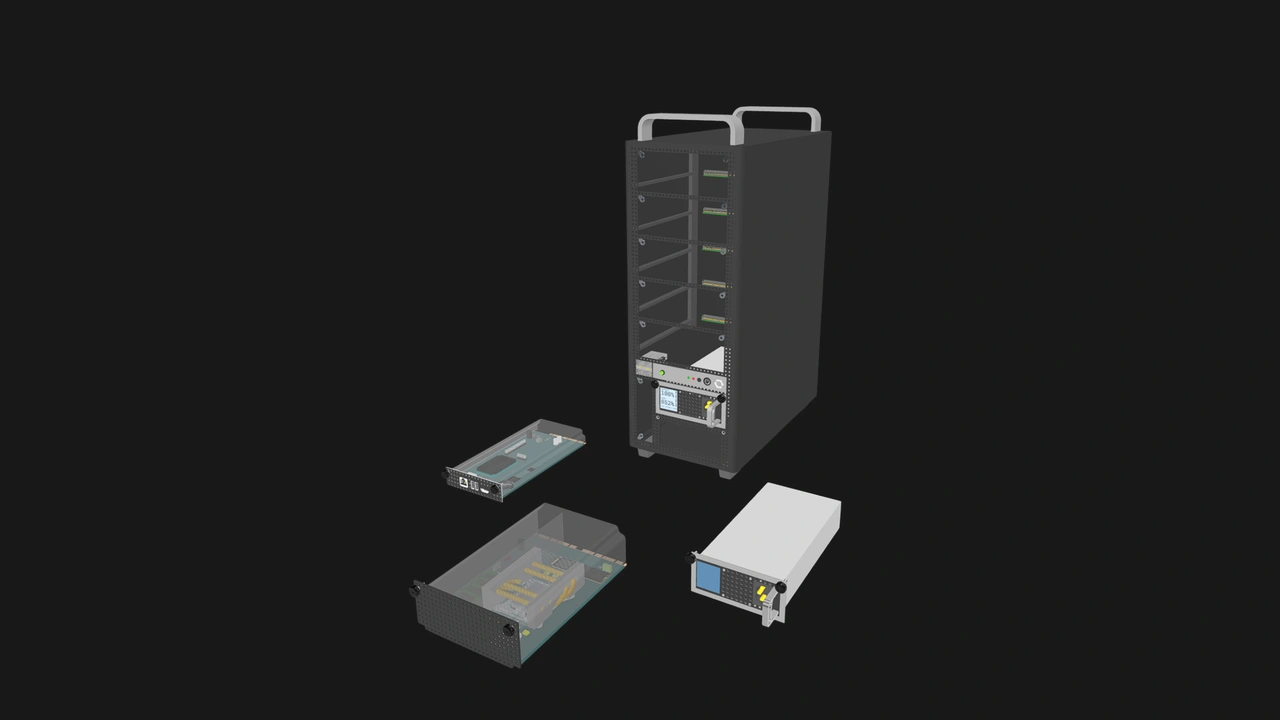
These components can be combined in many ways to create a wide range of computers and devices. Enclosures can be as small as a mini PC or as large as a 19” rack with hundreds of nodes. As home servers, OpenSFF-compatible systems will likely sit between the prebuilts we covered in terms of size, power, and capability. But our specifications bring unique benefits that no existing standard or prebuilt system provides.
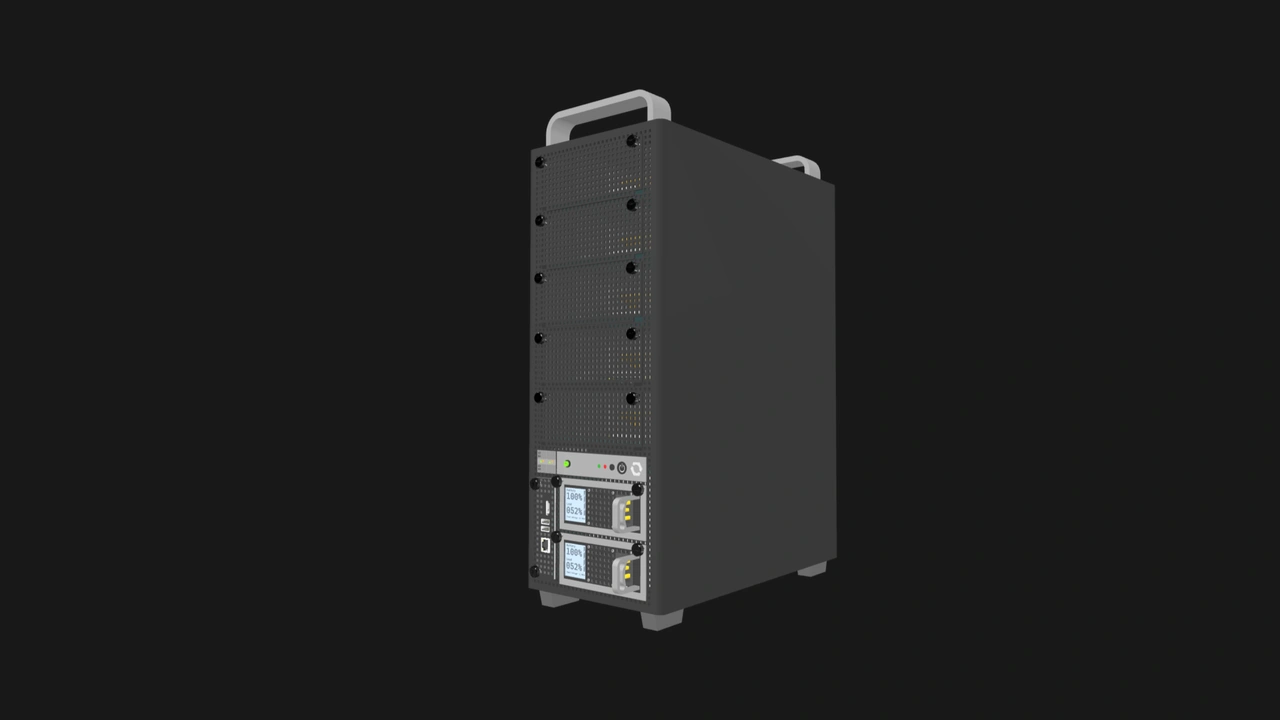
Vendor-neutral, modular, and upgradeable home servers
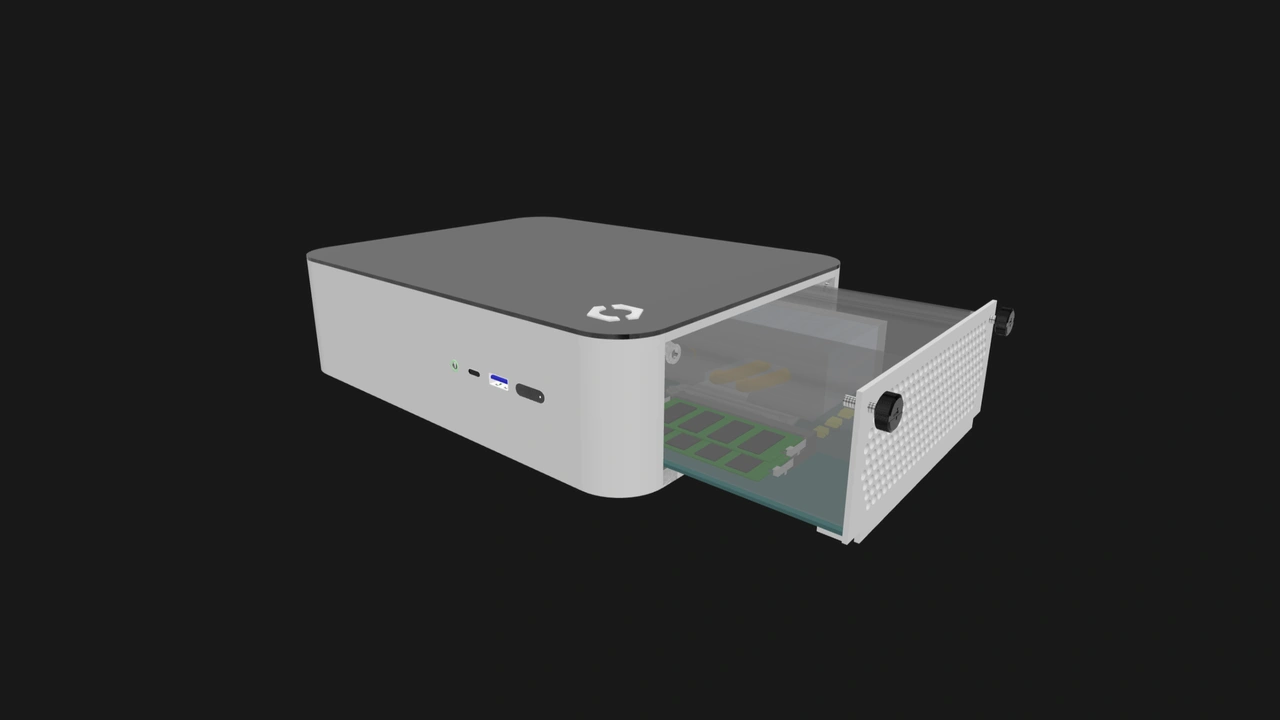
The primary benefit of OpenSFF is that any vendor can adopt our standard. That means you can mix and match Compute Nodes, Enclosures, and Management Modules from any vendor. The HL15 is serviceable and somewhat vendor-neutral because it uses standard PC components. But its case, backplane, and cooling were designed specifically for the set of parts that 45HomeLab chose. Meanwhile, any Compute Node will work with any Enclosure.
This vendor-neutral modularity will help you at all points of your home server journey. You can start with a basic, affordable OpenSFF-compatible home server, then upgrade one or more components at your own pace. You won’t be stuck with your original system, nor will you have to ditch your Enclosure to upgrade. Just swap out your old Compute Node for a more powerful one. Conversely, you can transfer your node to a different Enclosure, or use old and new nodes together in the same Enclosure.
Imagine if you could start with a FreedomBox, then move its board to a ZimaBoard 2 case later on. Or if you could turn the HL15 into an ARM-based server while keeping everything else in place, including the terabytes of data in your drives. With OpenSFF, those migrations or upgrades don’t have to be unofficial hacks. They can just be normal, intended steps in your home server journey.
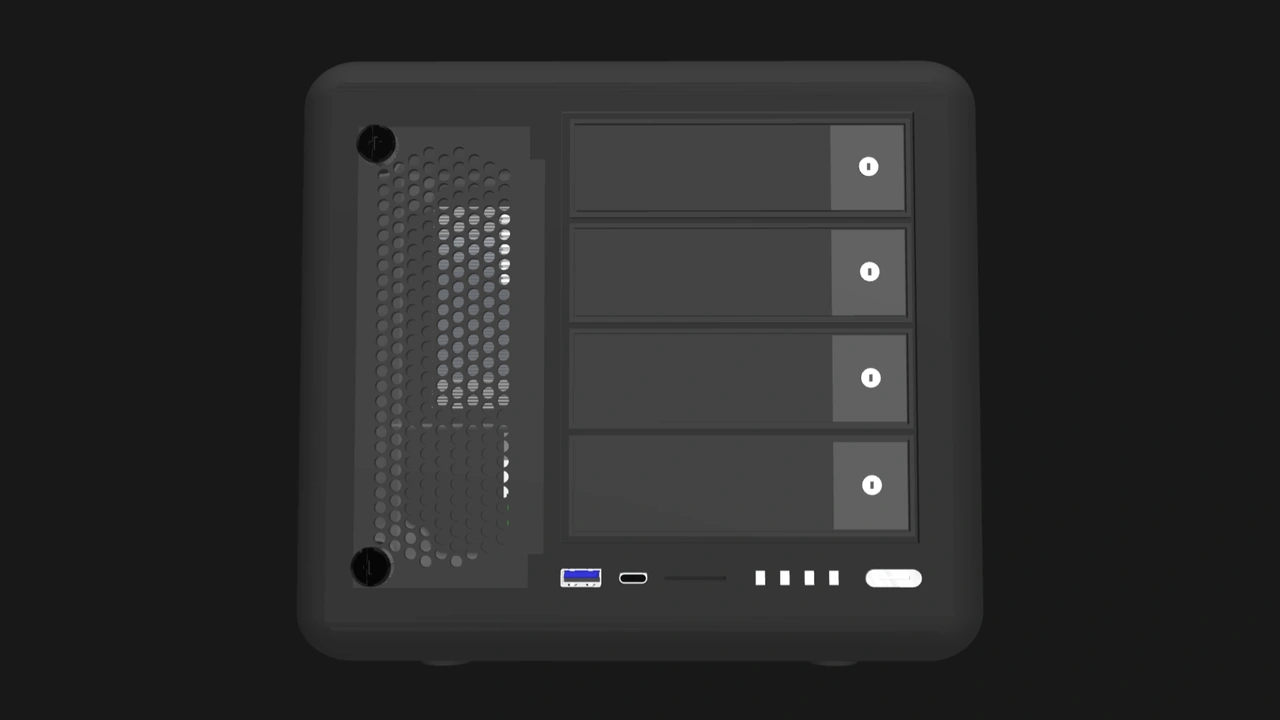
Since the vendors who create OpenSFF-compatible components or systems will share our standard, it will be more likely for one vendor’s software to work with Compute Nodes or prebuilts from other vendors as well. That also applies to advanced versions of the Management Module, since we’re developing the default software for it. If a vendor stops supporting your OpenSFF system, you wouldn’t be powerless. You’ll be able to use components from other vendors to keep receiving support, updates, or new capabilities. You won’t have to replace your entire home server at once.
Clean and user-friendly setups
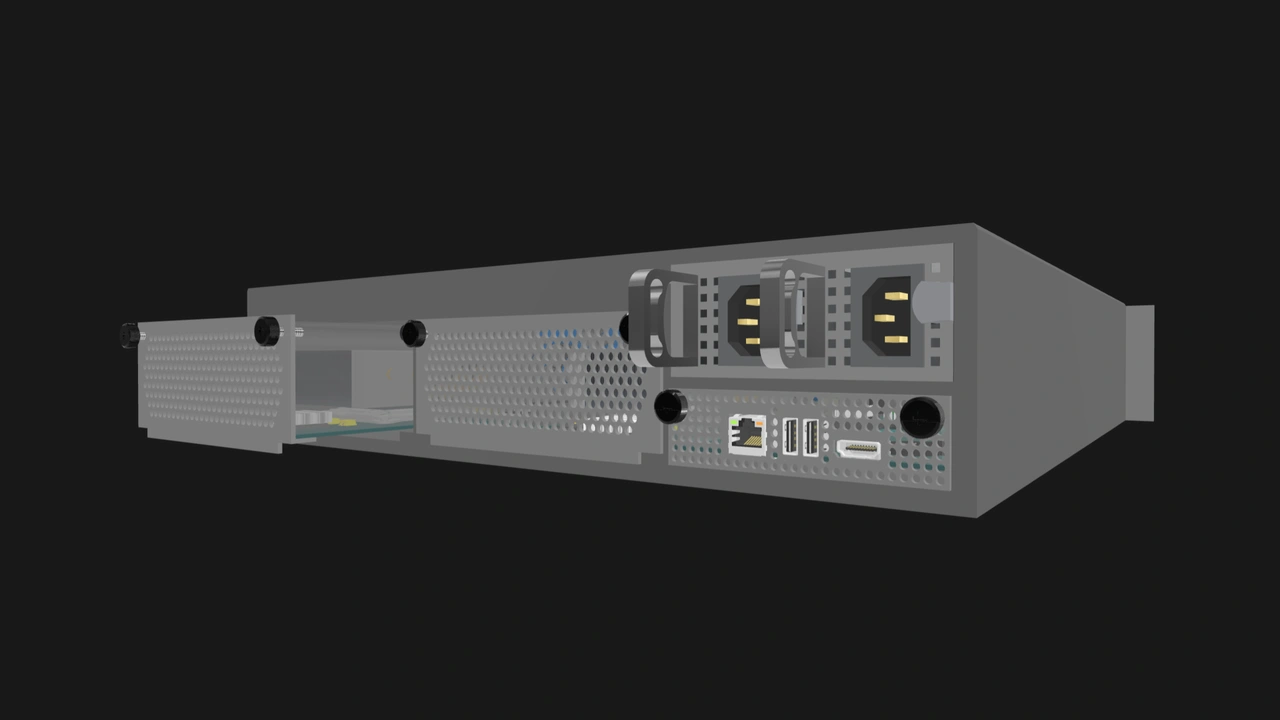
Unlike desktop PCs, OpenSFF modules—Compute Nodes and Management Modules—connect to Enclosures using card-edge connectors, similar to how GPUs plug into motherboards. You won’t have to figure out which cable plugs into what motherboard header. Enclosures deliver power to modules through those same connectors, which means you won’t have to manage a mess of power supply cables either. In a world with OpenSFF, you can have a clean multi-node setup by using an Enclosure that has an internal network switch. That’s one external device, one power cable, and a bunch of Ethernet cables taken out of the equation.
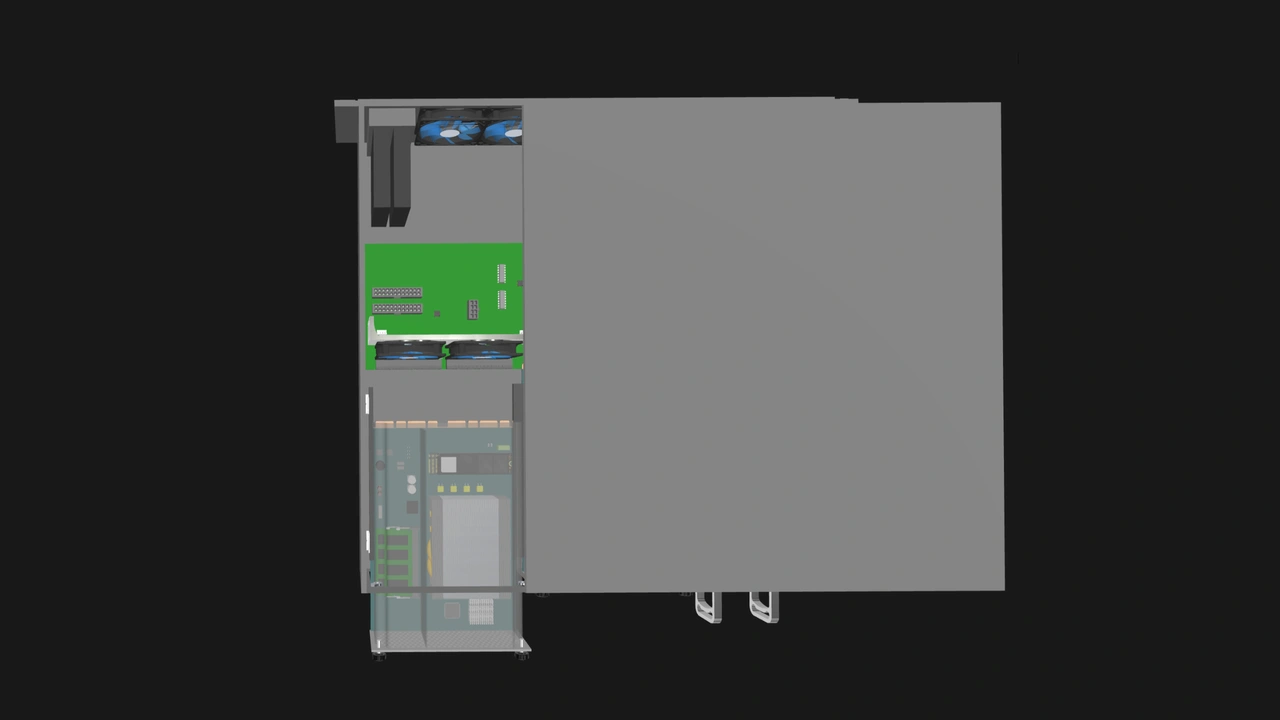
On top of our connector-based approach, we also propose that modules must be secured using only two captive thumbscrews. If your Compute Node breaks, you don’t have to call for a technician, ask for help in forums, or order odd driver bits to replace the node. This toolless mechanism will apply to all OpenSFF-compatible systems.
Build with OpenSFF
We’re glad that the home server hobby has grown to the point that there are now prebuilt options for different budgets and needs. FreedomBox makes it simple and affordable for everyday people to go from being concerned about data privacy to actually doing something about it. IceWhale makes home servers more appealing to the average tech enthusiast, thanks to their modern user interface and case designs. 45HomeLab proves that we can have powerful, high-quality home servers without sacrificing serviceability.
These vendors take different approaches, but they all make it easier to take that first step. We’d be honored if OpenSFF can serve as a platform for prebuilt home servers, and give users the convenience and flexibility we wish we had when we were starting out.
If you enjoyed reading this, we encourage you to learn more about our specifications, and we would be grateful if you spread the word about OpenSFF. For technical clarifications, partnerships, and other inquiries, reach out to our development team at [email protected].
Other Articles

Meet OpenSFF: an open hardware standard that enables cross-vendor compatibility, modular systems, and sustainable hardware reuse.
August 11, 2025
We go over the rise of virtualization and the open software adopted by home server enthusiasts, as well as the current challenges and the future of the hobby.
September 06, 2025

Learn why OpenSFF adopted the SFF-TA-1002 connector standard and how it enables our vision.
September 18, 2025