Blog
From Spec to System: Tips on Creating OpenSFF-compatible Enclosures
Introduction
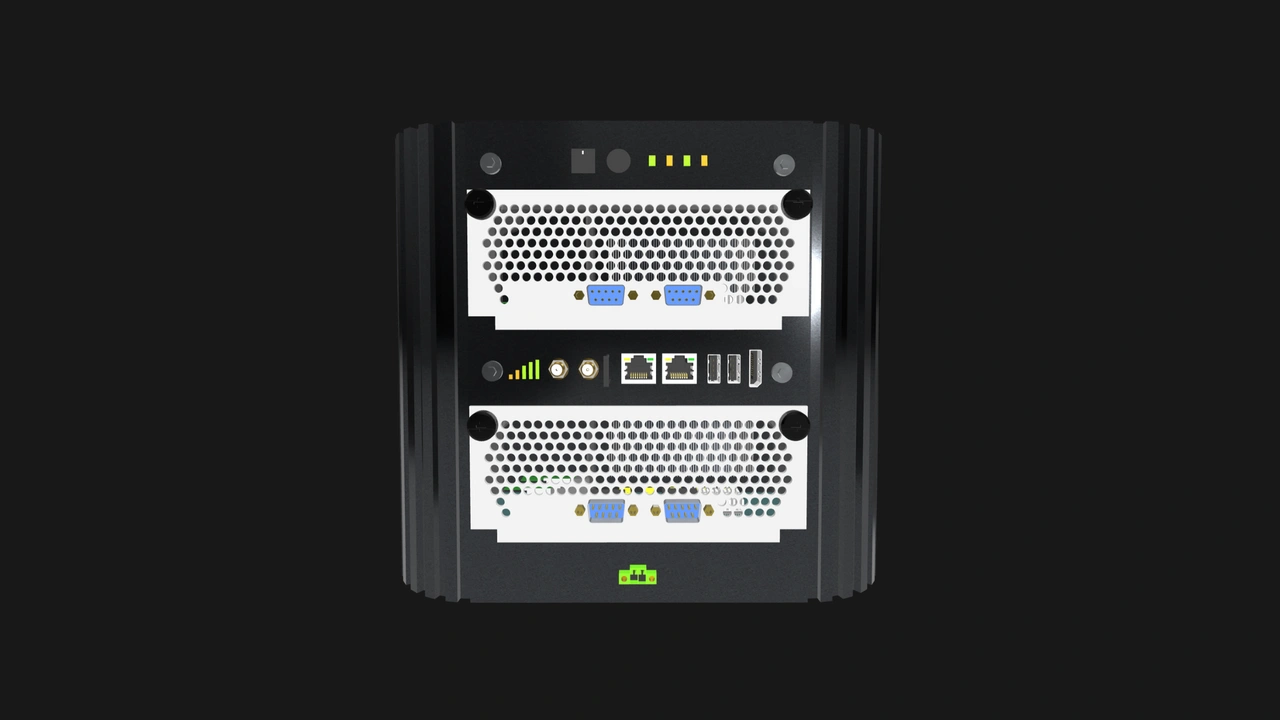
In our guidelines and recommendations for designing Compute Nodes, we focused on precision and constraints. Compute Nodes and Management Modules have several tightly defined boundaries to ensure that compatible implementations will be interoperable, serviceable, and long-lasting. Designing an Enclosure is a different kind of challenge.
The Enclosure has no fixed form factor, node count, or solitary purpose. It can be a no-frills mini PC, a sleek all-in-one workstation, a dense multi-node rackmount server, or a weatherproof edge appliance. You have an enormous design space with Enclosures, especially when it comes to Core-class implementations.
That freedom is, of course, not entirely unconditional. Compatible Enclosures must still work with any compatible Compute Node. That means providing precise mechanical alignment and adequate power and cooling. The same goes for the Management Module in Enclosures that support it. Speaking of which, Enterprise Enclosures have more defined requirements, such as a Management Module slot, internal networks, and at least two PSU bays that support hot-swapping and redundancy. Ultimately, whether it’s a basic Enclosure or an Enterprise-class system, interoperability, serviceability, and reliability remain our top priorities.
With that in mind, we want to share practical guidance for designing compatible implementations of Enclosures. We will go over hard requirements as well as design considerations that can help you create high quality Enclosures.
What the Enclosure specification requires
These guidelines represent the minimum bar for compatibility. An Enclosure that does not meet these requirements cannot reliably host Compute Nodes or Management Modules.
Thermal and airflow requirements
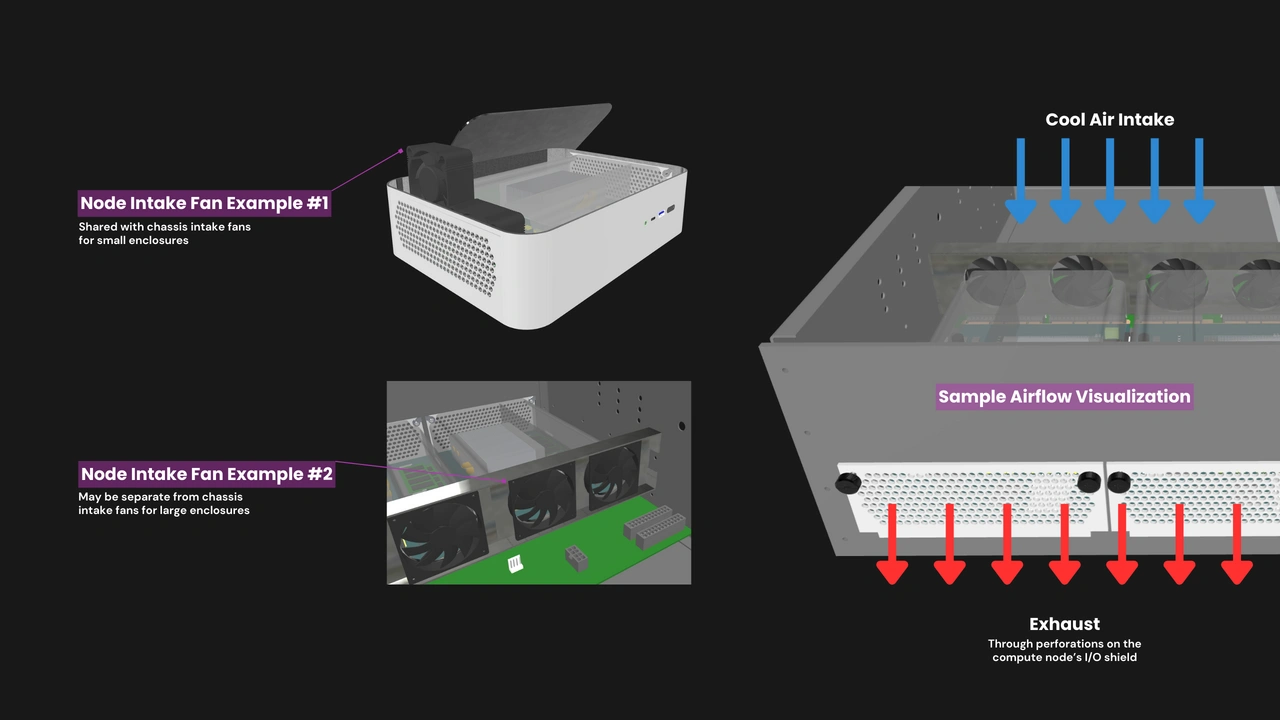
Compute Nodes are passively cooled. It is the Enclosure’s responsibility to move air across installed Compute Nodes and other components.
DO:
- Deliver airflow directly to the inlet of each installed Compute Node’s shroud. Simply blowing air into the general chassis volume is insufficient. The specification requires at least 70 m³/h of airflow volume with a static pressure of 12 mmH₂O at each occupied Compute Node slot.
- Use fan specifications that meet the static pressure requirements of your Enclosure design. Not just theoretically or in open air, but within the restricted airflow paths of your Enclosure.
- Manage the gap between intake fans and the shroud inlet of installed Compute Nodes. An overly large gap may add turbulence that hampers airflow delivery.
- Include blanking panels or an equivalent mechanism that will help maintain proper airflow when a Compute Node slot is unoccupied.
DON’T:
- Block or restrict the exhaust perforations on or around a Compute Node’s I/O shield. Structural features, cable routing, or components around this area may lead to thermal throttling or shorten the Compute Node’s lifespan.
Precise mechanical requirements
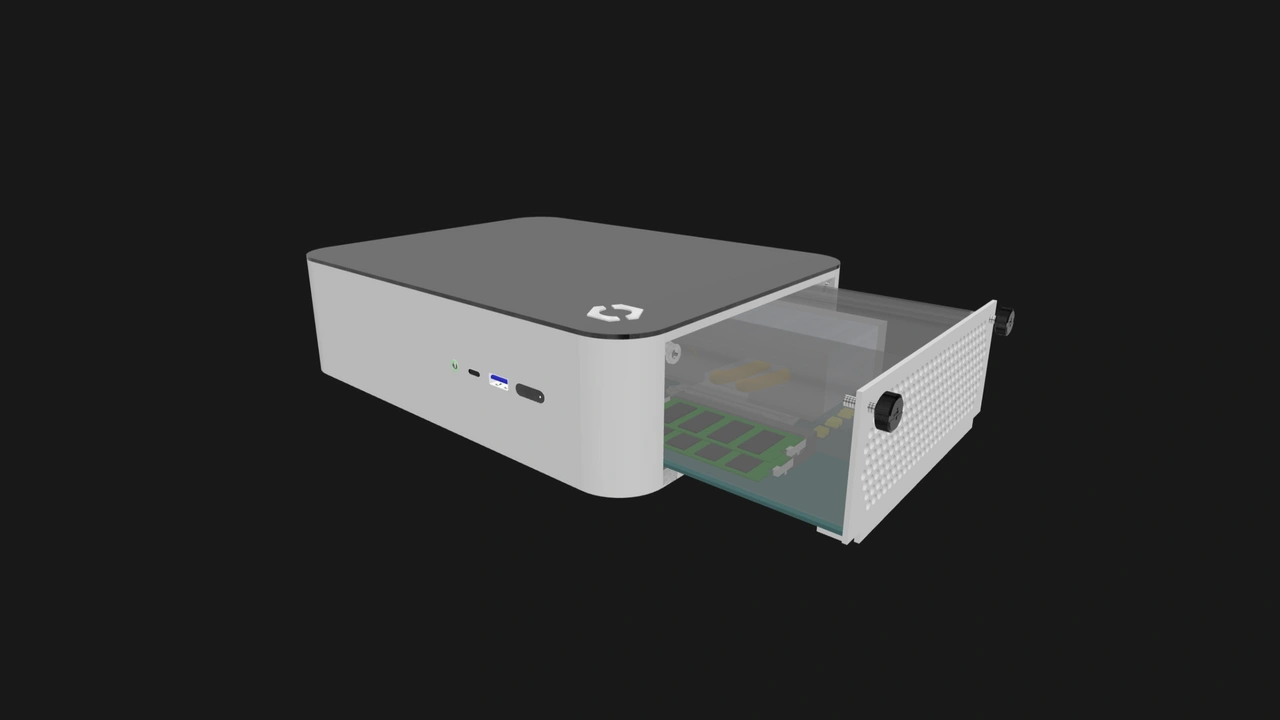
The blind-mate handshake between a Compute Node and an Enclosure’s backplane works only if the Enclosure’s mechanical structures are precise and rigid. Enclosures bear a greater share of responsibility in ensuring clean and consistent mating.
DO:
- Implement guide rails that are dimensionally accurate and rigid. They must engage only the reserved mechanical clearance zones defined in the Compute Node specification. A loose or poorly positioned guide rail may misalign the Compute Node’s PCB during insertion. A rail that flexes when a Compute Node is inserted may damage the latter’s connector.
- Maintain at least 5mm of clearance between a Compute Node’s boundaries and the Enclosure’s internal walls, as well as between adjacent Compute Node slots.
DON’T:
- Treat component tolerances as theoretical. Leave adequate buffers for standoffs, panel flex, variations in PCB thickness, and any cables that connect to backplane headers.
Serviceability requirements
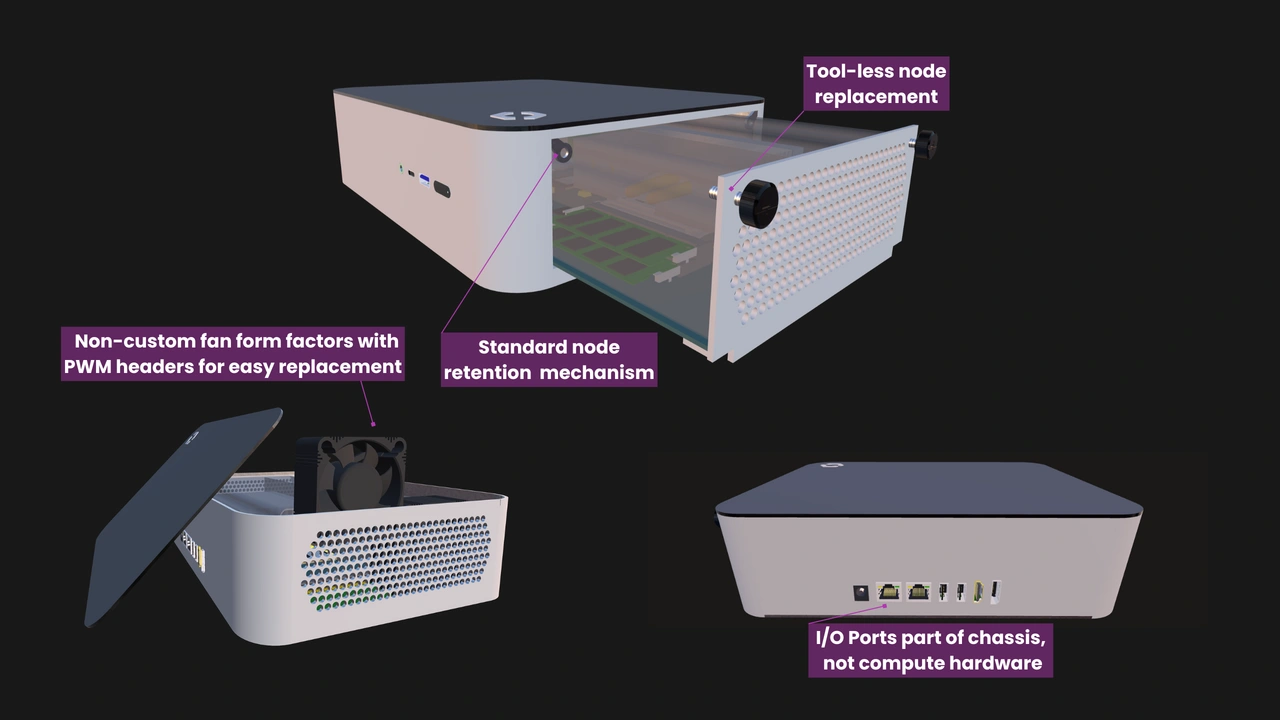
Serviceability is one of OpenSFF’s core pillars. Users must be able to open compatible Enclosures without specialized tools.
DO:
- Prioritize serviceability in your component layout. Provide clearances that make it practical to access and swap user-replaceable components such as fans, cables, and the Enclosure microSD Card (ESDC).
- Label every Compute Node and Management Module slot with permanent and clearly visible identifiers. Compute Node slot numbers increment from left to right in Rackmount Enclosures, and top to bottom in tower configurations. Slot numbering must start at 1, in Arabic numerals, with no leading zeroes.
DON’T:
- Require tools for basic serviceability. Compute Nodes and Management Modules use only a pair of captive M4 thumbscrews for retention. Whenever possible, support this solution with latches, sliding trays, or more thumbscrews and other mechanisms that do not require tools to move or remove.
Design considerations
Adhering to the specification results in a compatible Enclosure. The following recommendations can help you stack quality on top of compatibility.
Backplane considerations
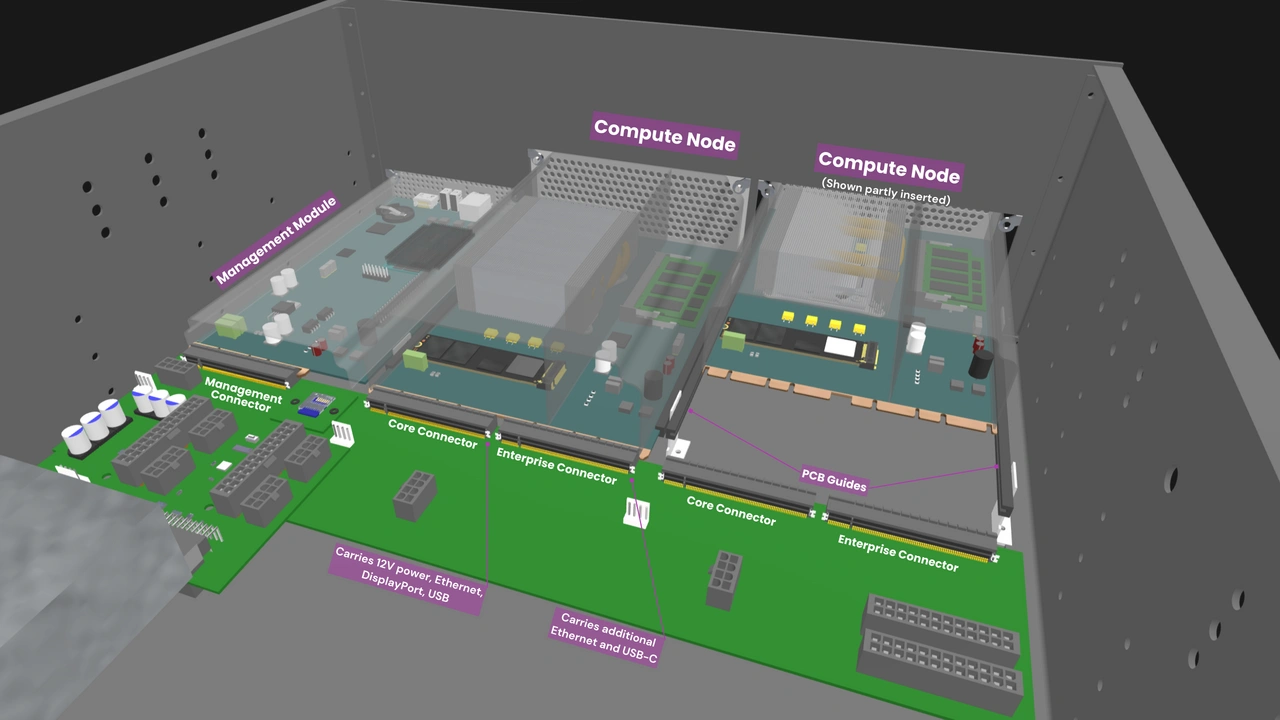
The backplane is the structural and electrical heart of the Enclosure. It takes the full mechanical load each time a Compute Node is inserted. Even a slight flex may stress the backplane’s solder joints or misalign the blind-mate connectors. We recommend integrating stiffener brackets or similar reinforcements into the backplane.
We also suggest keeping the backplane’s cooling needs in mind. Components such as USB-to-Ethernet bridges and multiplexers can generate considerable heat over time. Directing auxiliary airflow over the backplane’s surface can help avoid localized hotspots.
While we already mentioned the ESDC in our serviceability requirements, we want to emphasize its importance here since its slot is on the backplane. The ESDC stores Enclosure and Management Module data, making it a key enabler of Management Module replacements and Enclosure migrations. As we previously mentioned, the ESDC itself must be user-replaceable. Its placement and accessibility can make or break a managed Enclosure.
Management Module considerations
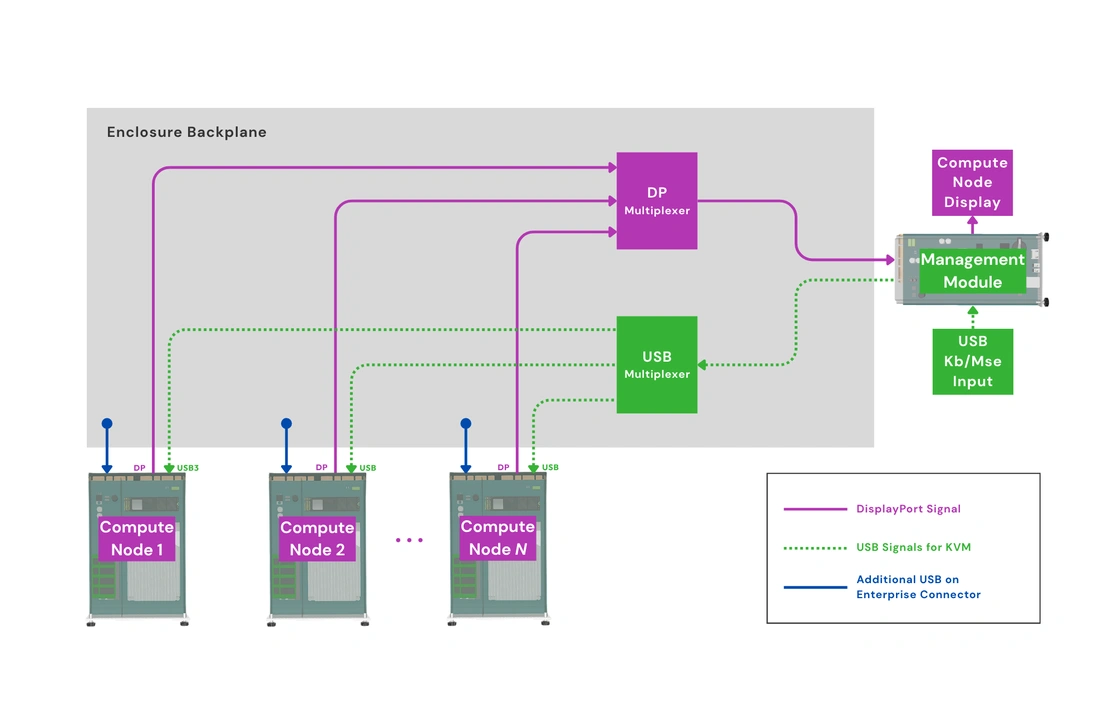
Logging Compute Node issues or failures is one of the Management Module’s most essential features. But if the Management Module shares its power plane with Compute Nodes, a node short or primary plane failure could take it down as well. Electrically isolating the Management Module’s slot or connector increases its chance of surviving such failures, or at least long enough to log the event. It can also play an active role in preventing a total system failure, such as by overriding the Enclosure fan settings and enforcing maximum fan speeds.
KVM traces must also be routed carefully. The Enclosure sends video and USB signals from each Compute Node to the Management Module for console access. These signals are sensitive to electromagnetic interference. Placing the KVM traces close to Compute Node power planes may lead to signal degradation or unstable console sessions.
PSU and UPS considerations
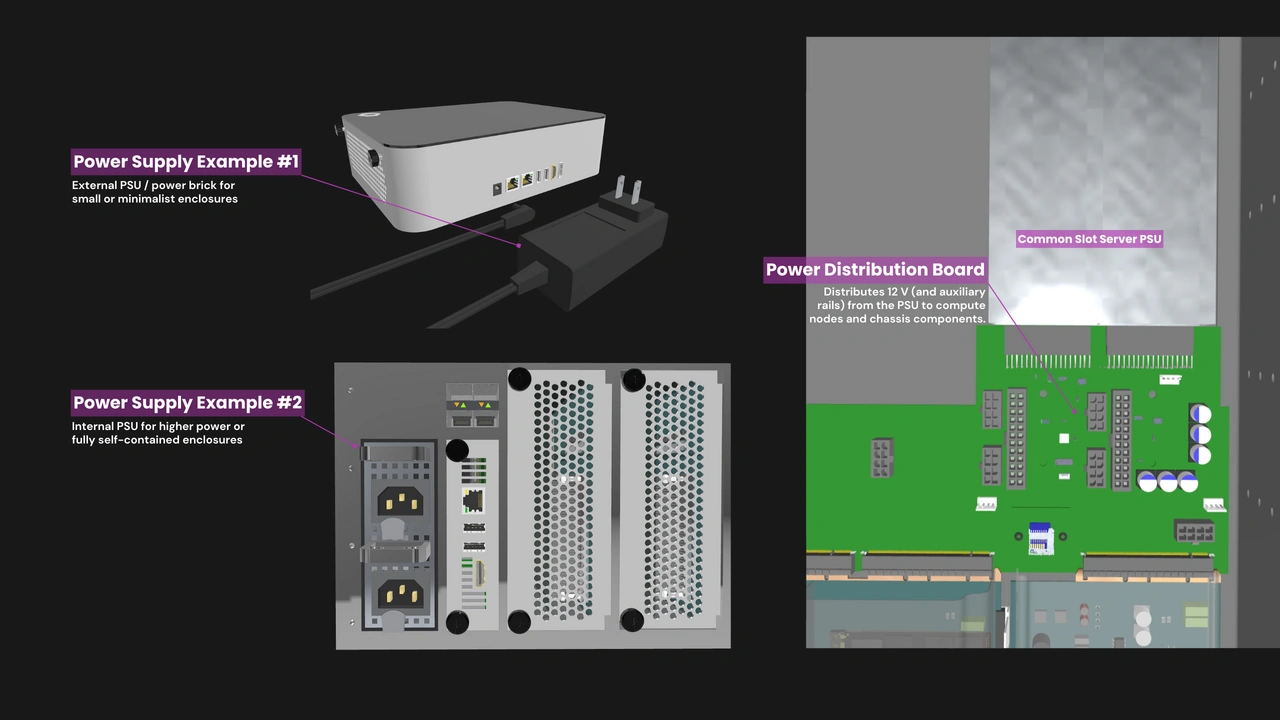
If your Enclosure uses an internal power supply or a UPS, you may want to consider isolating the airflow paths of those devices. In a shared airflow design, the heat that they generate may raise the temperature of the air flowing into a Compute Node. Isolating the PSU or UPS airflow path protects the Compute Node’s thermal headroom.
Form factor considerations
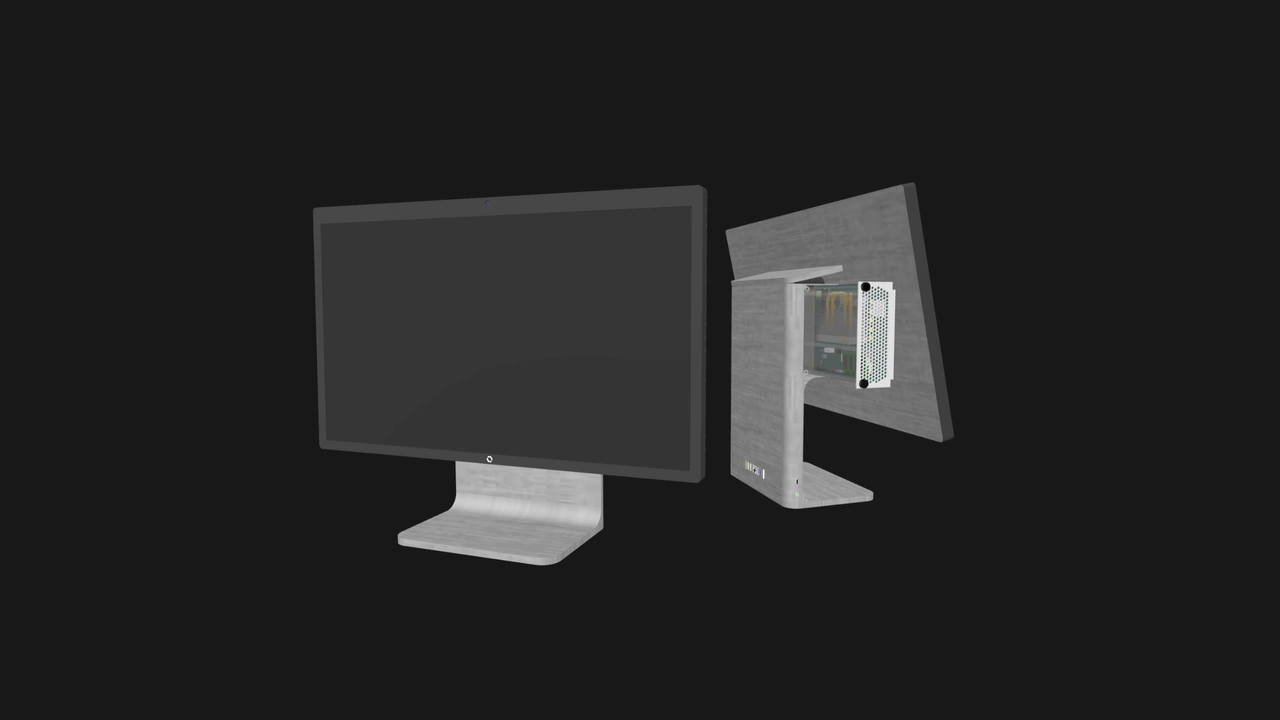
Here on our blog, we often describe our specifications as blueprints that define the floor, not the ceiling. Once you have cleared our standard’s requirements, your next challenge is to make an Enclosure that excels in its intended environment. Advantages and obstacles may vary significantly between form factors.
For instance, cooling is often at odds with acoustics and footprint. Numerous small high-RPM fans may easily provide the required airflow, but their noise makes them ill-suited for desk-bound Enclosures.
Certain form factors also bring unique thermal or serviceability challenges. The display panel of an all-in-one PC must be protected from heat. A high density multi-node rackmount Enclosure must be exceptional at managing front-to-back airflow and static pressure. In addition, users would be grateful if that Enclosure’s cooling components are accessible and independently swappable.
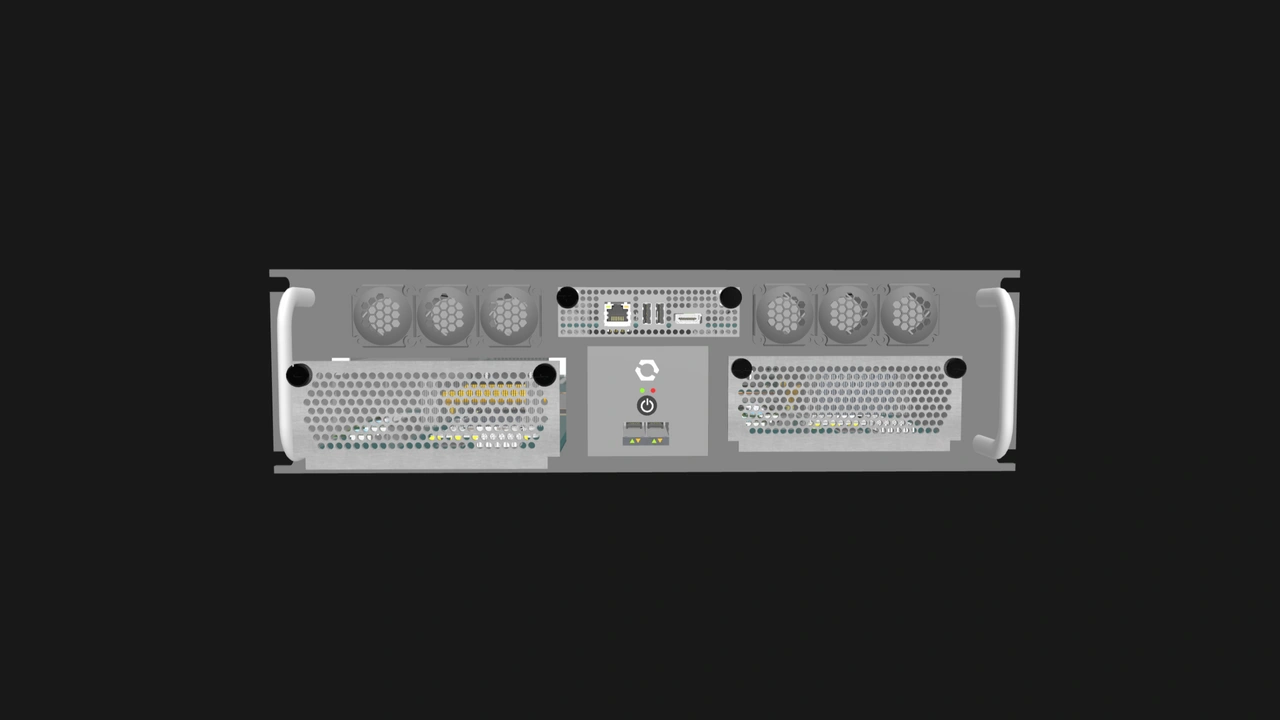
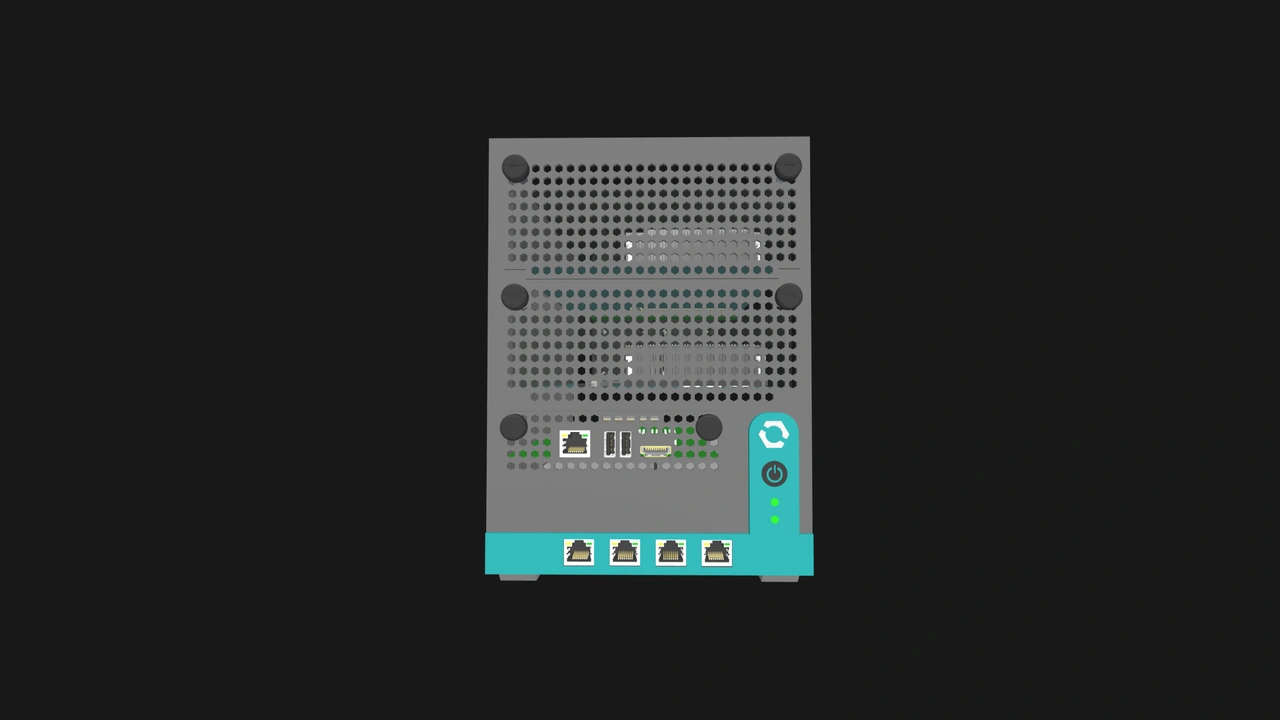
In terms of aesthetics, adherence to our standard does not have to be a detriment. The captive M4 thumbscrews and the shape of the Compute Node’s I/O shield can be iconic elements rather than purely utilitarian.
Build with OpenSFF
Interoperability and serviceability are the common threads across every compatible OpenSFF implementation. Those principles will be particularly visible in a compatible Enclosure because it is the component that ties everything together. We fully believe that they are worthy constraints on an otherwise blank canvas. We encourage you to embrace them not as limitations but as the shared foundation that makes an open ecosystem possible, and to find ways to celebrate your adherence to an open standard.
We invite you to read our specifications, and we would be grateful if you spread the word about OpenSFF. For technical clarifications, collaborations, and other inquiries, reach out to our development team at [email protected].
Other Articles

Meet OpenSFF: an open hardware standard that enables cross-vendor compatibility, modular systems, and sustainable hardware reuse.
August 11, 2025
We go over the rise of virtualization and the open software adopted by home server enthusiasts, as well as the current challenges and the future of the hobby.
September 06, 2025

Learn why OpenSFF adopted the SFF-TA-1002 connector standard and how it enables our vision.
September 18, 2025