Blog
From Spec to System: Tips on Creating Compatible OpenSFF Compute Nodes
Introduction
Designing a Compute Node is more than just fitting a board into a slot. It is both an opportunity and a responsibility. Adhering to the specifications means opening the doors to the widest possible range of Enclosures, markets, and users.
With that in mind, we want to share several practical do’s and dont’s for creating OpenSFF-compatible Compute Nodes. We will be drawing directly from the specification to highlight the most important rules that vendors should prioritize when designing and testing.
Mechanical fit and alignment
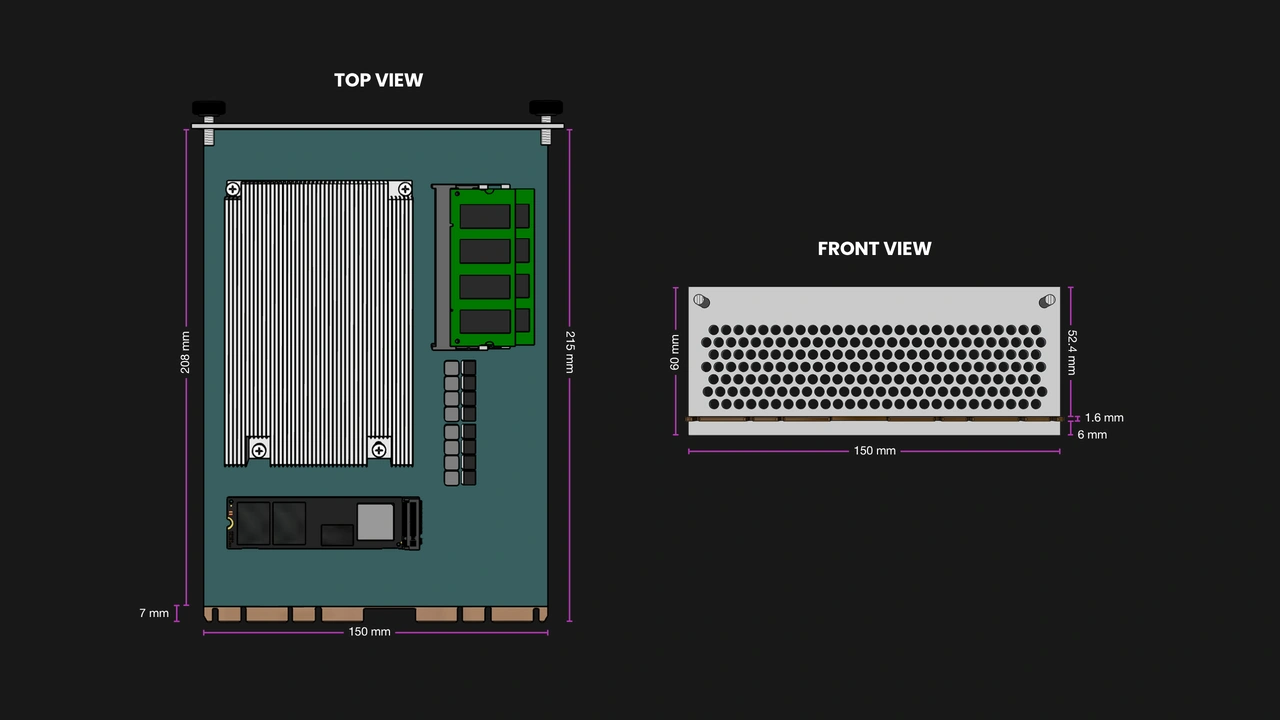
Precise mechanical design is the foundation of interoperability. The Compute Node's dimensions are defined in the specification to ensure that implementations will work in compatible Enclosures regardless of their vendor.
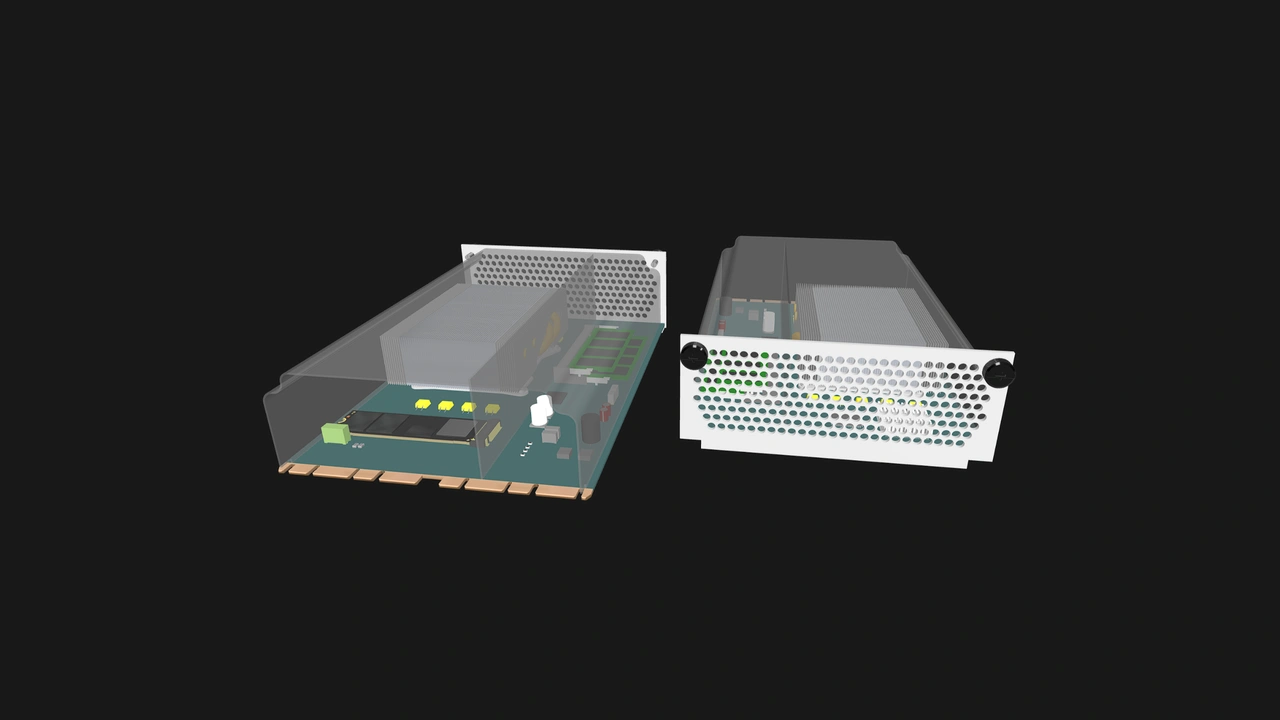
Even a small deviation can prevent smooth connection or disconnection, damage connectors, or block airflow. Adhering to these limits guarantees that your Compute Node will be serviceable across compatible Enclosures and preserves the modularity of OpenSFF systems.
Do
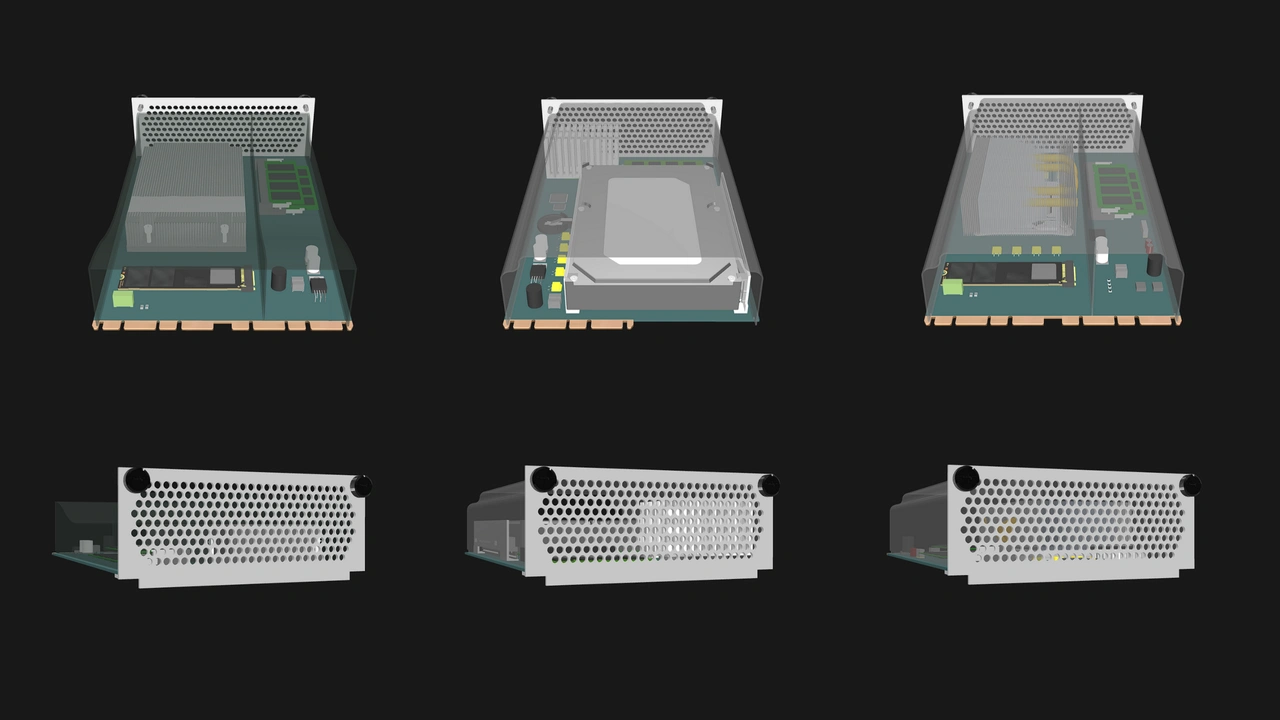
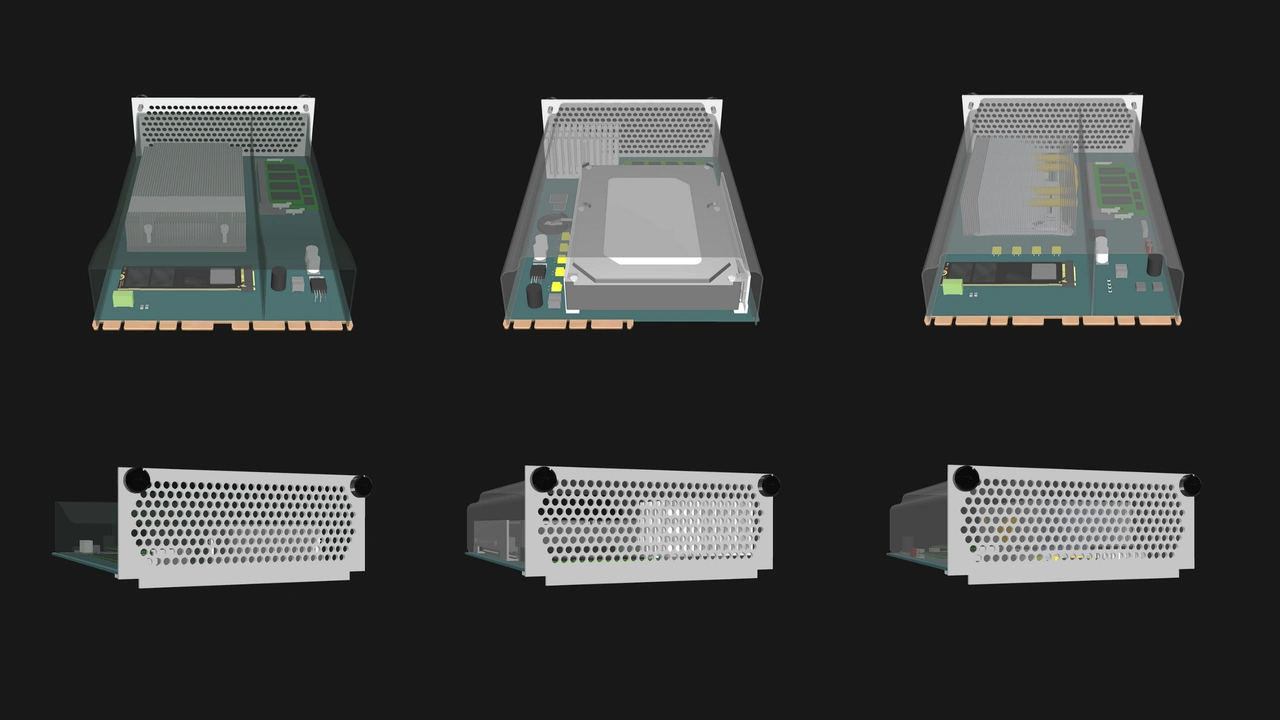
- Follow the defined mechanical envelope: 215mm (L) x 150mm (W) x 60mm (H). The height limit should account for the cooling shroud and I/O shield.
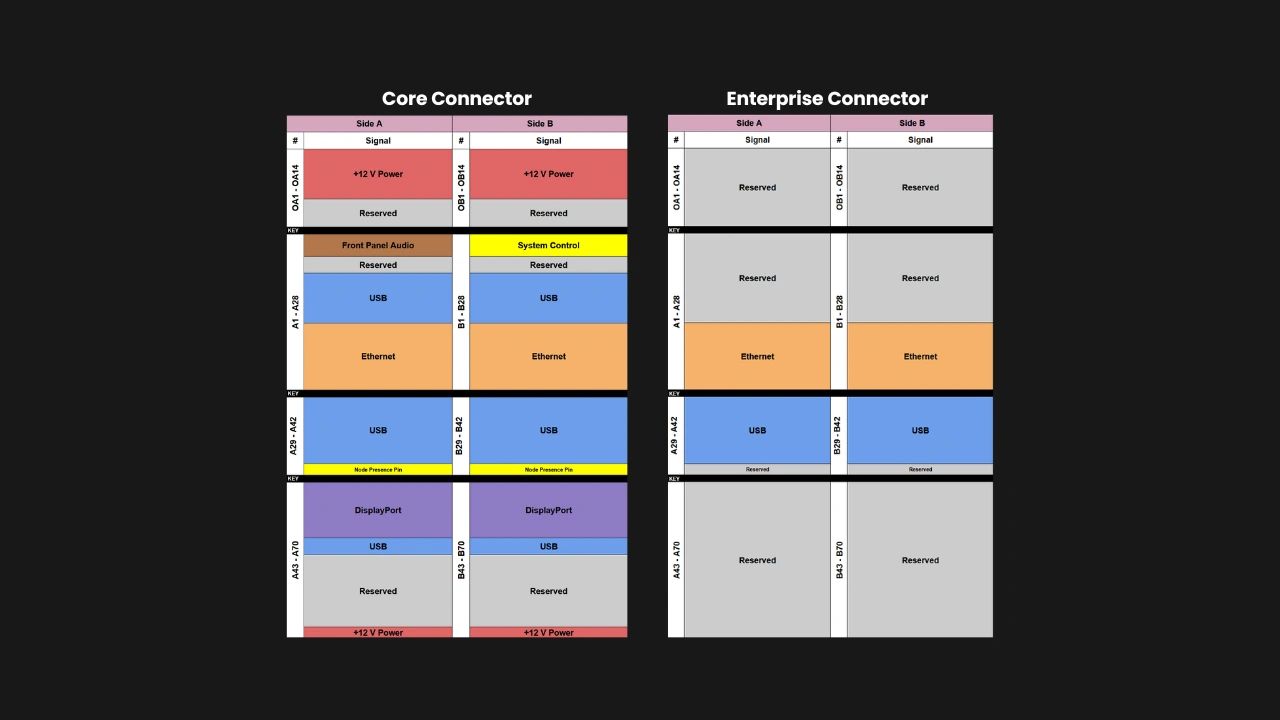
- Precisely align the Core Connector (and Enterprise Connector if present). The connector notches must fall exactly at the defined distances to allow blind-mate insertion.
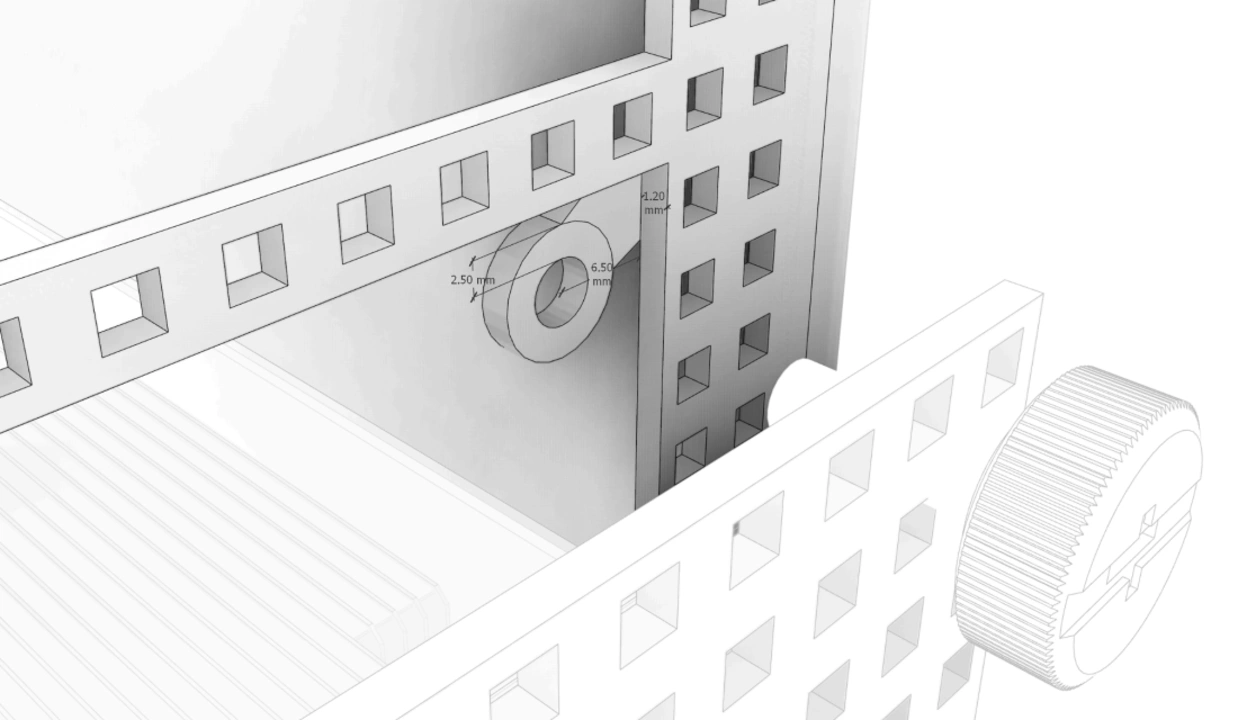
- Follow the defined mechanical requirements of the I/O shield, including the dimensions (150mm (W) x 60mm (H)), minimum thickness (1.2mm), thumbscrew locations, and perforations for airflow.
Don’t
- Assume that “close enough” is acceptable. A connector that is even only a single millimeter off in placement can render the Compute Node unusable with otherwise compatible Enclosures.
- Exceed the maximum board height and width for components: 50mm and 140mm respectively. Enclosures are designed around these dimensions, with no exceptions.
- Place tall components in airflow paths or reserved keep-out zones.
Power delivery and electrical interfaces
Adhering to the Compute Node’s electrical limits ensures safety and reliability. They have been calculated with component safety, shared power in Enterprise Enclosures, and predictable operation across varied environments all taken into account. Staying within the defined power envelope will help ensure predictable performance and longevity.
Do
- Stay within the defined 12V DC power input and 1.1A current limits.
- Use the connector pinout exactly as specified, including the ground and reserved pins.
- Use the connector that matches the Compute Node: Core Connector only for Core Compute Nodes, and both Core and Enterprise Connectors for Enterprise Compute Nodes.
Don’t
- Exceed the 120W maximum power target. Account for your intended CPU/APU, VRMs, RAM, and storage.
Cooling and thermal management
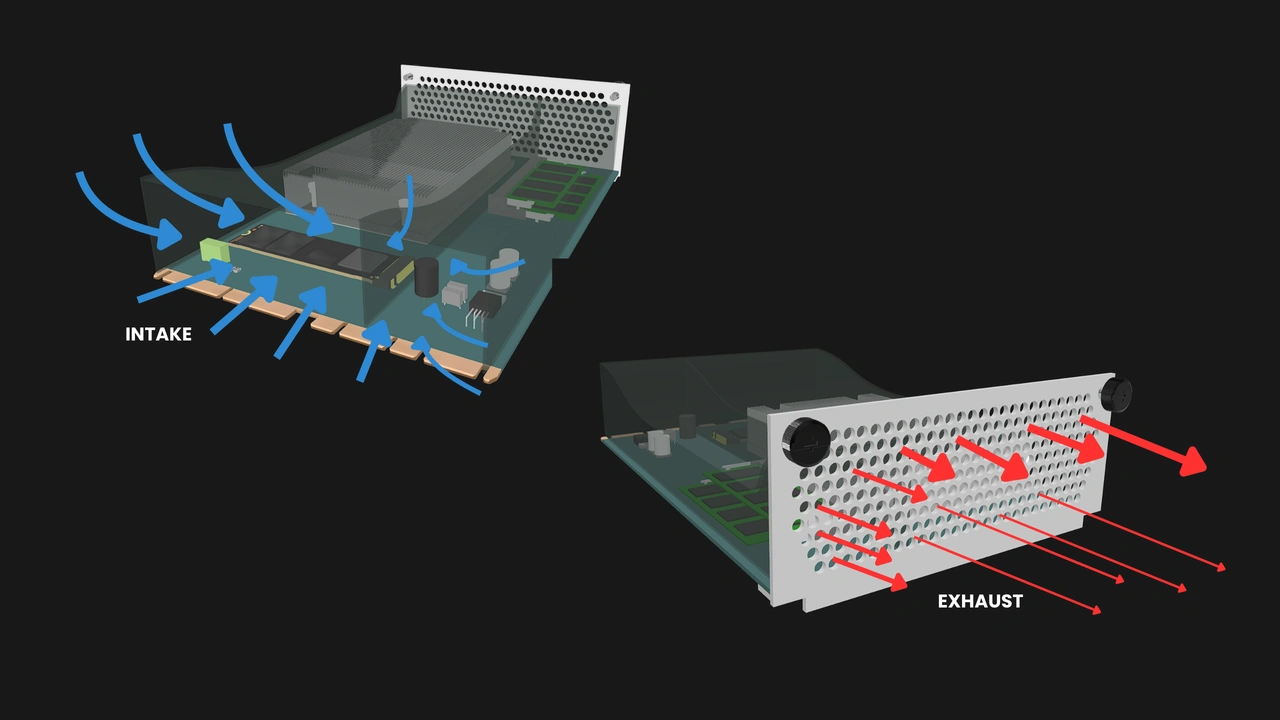
OpenSFF Compute Nodes rely on Enclosure fans for airflow. They must be designed to make effective use of that cooling. Optimizing airflow paths reduce turbulence and ensure even pressure across all components. Enclosures are likely to have different fan configurations, yet must all deliver the defined airflow profile.
Do
- Ensure that the Compute Node stays within the thermal limits under the defined airflow profile provided by the Enclosure (e.g., 70 m³/h, 12 mmH₂O static pressure).
- Design a properly sealed shroud that directs airflow across the CPU/APU, VRMs, and other components.
- Keep the height limit in mind when implementing thermal solutions such as heatsinks or vapor chambers.
Don’t
- Assume that an Enclosure can compensate for a Compute Node’s poor thermal design. A Compute Node must manage its heat profile independently within the airflow budget.
- Place heat-sensitive components such as NVMe drives on the underside of a Compute Node without ensuring adequate cooling.
Serviceability and reliability
Serviceability is one of our core pillars. Compute Nodes are intended to be replaced, upgraded, or repaired without the need for specialized tools. Field deployments in particular rely on this consistency, as technicians must be able to service nodes easily without risking damage or voiding warranties. Durability is equally critical and must not be compromised just because the node is serviceable.
Do
- Respect the prescribed retention mechanism: captive M4 thumbscrews and the PCB guide rails.
- Design for durability and security when relevant.
Don’t
- Implement other retention mechanisms in place of the M4 thumbscrews. Compute Nodes must be serviceable using only non-specialized tools.
- Ignore dust resistance. Compute Nodes must not require internal cleaning during the expected lifecycle or warranty period (no less than 3 years).
Interoperability and forward compatibility
A properly designed Compute Node can easily live beyond its first Enclosure or use case. Respecting the reserved pins and mechanical keep-out zones ensures that your present design will not lock out your future innovations. By adhering to the specifications, you are helping establish a modular and vendor-neutral ecosystem.
Do
- Respect reserved pins and keep future expansion in mind.
- Keep the reserved mechanical pinouts clear.
Don’t
- Hard-code essential features to work only with your Enclosure. For example, reassigning the reset pin would break compatibility across vendors.
Testing, compliance, and validation
We are putting together a list of requirements for OpenSFF certification. But internal validation will remain your first line of defense. Test not only for functionality but also for interoperability, resilience under electrical, mechanical, and thermal stress, and regulatory compliance.
Do
- Validate Compute Nodes in both Core and Enterprise Enclosures.
- Cross-check the Compute Node and Enclosure specifications.
- Follow the ESD/EMI shielding guidelines for the I/O shield and connectors.
Don’t
- Release undocumented deviations of OpenSFF-certified or OpenSFF-compatible systems. Even the smallest of changes can break compatibility.
Build with OpenSFF
We hope these tips can help you design Compute Nodes that are not only functional on their own but will work seamlessly with the rest of the OpenSFF ecosystem. We believe that there is a significant audience that values interoperability, scalability, and serviceability. With your help, we can create computers firmly planted on these core pillars and serve users that have long been searching for more open and sustainable computing solutions.
We are grateful for your interest and would love to hear from you. The specifications for the OpenSFF Compute Node, Enclosure and Management Module will always be available here on our website. For technical clarifications, partnerships, and other inquiries, reach out to our development team at [email protected].
Other Articles

Meet OpenSFF: an open hardware standard that enables cross-vendor compatibility, modular systems, and sustainable hardware reuse.
August 11, 2025
We go over the rise of virtualization and the open software adopted by home server enthusiasts, as well as the current challenges and the future of the hobby.
September 06, 2025

Learn why OpenSFF adopted the SFF-TA-1002 connector standard and how it enables our vision.
September 18, 2025