Blog
Well below 120W: How OpenSFF Can Enhance Small, Distributed Systems
Introduction

In a previous article, we explored what workloads run on a 120W maximum power target: high density virtualization, analytics, and full-stack SMB apps and services. But there are also many important operations that need only a fraction of that power. Businesses often rely on light but critical services that need to be isolated from one another. They also need efficient nodes for redundant systems that must be up 24/7. Then there are budget-conscious schools and enthusiasts who run a handful of virtual machines and containers for learning.
These workloads are typically tackled by several small, efficient nodes. Mini PCs and single-board computers (SBCs) are the usual foundations for these deployments because they’re widely available, affordable, and power-efficient. But once you start clustering these computers, you also have to account for everything around the compute itself, from the power bricks to the cabling. Let’s go over these deployments, the hardware they use, and how our open standard can lead to more efficient, integrated low-power clusters.
Sub-120W workloads
Retail edge clusters
Distributed systems in retail outlets are perfect for showing how many small nodes fit better than a single powerful one. In 2018, Chick-Fil-A created a mini data center for each of its nearly 2,000 restaurants: three networked mini PCs, each with a low-end Intel CPU and just 8GB of RAM. The chain’s IT team developed a self-bootstrapping Kubernetes cluster that handles each outlet’s operations, POS services, and array of IoT devices such as fryers, grilles, and refrigerators.
Other businesses use similar setups to track inventory, manage digital signage, and process local databases. These edge applications easily run on a fraction of the power that a traditional server needs.
Branch office infrastructure
It’s a similar story even when we go one level up from outlets. Branch offices and retail back rooms need IT infrastructure but don’t usually have the space for a full server room. Their application servers, file servers, backup services, and even security systems need to run on a small cluster that is as resilient as an enterprise server.
Vendors like Supermicro offer purpose-built low-power servers for these deployments, including units that have redundant power supplies. StorMagic’s 2021 case study shows us another concrete example of these sub-120W systems in action. Pharmacy chain Giant Eagle deploys a three-node cluster at hundreds of its in-store outlets using Lenovo SR250 servers, each powered by a 6-core Intel Xeon CPU rated at 80W. They run StorMagic’s SvSAN virtual storage software, providing redundancy for the pharmacy’s custom applications while keeping sensitive customer data protected locally.
Homelabs and IT training
Low-power nodes are also popular with homelabbers and in the personal learning setups of IT professionals. In 2023, homelab content creator Techno Tim migrated his high availability Kubernetes cluster from virtual machines in Proxmox to three physical nodes running Ubuntu Server. He used Intel NUC 11 and NUC 12 mini PCs with Core i7 CPUs. He then connected them to a PiKVM for console access and remote power control, and a Unifi Smart PDU Pro as an emergency remote reset mechanism.
Each node in Techno Tim’s cluster consumes only about 20W on average but provides onboard graphics for transcoding, plenty of high speed storage, and 2.5Gbps networking. That’s more than enough to manage smart home devices, websites, and learn about network security and monitoring all at once.
Education
Universities have also turned to ultra low-power computers to teach students about multi-node systems. Parallel and distributed computing (PDC) would be difficult to learn about on a single machine, but schools need affordable systems that they can deploy and replace at scale. The usual solution has been a Raspberry Pi cluster.
In 2020, Old Dominion University built a Pi cluster that ran face recognition and image encryption exercises. Teachers at The Open University also tested Pi clusters for remote learning in 2022. Last year, a group comprising researchers in four schools across three states in the US published the results of a multi-year study wherein they successfully conducted hands-on PDC lessons using Raspberry Pi clusters.
The chips behind these clusters
While the deployments we talked about serve very different purposes, they tend to be built around the same classes of processors. Rather than using server-grade chips, many organizations deploy compact clusters powered by mobile, embedded, or even desktop processors.
Arm Cortex-A processors
The BCM2712 SoC on the Raspberry Pi 5 and Compute Module 5 has a quad-core Arm Cortex-A76 CPU that can run at up to 2.4 GHz. The processor helps make the Raspberry Pi products highly suited for industrial IoT, lightweight orchestration, and as we saw, teaching PDC. An entire Raspberry Pi 5 typically draws only around 10W under sustained load and idles at just 1.3W. Tom’s Hardware was even able to push their review unit down to 0.05W on standby using instructions from the Raspberry Pi Engineering Team.
Embedded processors
While not quite as lean as Arm Cortex-A products, the CPUs in Intel’s Atom Processor X and AMD’s Ryzen Embedded line run cool enough to be in fanless IoT servers. The Atom x7835RE for example has only a 12W TDP, but it has 8 cores that go up to 3.6 GHz. It also supports both DDR4 and DDR5 RAM, and has much better I/O than the BCM2712, including two 2.5GbE interfaces and four USB 3.2 Gen 2 Type-A ports.
Intel N-Series processors
The CPU family of choice for entry-level mini PCs. The N150 is one of the most popular chips in this lineup, and is commonly used in NAS appliances as well. It’s a quad-core CPU that boosts up to 3.6 GHz, but it idles at just 6W and goes up to only about 23W under sustained load. With the CPU’s virtualization support, N150 mini PCs are an easy recommendation for starter Proxmox setups.
Mobile and desktop processors
Intel’s 13th generation (Raptor Lake) Core i5 lineup and AMD’s 200, 6000, and 8000 series CPUs are mainly aimed at laptops and desktops, but they’re also in edge servers and mini PCs. For instance, the Core i5-13500H idles at around 15W and uses only about 45W under sustained loads. It has a pair of 2.5GbE interfaces, four USB 3.2 Gen2 interfaces (two Type-A, and two Type-C), as well as two DisplayPort 1.4 over USB-C.
Similarly, many of AMD’s consumer Ryzen CPUs have 8 cores that boost well beyond 4 GHz while drawing only around 45W. The Ryzen 7 8845HS is a solid example often found in mid-range mini PCs, thanks to its capable onboard Radeon graphics.
How OpenSFF enables streamlined low-power clusters
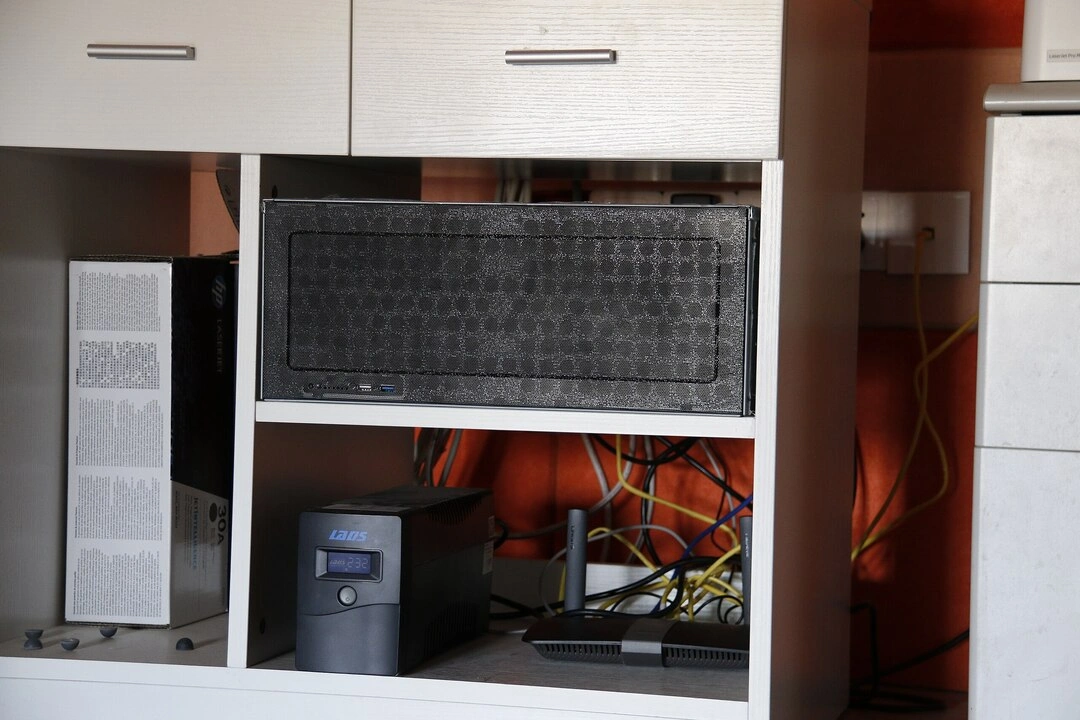
None of the hardware we explored was designed for multi-node computing out of the box. When you scale up from one mini PC to a three-node cluster, nearly every peripheral and cable multiplies accordingly. You don’t just have three power bricks and three network cables either. You also need at least one network switch and an uninterruptible power supply unit, both with their own cables. Add KVM devices to the cluster and your neat boxes are now a mess of connections. In the long run, the separate power supplies can significantly offset the CPU efficiencies that we’ve been praising.
We’ve long dealt with the clutter and inefficiencies ourselves, and it’s part of the reason why we started OpenSFF. We’re developing an open hardware standard that defines three components. The Compute Node is a self-contained processing module. The Enclosure provides shared power, cooling, and optionally, networking to one or more nodes. Finally, the Management Module provides console access and power control. It can be a passive hardware device or a full-on computer that supports remote management features. Our modular approach allows these three components to work together as one system even if they were made by different vendors.
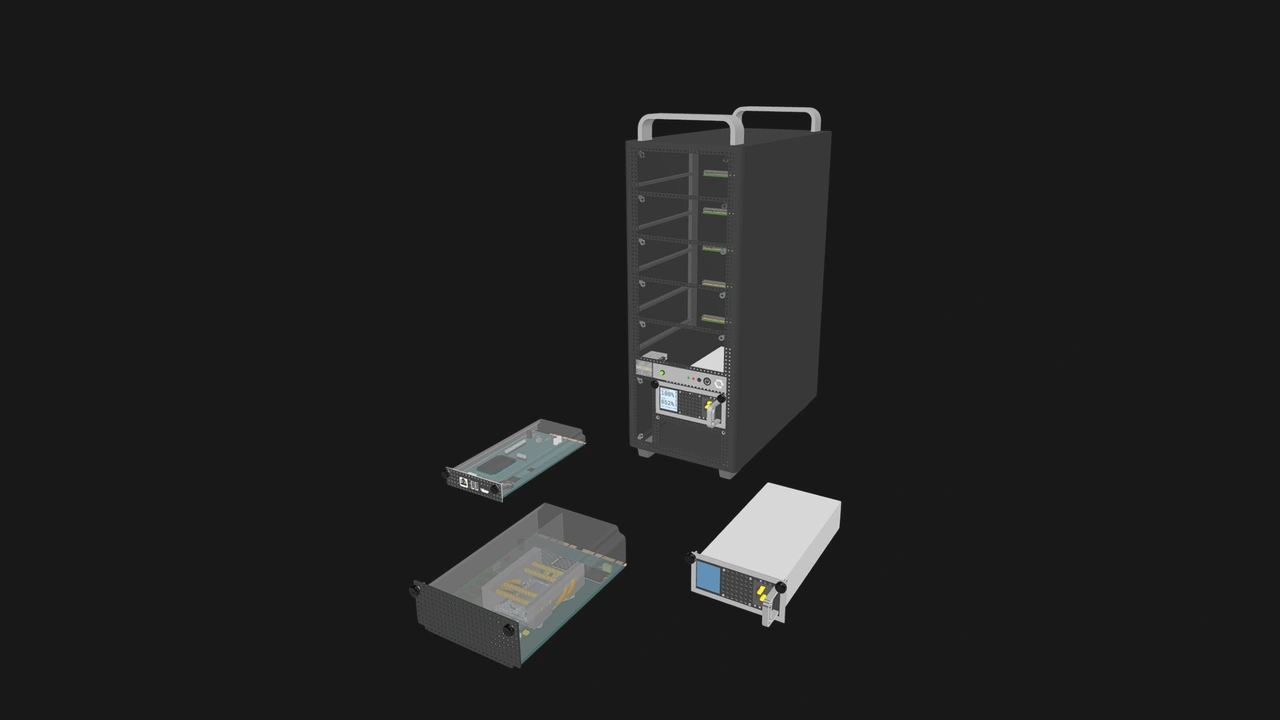
We adopt the general architecture of blade servers and standardize on a card-edge connector. A Compute Node simply slides and plugs into an Enclosure’s slot instead of needing to be wired and screwed in. The same goes for the Management Module, which can manage all Compute Nodes in an Enclosure, as opposed to a separate KVM device plus video and USB cables for each node.
It’s also worth noting that a Management Module with IP-KVM capabilities can be used to remotely wipe or reinstall the OS of Compute Nodes. Those are essential IT operations that you can’t perform on budget IP-KVM devices.
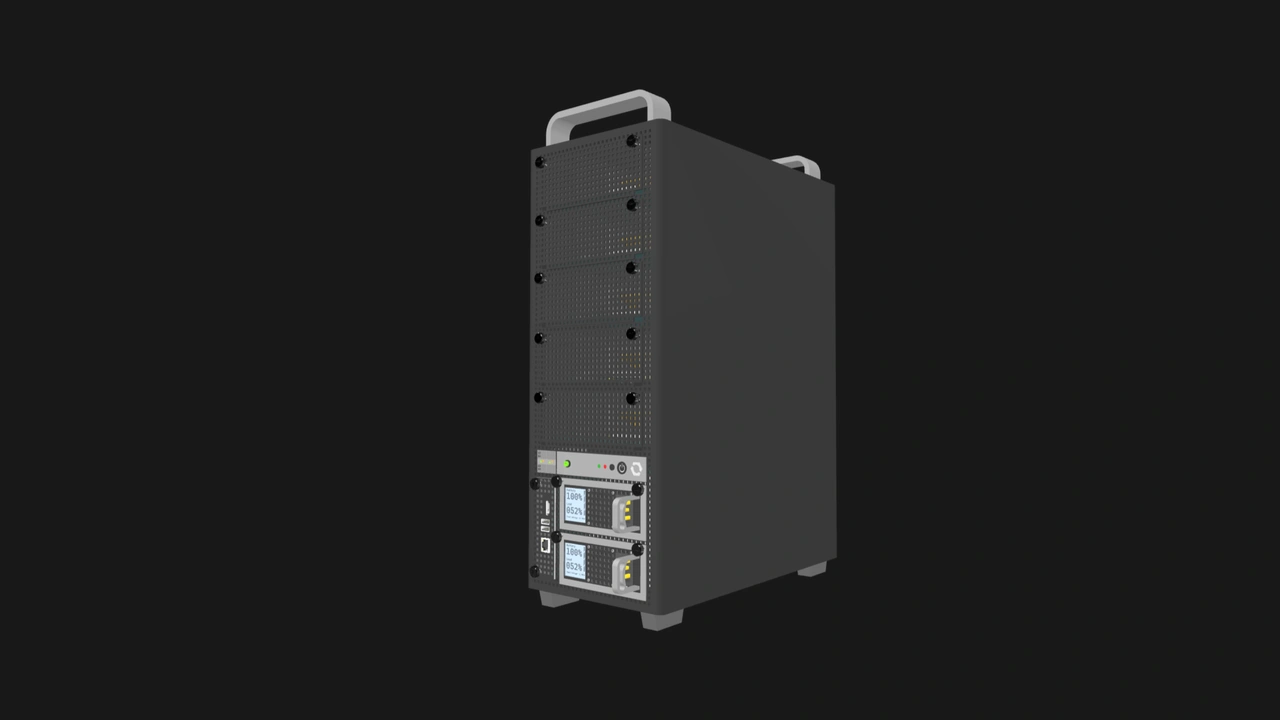
A three-node mini PC cluster typically involves three separate boxes, three IP-KVM devices, one switch, six power cables, three video out cables, six USB cables, and at least four RJ45 cables. With OpenSFF, you simply have three Compute Nodes managed by one Management Module, all housed in one Enclosure. The entire system runs on a single power cable. An Enclosure can also have PSU bays that support redundancy, as well as a UPS bay. Once again, no extra power cables needed. An internal network switch further cuts down on cable clutter.
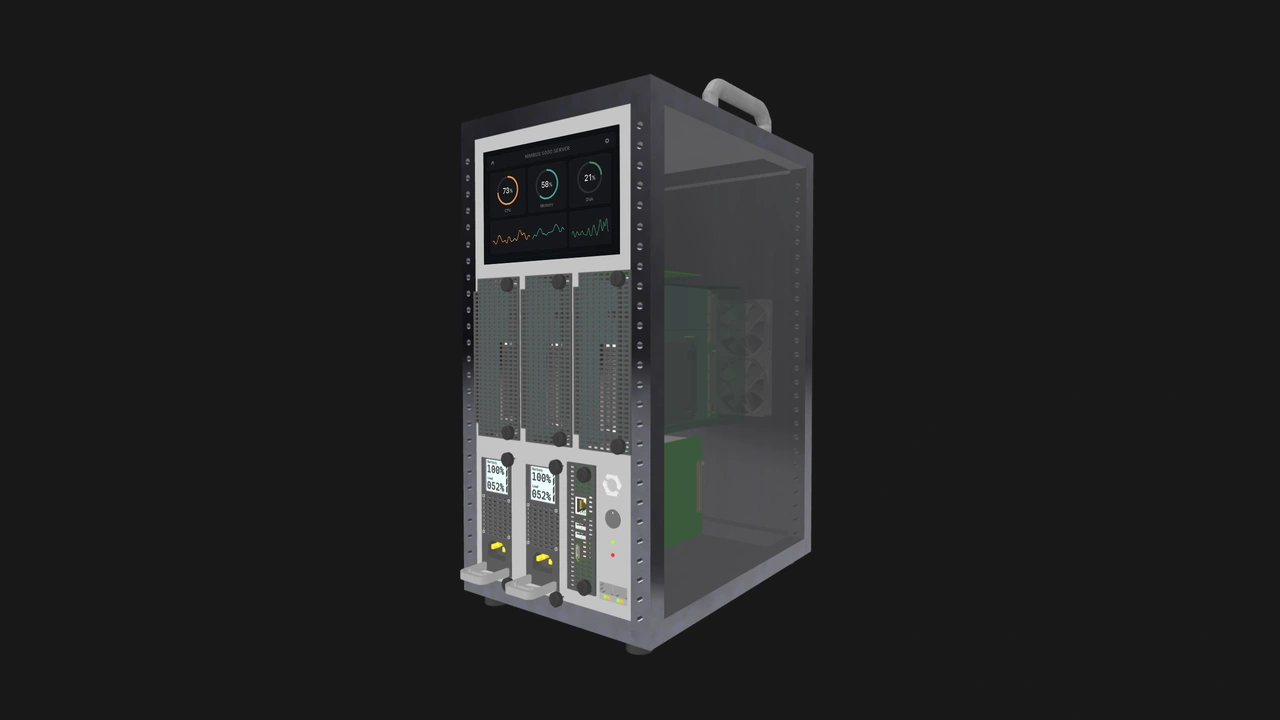
Because our standard is modular and vendor-neutral, you can have this streamlined form factor while still having the option to mix and match nodes, Management Modules, and Enclosures from different vendors.
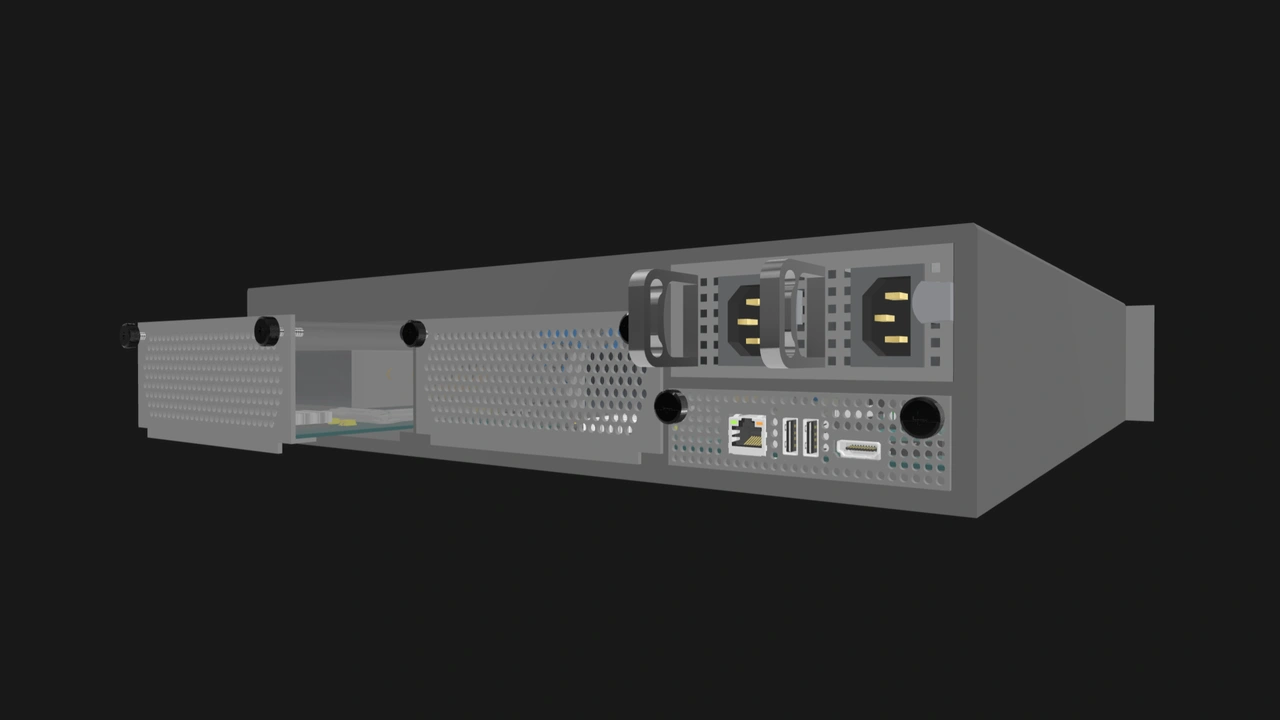
Our standard also works with any CPU architecture. The BCM2712 doesn’t meet our minimum required signals, but any chip that fits within the node’s 120W TDP and provides the required signals will do.
Build with OpenSFF
There’s plenty of important workloads that don’t need hundreds of watts. Virtual machines and containers powered by sub-50W processors quietly run many of the businesses, services, and classrooms that people depend on every day. Our standard migrates these distributed computing tools and power-efficient processors into a tightly integrated multi-node system that behaves the same way regardless of your hardware’s manufacturers.
We invite you to read our specifications, and we would be grateful if you spread the word about OpenSFF. For technical clarifications, collaborations, and other inquiries, reach out to our development team at [email protected].
Other Articles

Meet OpenSFF: an open hardware standard that enables cross-vendor compatibility, modular systems, and sustainable hardware reuse.
August 11, 2025
We go over the rise of virtualization and the open software adopted by home server enthusiasts, as well as the current challenges and the future of the hobby.
September 06, 2025

Learn why OpenSFF adopted the SFF-TA-1002 connector standard and how it enables our vision.
September 18, 2025