Blog
Hardware Homeroom: How OpenSFF can help K-12 schools have sustainable devices
Introduction
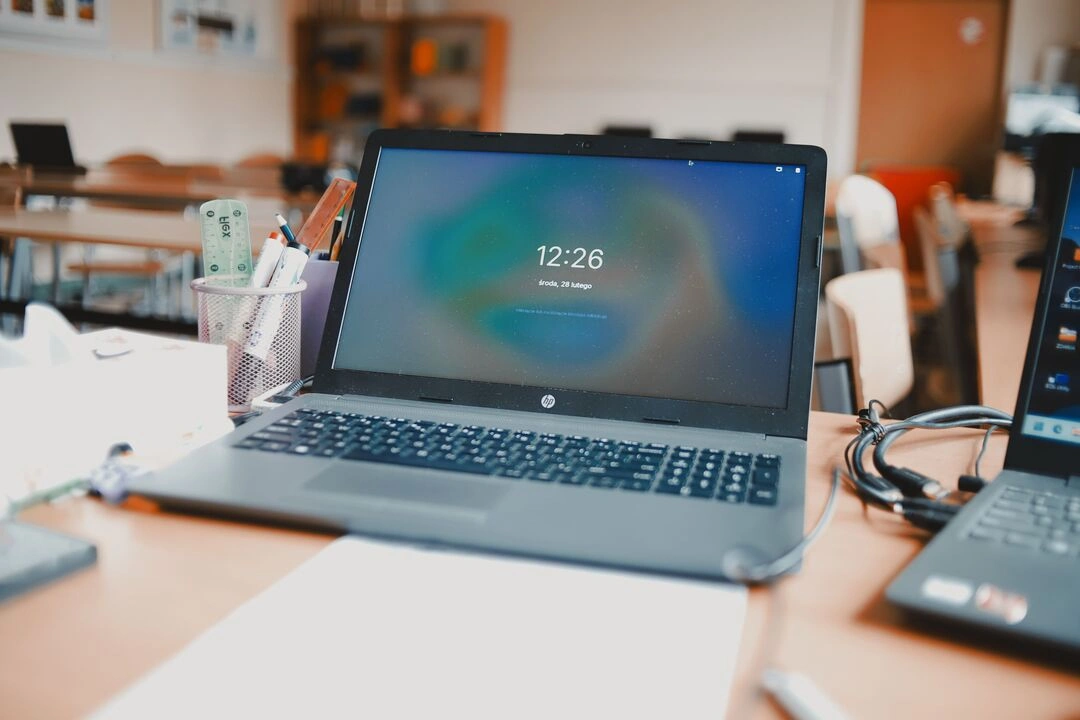
The vast majority of K-12 schools in the US now run 1:1 device programs for their students. This upgrade from shared setups was largely enabled by federal relief funds released during the COVID-19 pandemic. That program has since expired, and many districts are left sustaining larger fleets of student devices on smaller budgets.
But the hardware-related challenges of schools run deeper than you may realize. Laptops, tablets, and other student devices represent only the most visible layer of a school’s hardware needs. There are also security cameras, door controllers, kiosks, and more. These devices often have replacement schedules and maintenance needs that are out of the schools’ control, and they can exacerbate the financial and staffing pressures that are threatening 1:1 computing.
OpenSFF is developing an open-source hardware standard for vendor-neutral, modular, and serviceable systems. In this article, we are going to explore the spectrum of K-12 school hardware, the persistent issues attached to them, and how our standard can help.
The computer hardware that K-12 institutions use
Student devices and other workstations
Student and teacher devices are the most known examples of school hardware because they are dominated by entry-level consumer electronics. In 2022, Google estimated that 50 million students and teachers use Chromebooks. Tablets and other laptops are also popular in this category. According to facilities management provider FMX, the average per-unit cost varies widely in the US, from about $200 to nearly $800.
Computer labs, libraries, and other facilities with shared workstations also rely on laptops and desktop PCs. But more and more districts are moving toward virtual desktop infrastructure (VDI). VDI is a cloud technology that allows a school or a third-party provider to host multiple computer desktop environments on centralized servers. These virtual desktops can then be accessed on thin clients such as low-power PCs or mobile devices, instead of providing each user with a more capable but expensive computer.
According to EdTech Magazine, VDIs can cut electricity use by up to 90%, and thin clients can remain useful for nearly twice as long as traditional desktop PCs. It can also reduce the strain on school IT staff because the VDI provider handles software and security updates for all users. Beyond these efficiencies, VDIs also enhance accessibility. They can allow students to access their assigned virtual desktop on a shared device or outside classrooms.
Security, communication, and interactive systems
Beyond the familiar forms of educational technology (EdTech), there are many other systems that US schools need to account for and manage. For instance, security systems are just as prevalent as student devices. According to a 2022 survey by the National Center for Education Statistics, 93% of US public schools use security cameras. There are also other security-related measures such as door controllers and badges. All of these are linked to network video recorders (NVRs) and control panels, which are often proprietary appliances that work only with their specific vendors’ ecosystem.
Intercoms and emergency alert systems are school staples that are becoming increasingly regulated. As of 2025, 11 states have adopted Alyssa’s Law, which requires K-12 schools to install silent panic alarms. Then there are self-service kiosks for visitors, libraries, and cafeterias. Kiosk Marketplace claims that the market for visitor management kiosks alone will roughly triple from $1.2 billion in 2023 to $3.5 billion by 2032. Circling back to classrooms, interactive displays and digital signage are also becoming more common in schools. Similar to virtual desktops, digital whiteboards and other large displays bring educational software to classrooms while simplifying device management.
These systems serve different purposes and have significant benefits for schools. But they all form a hardware ecosystem that schools have to manage. They have maintenance and replacement cycles that may be impossible for schools to accurately determine at the point of purchase. Ultimately, the issue is not that schools need diverse hardware. It is how existing options make it difficult to manage devices in a sustainable and cost-effective way throughout their lifecycles.
The interconnected challenges related to K-12 school hardware
Limited budget and staff for long-term maintenance
The US Congress helped K-12 schools manage the impact of COVID-19 through the Elementary and Secondary School Emergency Relief (ESSER) Fund. Schools received a total of $189.5 billion from 2020 to 2023, but the funds had to be fully obligated by 2024. Districts are now balancing their budgets between pandemic additions such as student devices and additional staff, and persistent needs such as teacher development and mitigating student absenteeism.
The Consortium for School Networking’s (CoSN) 2026 report (PDF) on the state of US EdTech says more than a third of districts fear that they may have to go back to shared computing for students due to lack of funds. The report also found that 34% of respondents lacked technical support staff.
The background systems we enumerated also contribute to schools’ financial challenges. Security provider VOLT reminds districts that cameras are just one component of a security system. Schools need to supplement them with network infrastructure, servers, and storage drives. VOLT also points out that these systems require additional training for IT staff, and may take time away from other regular duties.
In one of its blog posts, communication systems company CareHawk cited a 2020 Campus Safety Magazine report, which found that 35% of schools are concerned with the high ongoing costs of emergency notification systems. Security camera vendor i-PRO says security systems have similar operational expenses. Video management systems, NVRs, and even door controllers may require licenses for each device.
Short hardware lifespans
We went over how schools cannot rely on a device’s sticker price to estimate the total cost of ownership. But the quality and serviceability of a device as well as its vendor’s policies can be just as impactful as infrastructure and service costs. An affordable device with a shorter usable lifespan may cost more per year than a more expensive one that lasts longer.
CoSN’s report found that over 40% of teacher and student laptops are replaced within 3 to 4 years. LockNCharge’s 2025 white paper found that over 60% of the 241 surveyed schools handled up to 10 broken devices weekly. Critics have called out Chromebook manufacturers and Google in this regard. In 2023, the Public Interest Research Group (PIRG) reported that, despite Chromebooks’ popularity, spare parts are hard to come by, and some can cost nearly half of a new device. PIRG also discovered that six manufacturers made slight modifications to the plastic bezels of their Chromebook 11 laptops. This made replacement bezels incompatible with equivalent parts for previous models for no discernible benefit.
PIRG also pointed out that at the time, Google limited ChromeOS to only 4 years of software updates. Google eventually extended ChromeOS updates to 10 years, but only for devices purchased from 2021 onward. That criterion excludes many devices that schools acquired during the pandemic, when Chromebook sales nearly tripled. As we discussed in our article on prebuilt Linux systems, a similar issue is also hanging over many Windows PCs in schools. Hundreds of millions of computers running Windows 10 are officially unqualified to run Windows 11.
Student devices are not the only school hardware that may need to be replaced even if they are still usable. Interactive display panels with embedded computers also face software-related obsolescence, forcing schools to replace functioning hardware when it no longer qualifies for security updates. Regulatory mandates can also force schools to replace hardware. In a 2023 article, SecurityInfoWatch cites how the National Defense Authorization Act banned US government agencies, including K-12 schools, from using surveillance products and chips from certain manufacturers. The affected schools had to purchase new hardware or find replacement parts for their existing security systems.
How OpenSFF can help K-12 schools
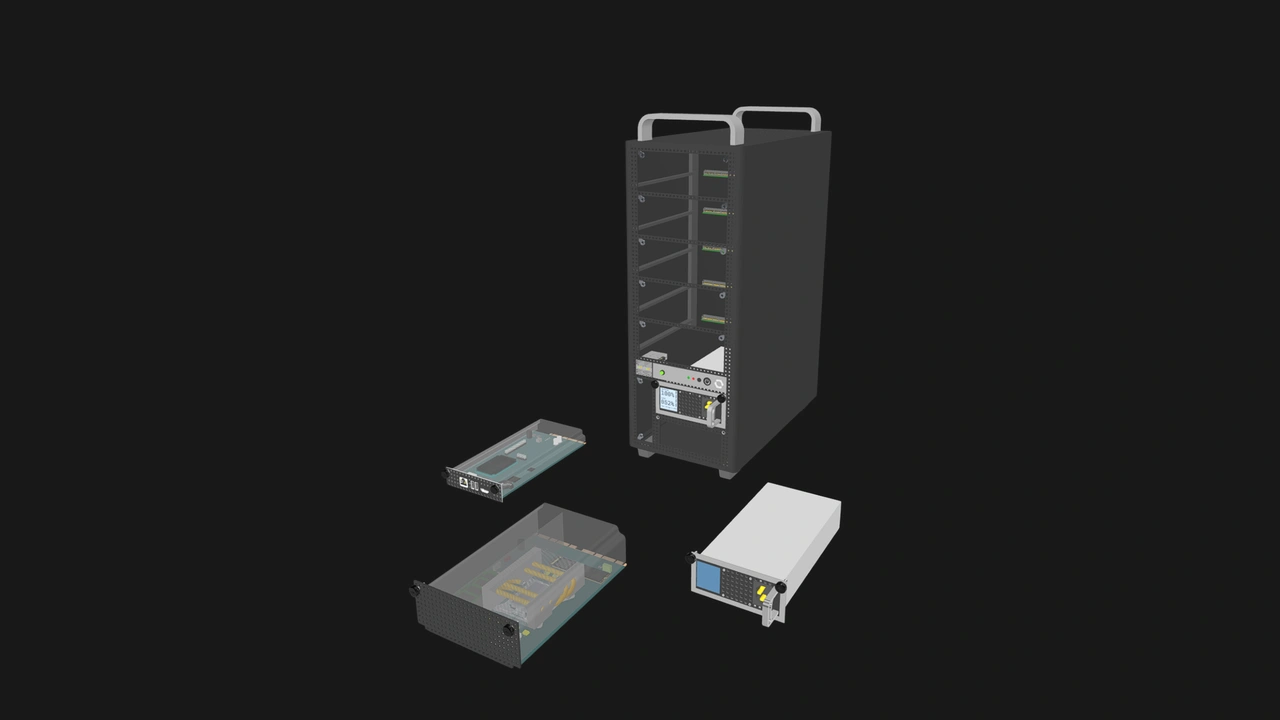
We are developing open-source hardware specifications that can be adopted to create modular, vendor-neutral, and serviceable systems. We define three components: the Compute Node is a module that contains the core processing hardware such as the CPU, RAM, and primary storage. The Management Module is an optional component that IT administrators can use to monitor and troubleshoot nodes. Finally, the Enclosure is an active electronic housing that can host one or more nodes. It provides shared power, cooling, and optionally, networking.
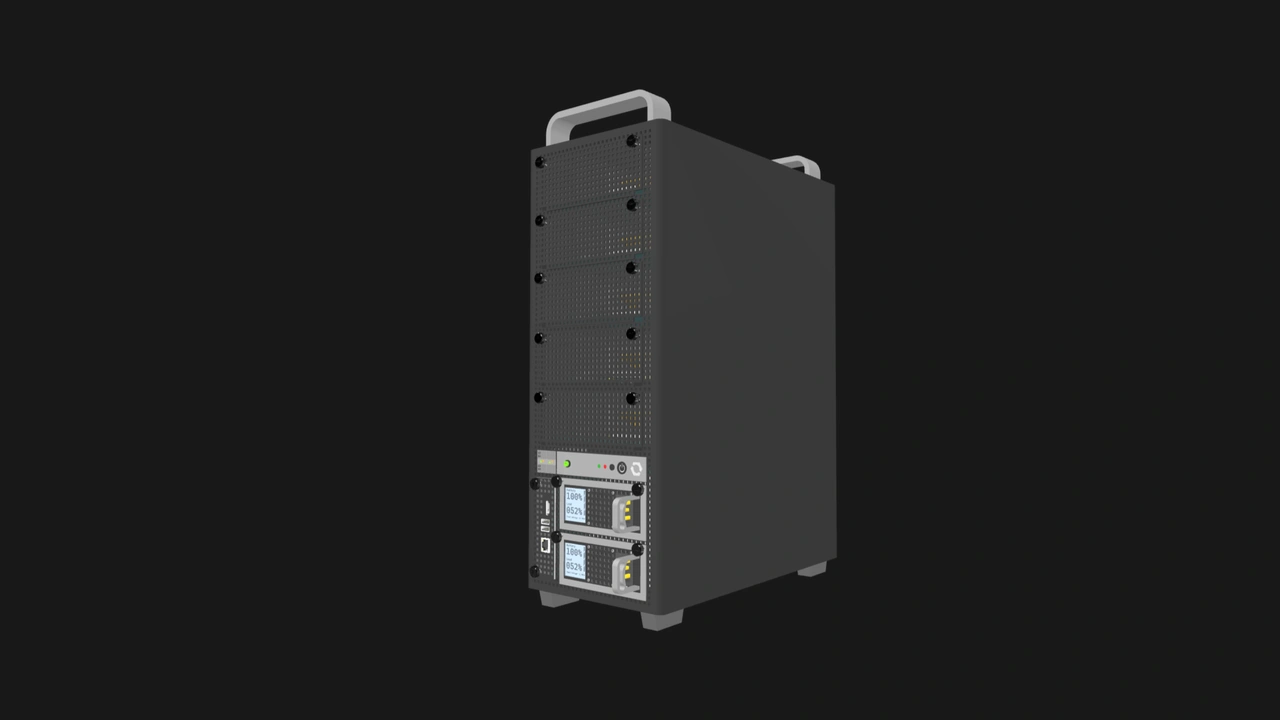
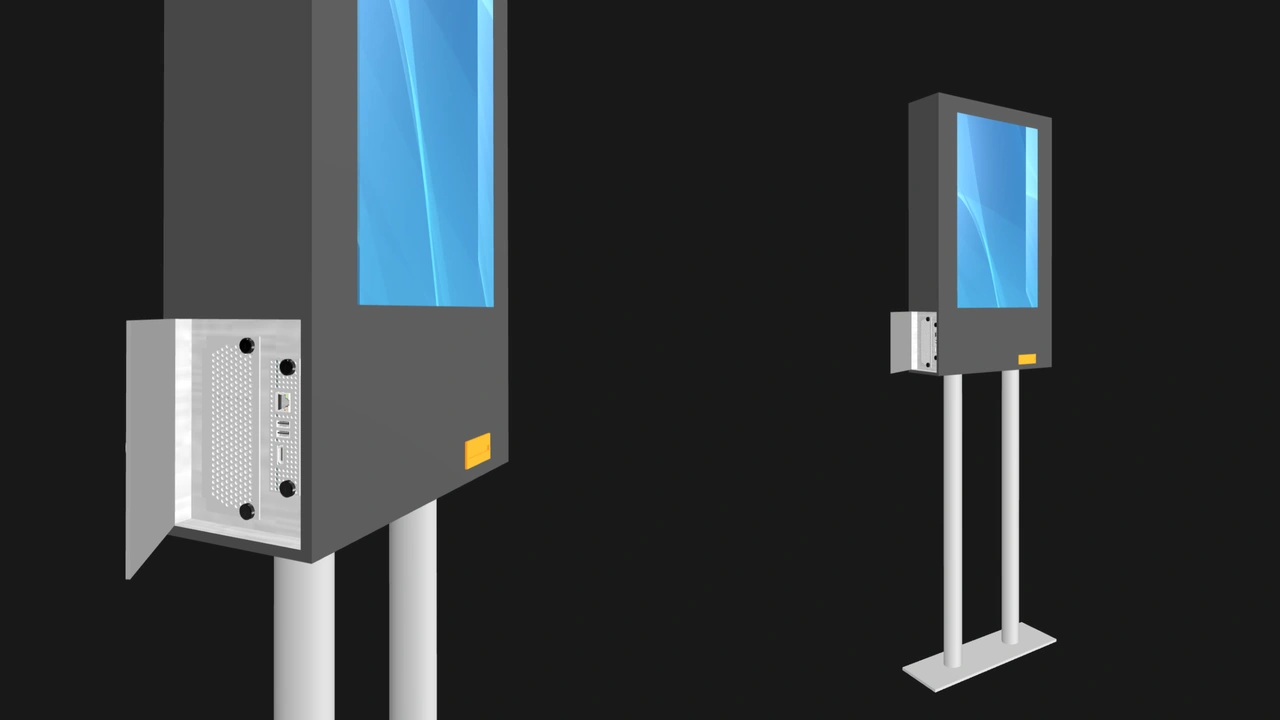
The components we define create a common hardware platform that can support many types of systems. Our standard is highly suited for servers, but Enclosures can take on any form factor or layout. Vendors can adopt OpenSFF to create other devices that schools need: workstations, thin clients, routers, NVRs, kiosks, and more. Rather than treating each device as a separate product with its own lifecycle, OpenSFF enables a shared ecosystem where hardware is designed to be upgraded, serviced, and repurposed.
More purchasing power for schools
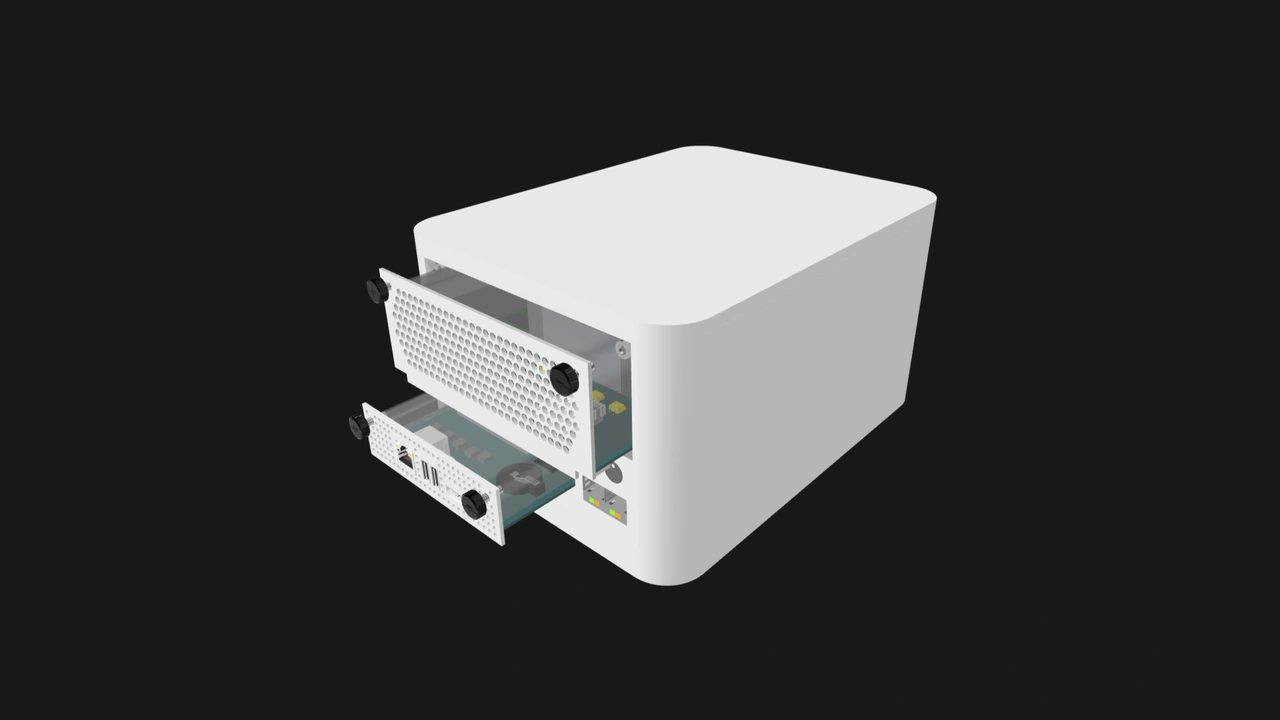
Any Compute Node will work with any Enclosure, regardless of their vendors. The same applies to the Management Module and compatible Enclosures. In a world with OpenSFF, districts can purchase complete systems or components that fit their needs and budget rather than depending on a single vendor’s pricing or configuration. Even years after purchasing a device, schools will still benefit from this freedom and flexibility.
More flexible and serviceable school hardware
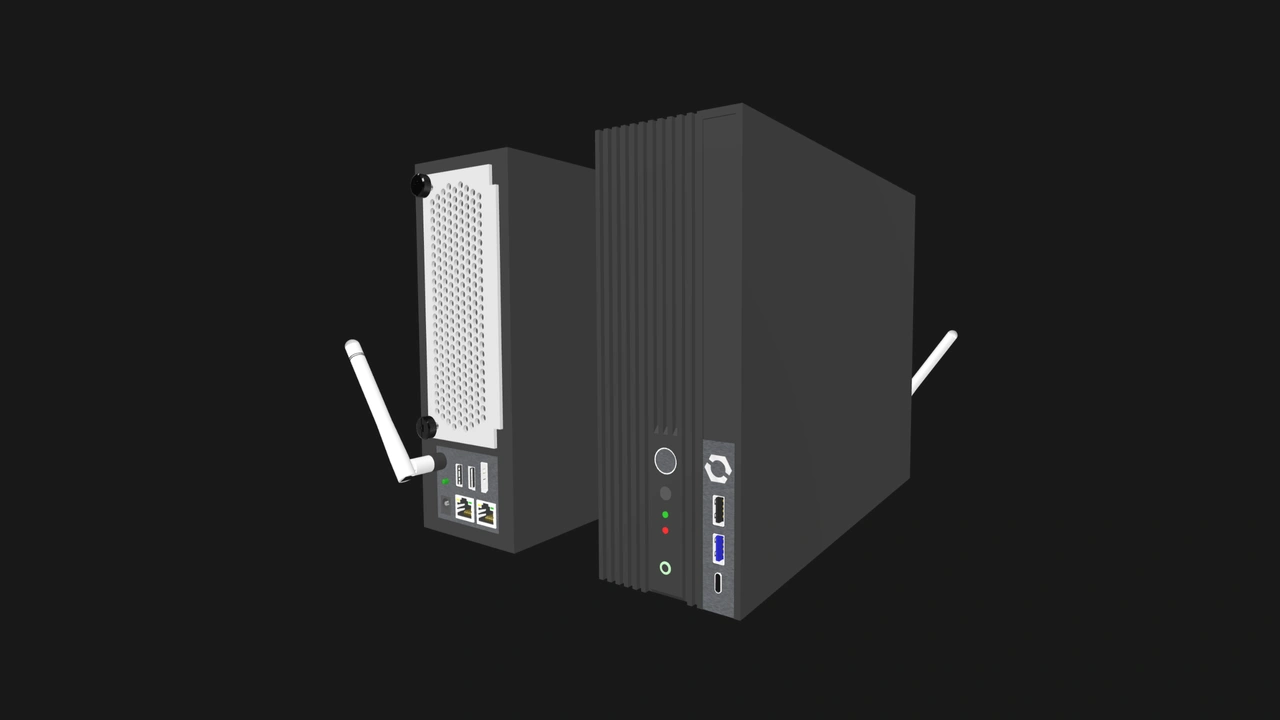
Since it is up to the Enclosure to define a system’s purpose, a Compute Node can serve as the brain for a wide range of devices. Depending on its performance, the same node that powers a workstation can also control an NVR. A node suited for a kiosk may also be a good fit for an interactive display. Instead of being completely reliant on an array of disparate devices, schools can save money and simplify their inventory by stocking a common pool of Compute Nodes that covers multiple devices.
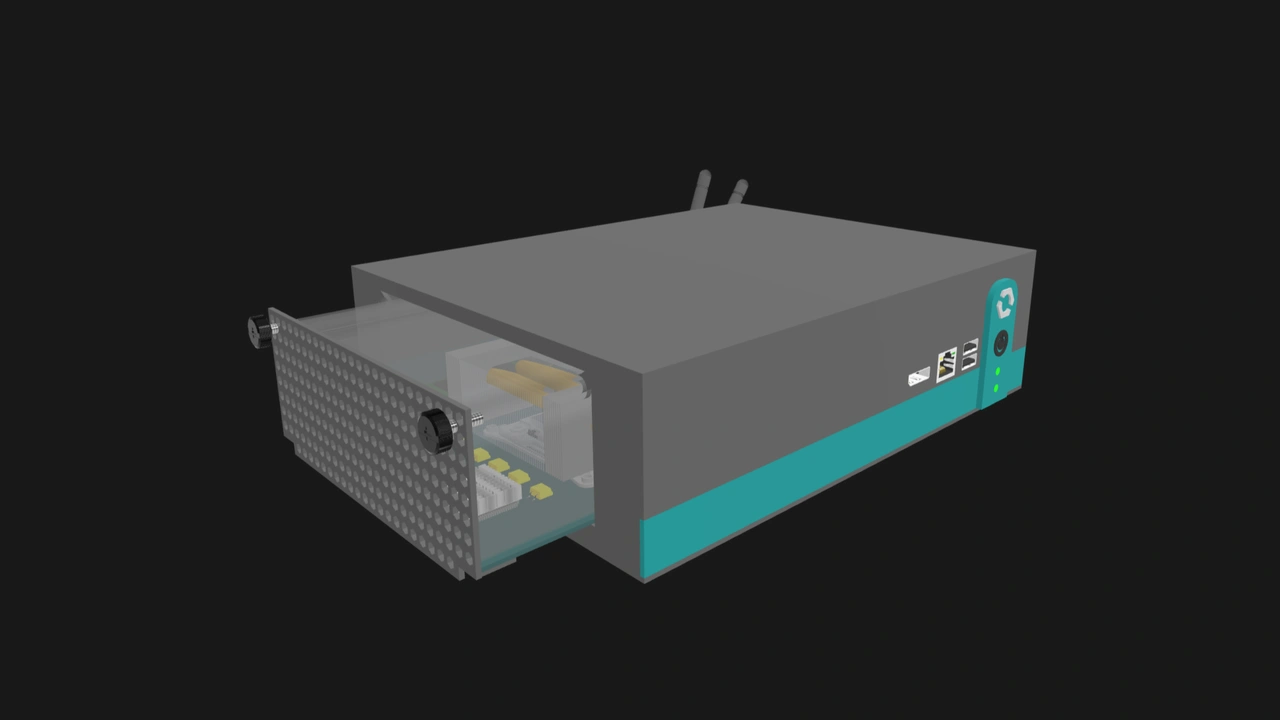
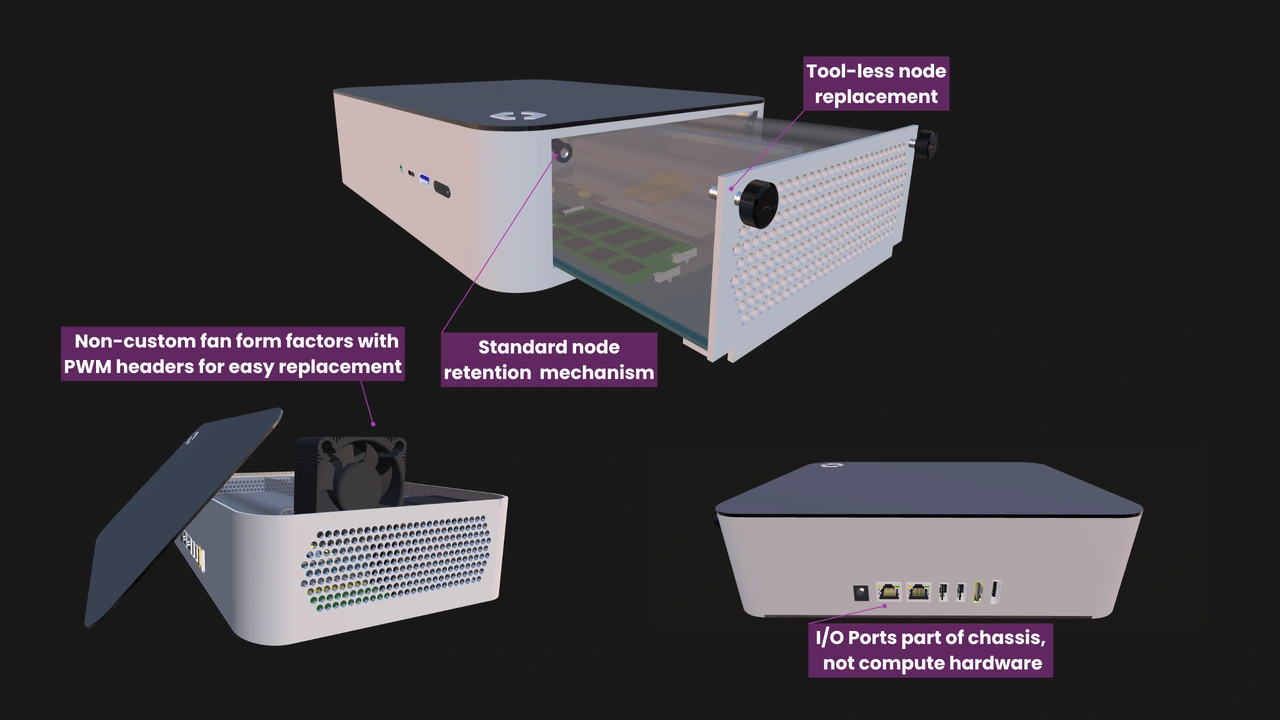
This modularity goes hand-in-hand with our serviceability requirements. Compute Nodes and Management Modules connect to Enclosures through a cable-less card-edge connector, and they are secured using only a pair of captive thumbscrews. Even general school staff can learn how to swap OpenSFF modules. Our specifications also require vendors to use standard screws, latches, and sliding trays over mechanisms that require specialized tools. We also encourage the use of standard components wherever possible, such as cooling fans and power supplies, and to make such parts user-serviceable.
Longer-lasting and more sustainable school systems
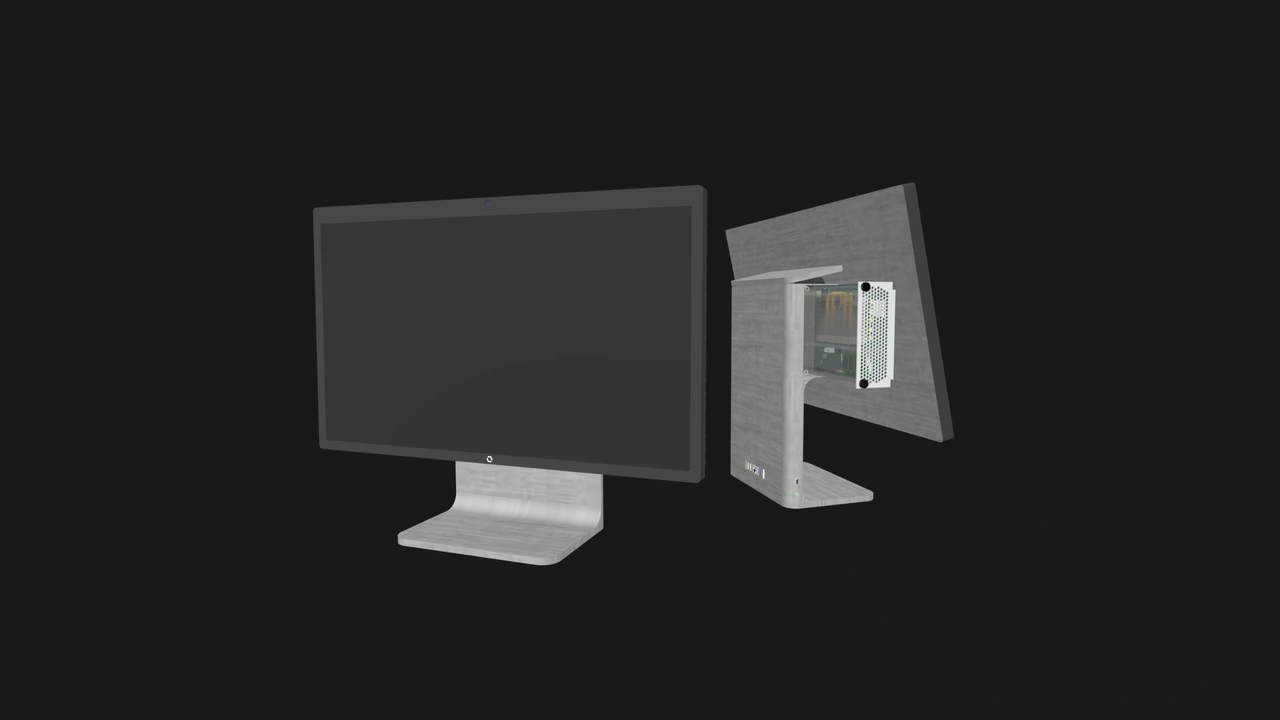
Because the Compute Node, Management Module, and Enclosure can be replaced independently of each other, an OpenSFF-compatible system can remain useful far longer than its traditional sealed equivalent. A Compute Node can be replaced while retaining the original Enclosure, and vice-versa. The end of software support would not mean replacing the entire device. The lifespan of an always-on system such as an NVR can be extended by swapping in a more capable or more power-efficient Compute Node, all without touching its installation.
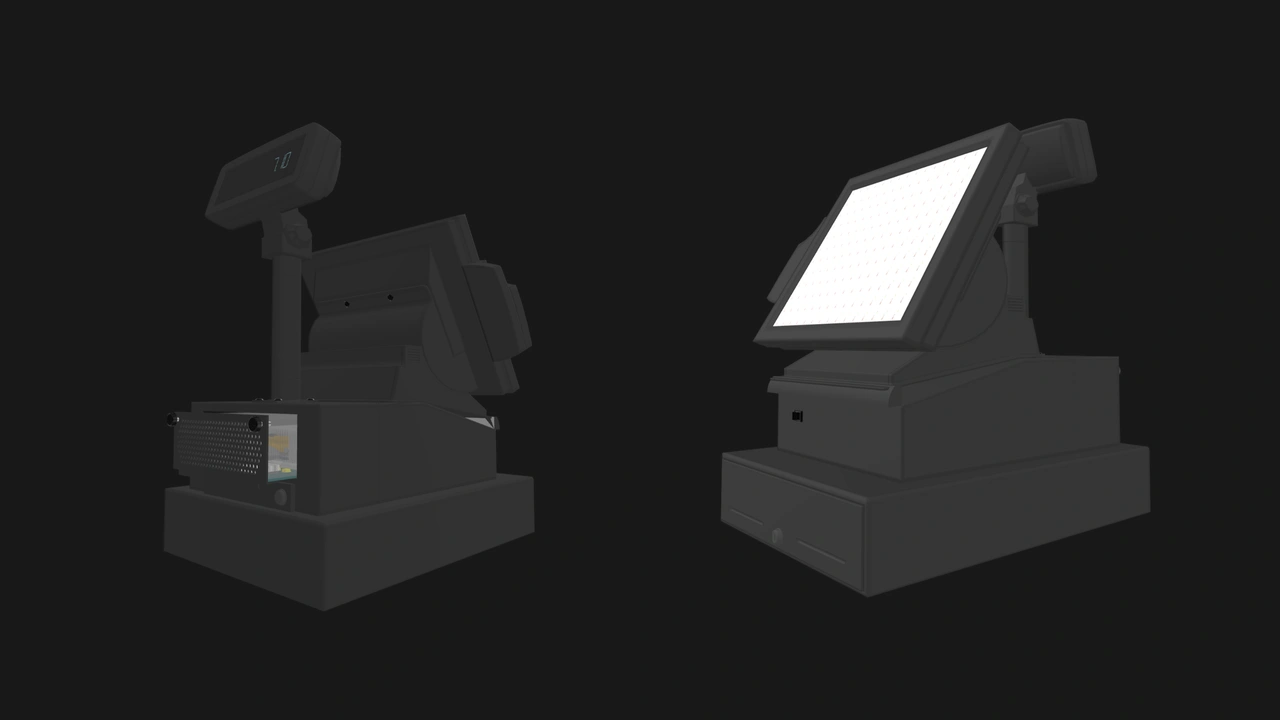
Our modular architecture also enables OpenSFF components to serve multiple lifecycles and different purposes. An old but functional Compute Node from a server can find new purpose in a workstation. A Management Module in an NVR can be reused to manage a thin client. A mini PC Enclosure can go from a computer lab to a media center, then to a library, and so on, with the help of a capable node.
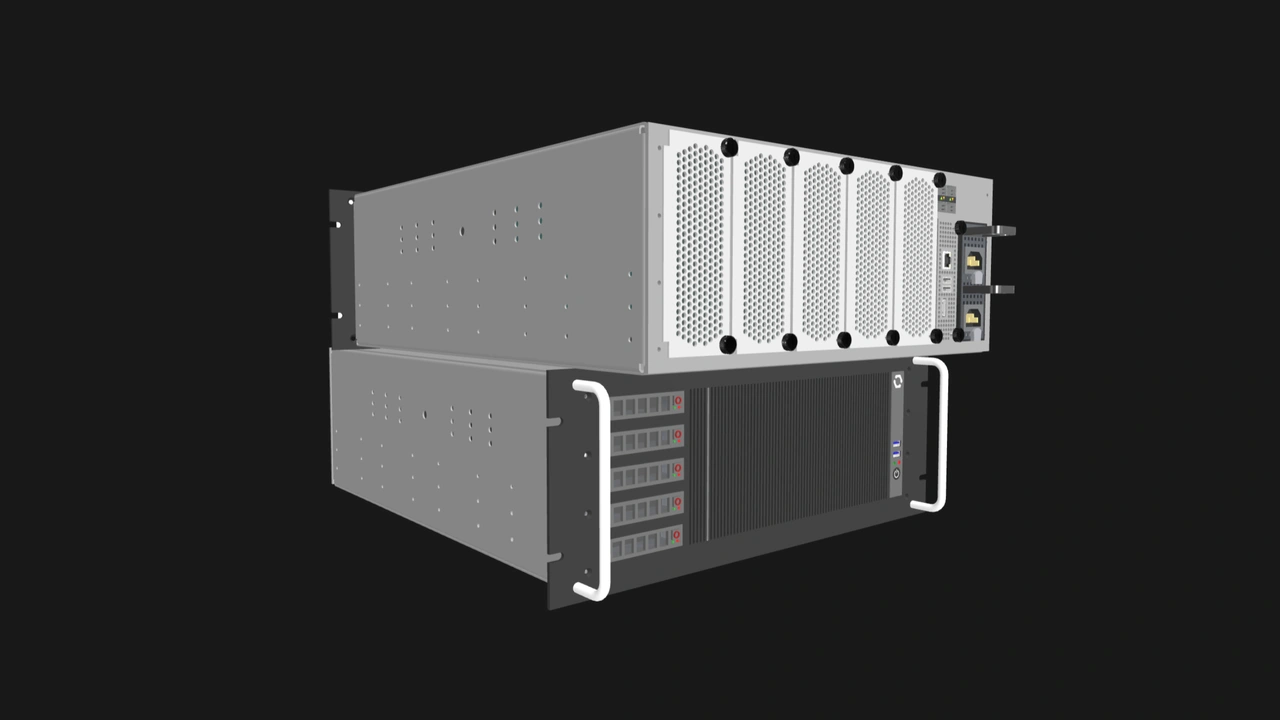
Build with OpenSFF
A number of devices that schools use already benefit from modular, vendor-neutral standards. Intel’s ATX remains the foundation of desktop PCs, and its OPS resulted in interactive displays that have replaceable processing units. OpenSFF can do the same for a wide range of systems that schools use. We enable interoperability between vendors and between device categories. This can allow K-12 schools to maximize their funds, including when maintaining their hardware years after they were purchased.
We are still developing our specifications and seeking input from industry experts. Help us bring about more affordable and sustainable school technology by spreading the word about OpenSFF and informing vendors about our specifications. For more information, feedback, or partnerships, reach out to our development team at [email protected].
Other Articles

Meet OpenSFF: an open hardware standard that enables cross-vendor compatibility, modular systems, and sustainable hardware reuse.
August 11, 2025
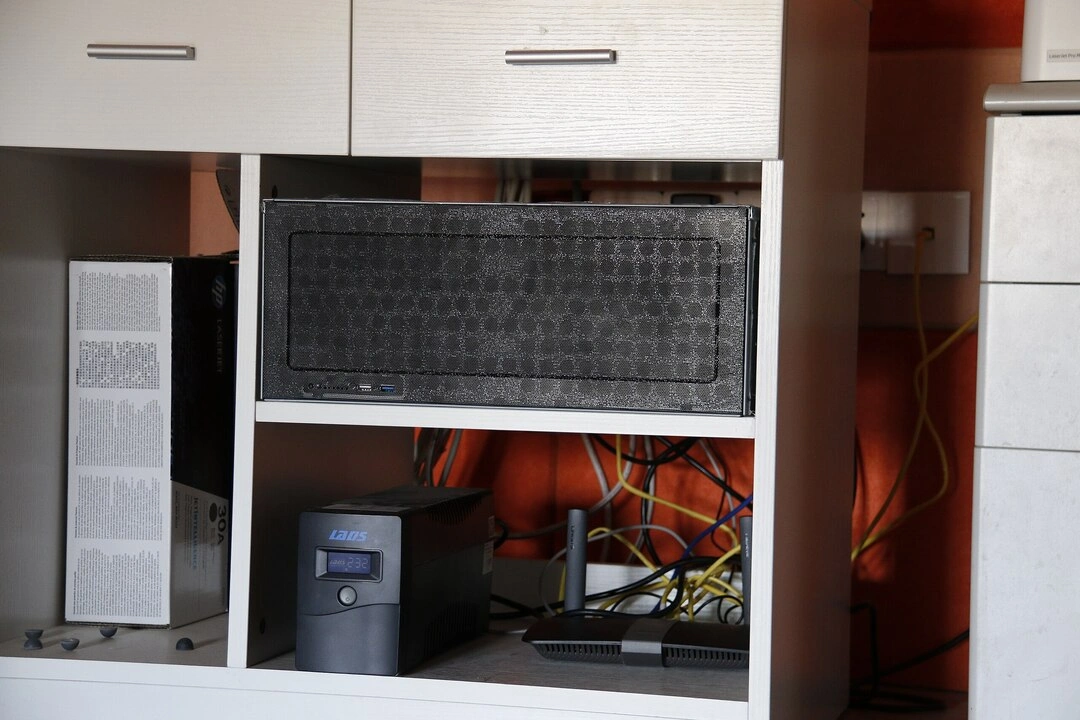
We go over the rise of virtualization and the open software adopted by home server enthusiasts, as well as the current challenges and the future of the hobby.
September 06, 2025

Learn why OpenSFF adopted the SFF-TA-1002 connector standard and how it enables our vision.
September 18, 2025