Blog
Essential But Not Irreplaceable: What happens When a Management Module Breaks
Introduction
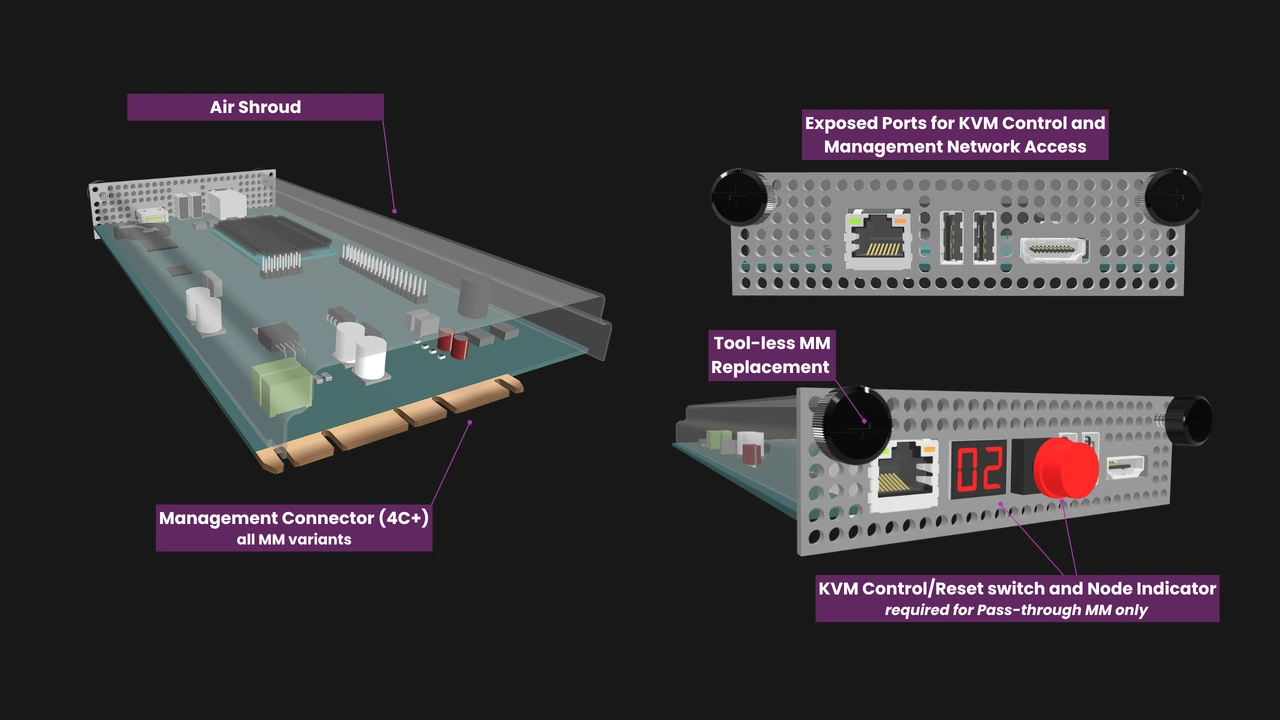
In many enterprise servers, the management controller is embedded on the system board. It is an essential component in terms of both functionality and identity, since the server’s service tag and relevant licenses are typically tied to the management controller. While the industry is moving towards modular management in the form of the Open Compute Project’s Datacenter Secure Control Module (DC-SCM), that remains a hyperscaler option for the foreseeable future.
OpenSFF is a nonprofit organization developing an open standard for modular, serviceable, and vendor-neutral small form factor systems. We realized early on that we must also have a vendor-neutral management solution to fully establish interoperability. Hence, we defined the Management Module and its software.
Like Compute Nodes—our standard’s processing module—the Management Module can be removed, replaced, or transferred to another Enclosure. It is an optional component in that Core Enclosures are not required to support it, but it becomes an integral piece in Enclosures that do have a Management Module slot. In this article, we are going to take a deeper look at what exactly this integration entails and what happens to the rest of an OpenSFF-compatible system when it loses its Management Module.
The roles of the Management Module and managed Enclosures
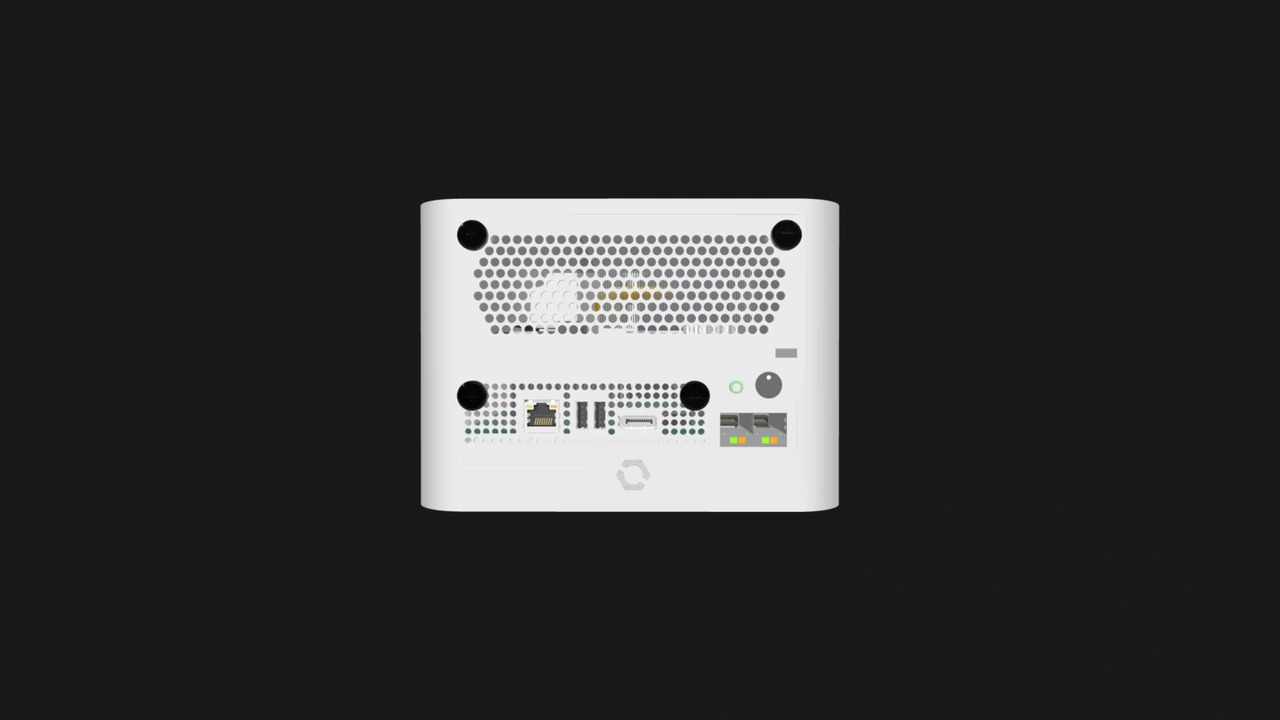
Enterprise Enclosures must have a dedicated Management Module slot, while it is optional in Core Enclosures. Aside from the slot, a managed Enclosure must also have:
- Circuitry for node power control
- Keyboard, video and mouse (KVM) signal paths
- A Private Enclosure Network (PEN), an internal dedicated out-of-band management Ethernet fabric
- An Enclosure microSD Card (ESDC), which contains Enclosure metadata and serves as backup storage for the configuration data of smart Management Modules (more on this later).
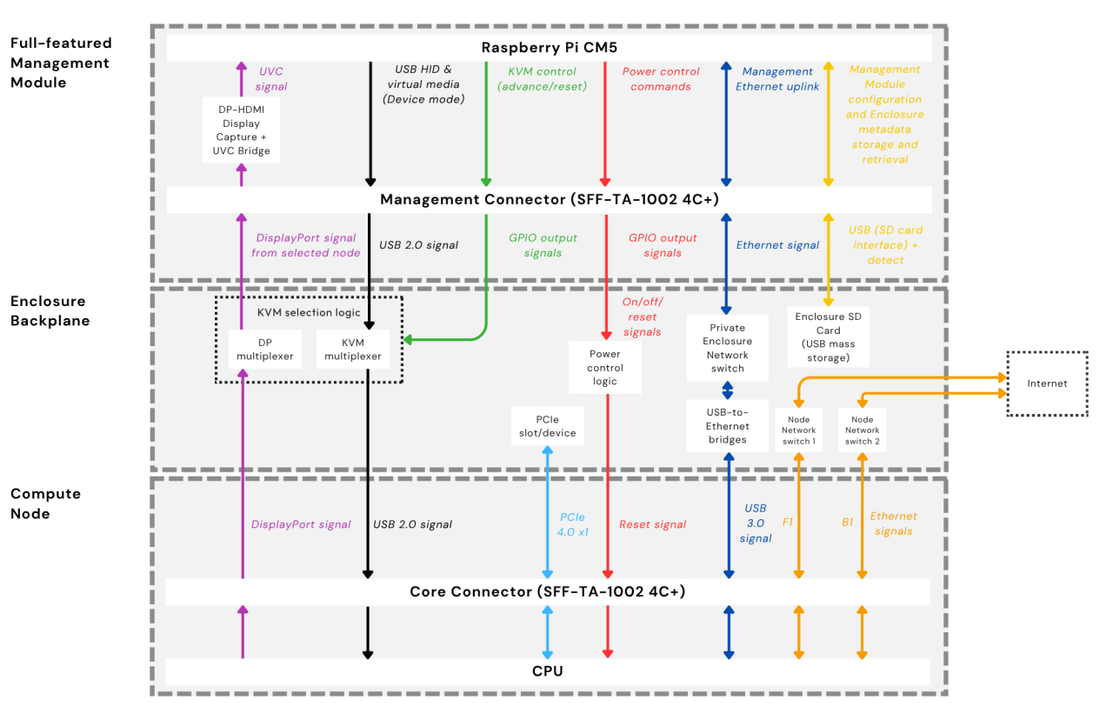
The capabilities of a Management Module depend on its implementation. We define two reference designs in the Management Module Specification. The Pass-through Management Module is a purely hardware device, i.e. it doesn’t have a CPU or operating system. It provides only local KVM access as well as power and reset controls through ports and physical interfaces on its I/O shield.
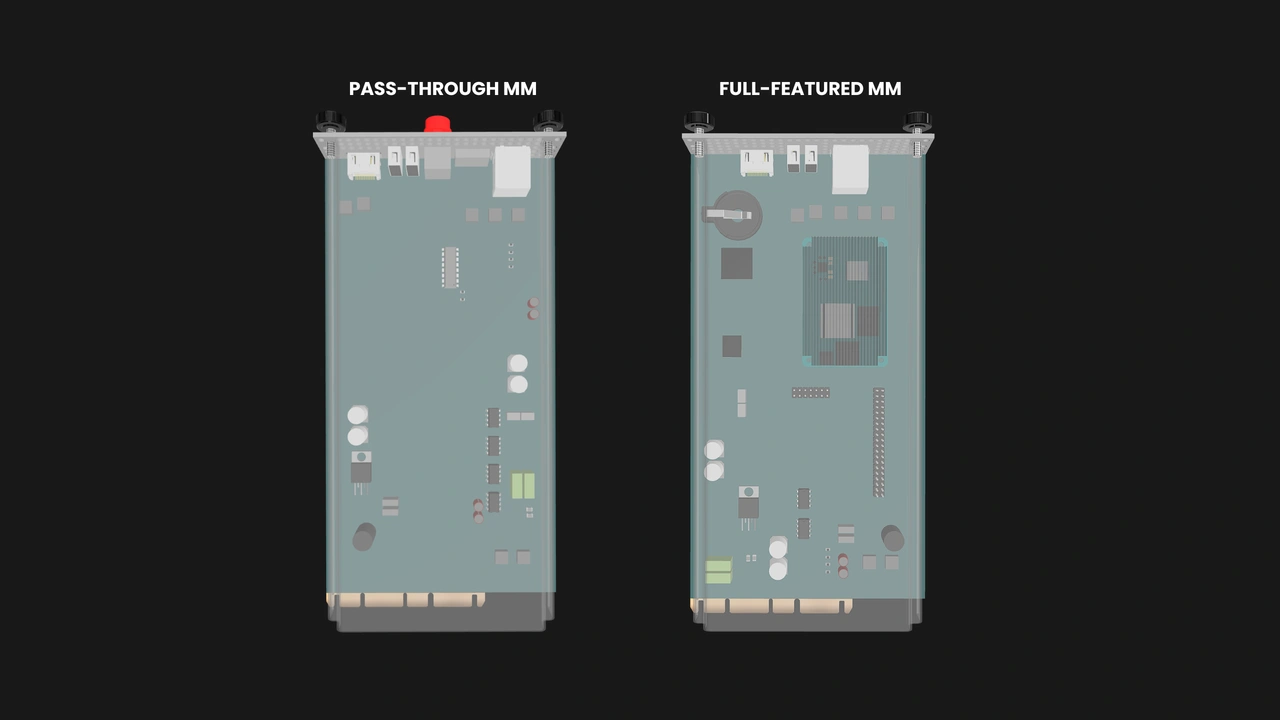
The Full-featured Management Module on the other hand is based on the Raspberry Pi Compute Module 5 and runs a custom version of Raspberry Pi OS. On top of providing local KVM and power controls, this smart Management Module is a software-defined management tool that adds remote KVM access, power management, and node monitoring through a browser-based interface. It also supports persistent configurations and, as we mentioned, synchronizes with the ESDC.
Vendors are free to create Management Modules that are between or beyond what we describe in our reference designs. Enclosure vendors are also free to come up with their exact implementations for the physical management infrastructure in their product. But while we cannot account for all permutations of Management Modules and compatible Enclosures, we are defining our specifications to guarantee two things: First, any Management Module will work with any Enclosure that supports it, regardless of their vendors. Second, removing the Management Module from a managed Enclosure removes access to the management features and may leave users with no way to connect displays or peripherals to nodes. But a failed or missing Management Module will not render installed Compute Nodes unusable.
What do users lose when the Management Module is removed?
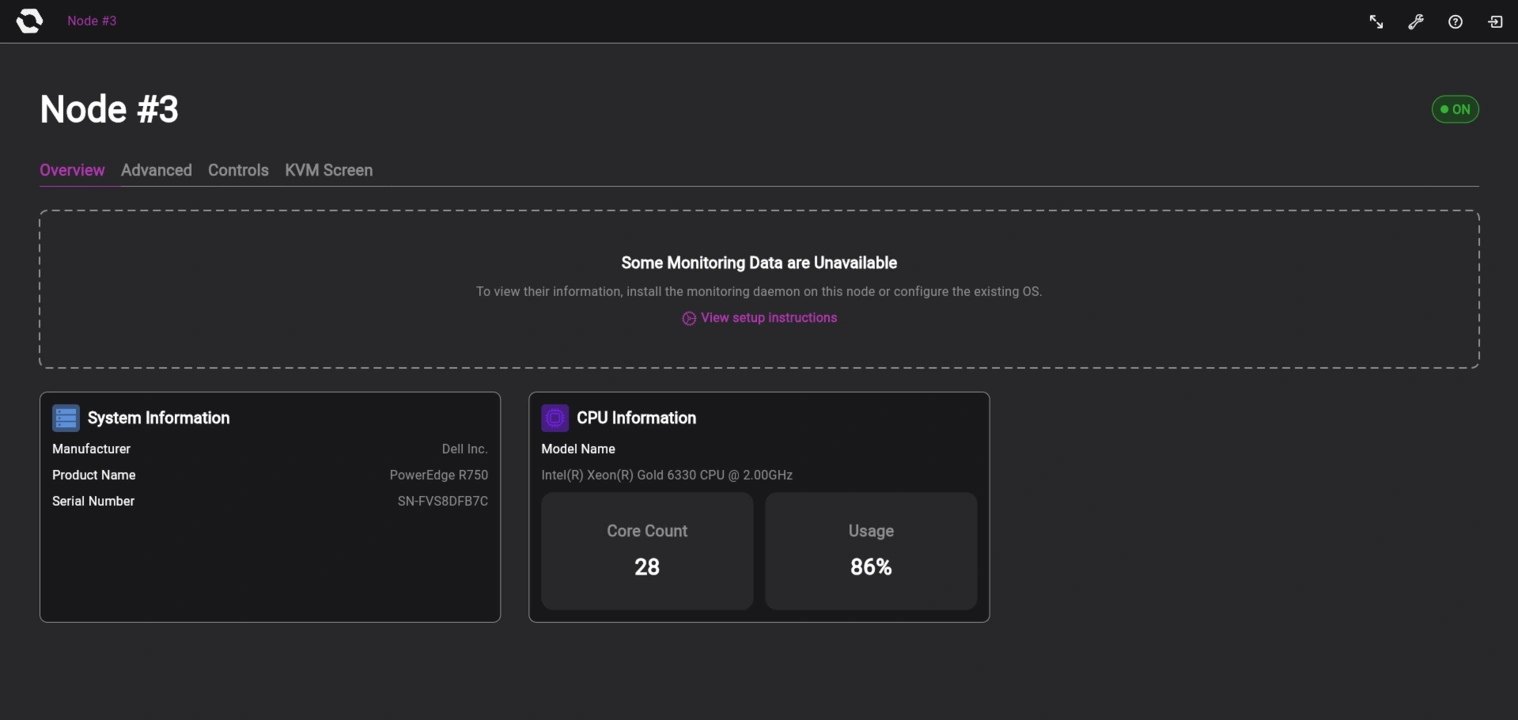
Node power management
Node power state monitoring and centralized power control are provided through the Enclosure’s management infrastructure and exposed to the Management Module. This includes remote access in the case of Full-featured Management Modules, because the module is the only way to establish an external management network and connect to the Enclosure’s PEN.
Console access
The KVM signal paths run from every Compute Node slot to that Management Module slot. Once again, this includes remote KVM access in the case of Full-featured Management Modules.
Video out and peripheral inputs
We are defining our standard primarily for headless systems, e.g. servers that will not be directly interacted with on a regular basis. As such, we do not require video or USB signals to be exposed on the Enclosure. If a managed Enclosure is configured as such, the DisplayPort output and the two USB ports on the Management Module will be the only way to get video and interact with installed nodes, respectively.
Enclosure vendors are free to add video out and USB ports connected to the nodes as they see fit, especially in unmanaged implementations such as thin clients or workstations. Compute Node vendors can also add additional DisplayPort and USB ports on their implementation’s rear I/O shield.
What keeps running when the Management Module is removed?
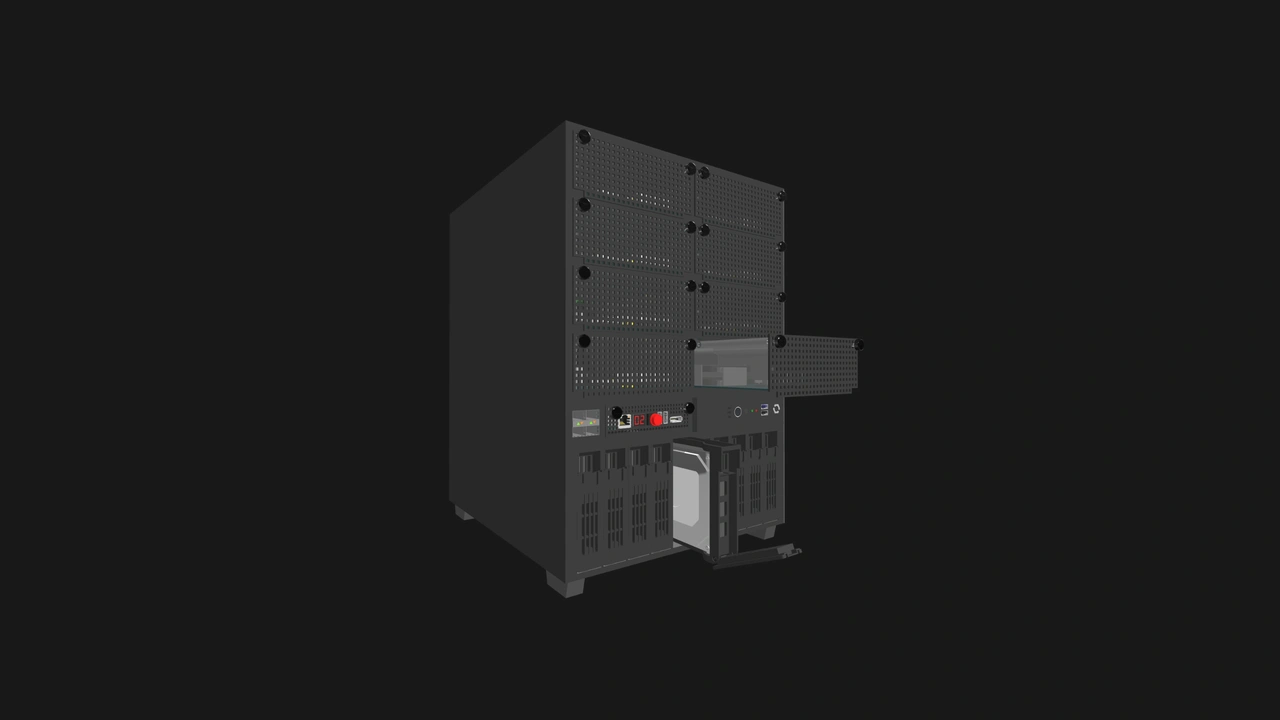
Power delivery
The Enclosure still supplies power to all of its Compute Node slots and to the Management Module slot.
Active cooling
Compute Nodes can have only passive thermal solutions; any form of active cooling must be built into the Enclosure. Compute Nodes regulate the Enclosure’s fans (or any other active cooling solution) by sending pulse-width modulation (PWM) signals, which the Enclosure then routes to the node’s assigned fan or fan group. This regulation will not be affected when the Management Module is removed.
However, Enterprise Enclosures are designed so that the Management Module can override the node’s PWM signals as a failsafe. If a node stops providing a valid PWM signal, the Management Module will drive the affected fans at 100% of their duty cycle to ensure adequate cooling. Without a Management Module, this failsafe will be missing as well.
Node workload networking
Our specifications define the Node Network (NN) as the Ethernet fabric through which workload and inter-node traffic passes through. In Enterprise Enclosures, the NN is an internal Ethernet switch separate from the PEN. Core Enclosures may also implement an internal NN. An Enclosure must provide external network connectivity to every installed Compute Node through uplinks to the NN or via dedicated Ethernet ports per node. The NN and external network connectivity do not rely on the Management Module and will continue to function even when the module is removed.
Direct power control
Multi-node Enclosures must provide at least one physical interface to power nodes on and off. This can be a single Enclosure-wide button or a power button per node slot. Similarly, Enclosures must also provide at least one power status indicator.
Enclosure management infrastructure
The KVM signal paths, the PEN’s Ethernet switch, the power control circuits, and the ESDC will not fail or stop working if the Management Module is removed. They will just have no module with which to communicate.
SSH
If SSH is enabled and the user knows a node’s address and their credentials, they can still SSH into a node through the NN even if the Management Module has failed or is absent. Naturally, this is not a substitute for KVM or the Management Module in general, but it is a way for users to interact with a node in the absence of video and USB ports on the node or Enclosure.
Why not require a KVM fallback?
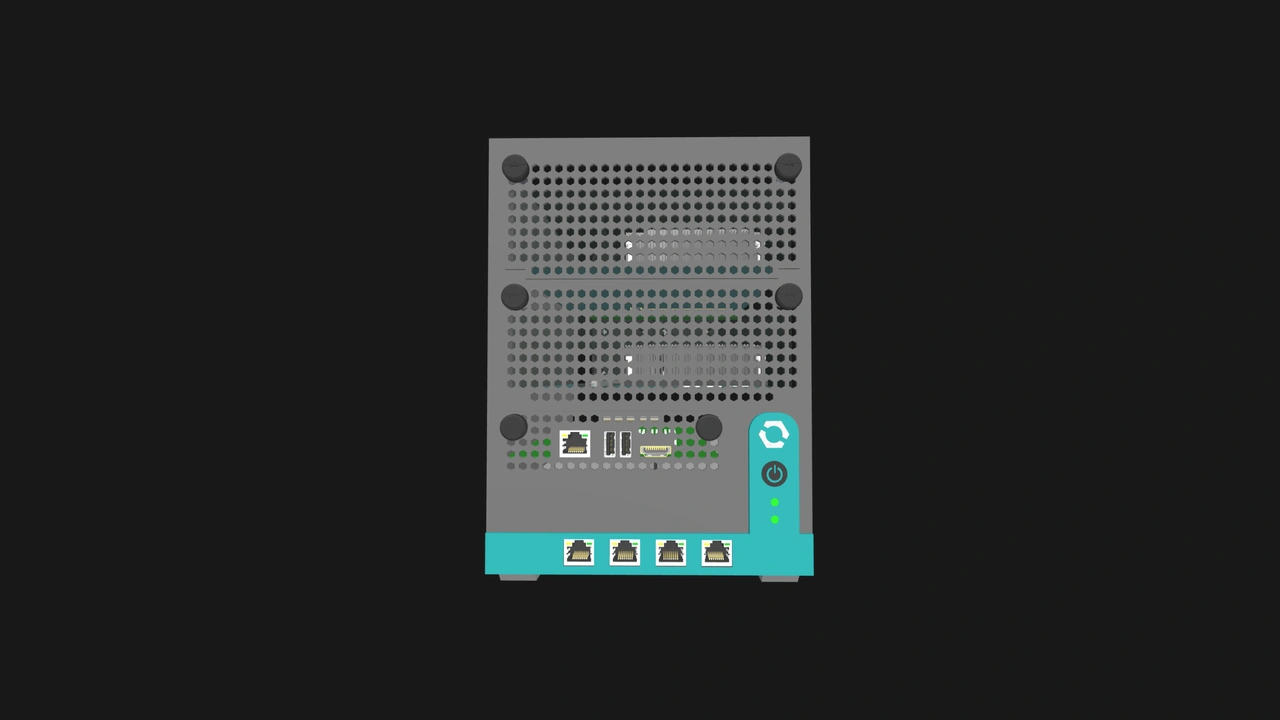
From a serviceability standpoint, it would be convenient to require Enclosures and Compute Nodes to provide alternative means for console access, such as exposing DisplayPort and USB ports per node slot or providing a backup local KVM path.
Managed Enclosures already have one DisplayPort signal path and one USB 2.0 signal path running from every node slot to the Management Module slot. Adding one or more KVM paths would require more display routing, USB switching, node selection controls, additional ports, and PCB complexity. All of those extra components would also need to be validated. We would burden all vendors with a significant amount of additional cost and complexity for a fallback when a simpler solution already exists: reinstalling or replacing the Management Module. A vendor that goes the extra mile and ensures that their users will always have console access may gain an edge over other Enclosure makers. But we would rather have that as a premium differentiator and keep the baseline for Enclosures more feasible and affordable for all vendors.
How does OpenSFF make Management Module replacement practical?
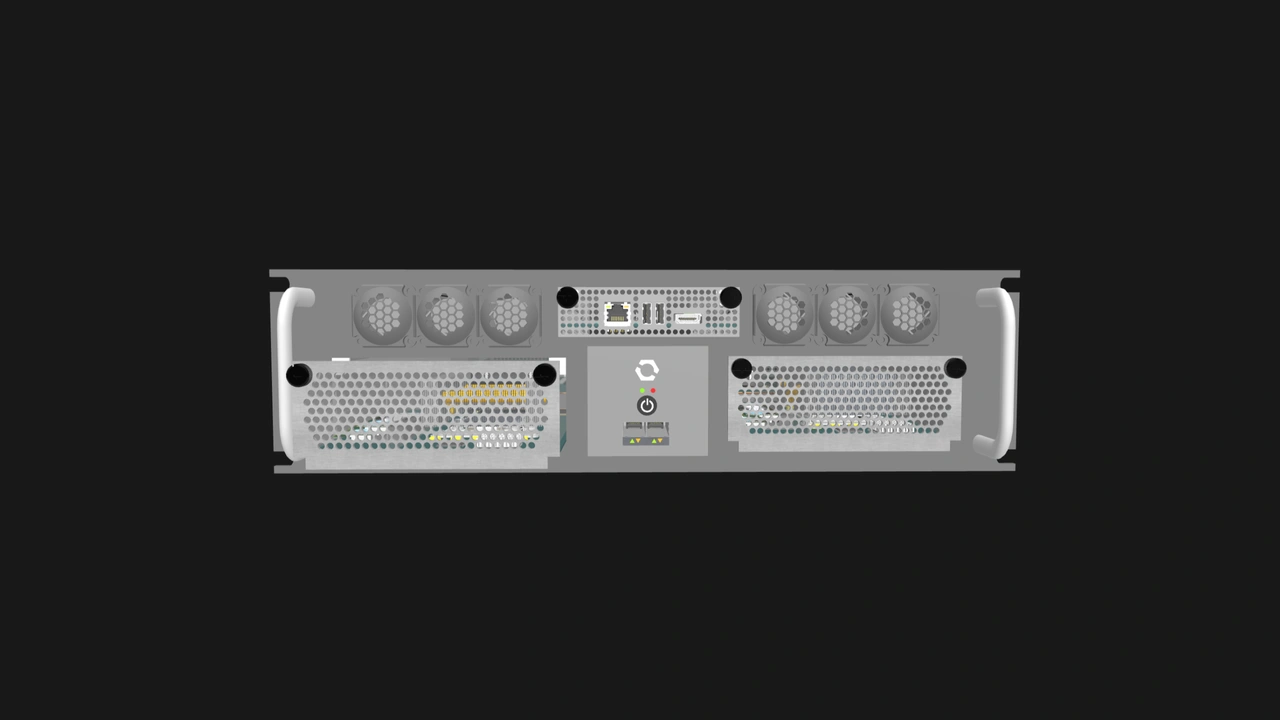
As we have discussed, the straightforward and intended solution to a missing or failed Management Module is to replace it. As with Compute Nodes, the Management Module connects to Enclosures via a blind-mate connector and is secured by two captive M4 thumbscrews, making for fast and tool-less installation and removal.
This is also one of the scenarios where the ESDC plays a pivotal role. We detailed its functionality in a dedicated article, but in summary, managed Enclosures come with a removable microSD card mounted on the backplane. Initially, the ESDC contains only Enclosure metadata. When a smart Management Module is first installed into the Enclosure, it will copy the metadata into its persistent storage. The module will also back up its configuration data into the ESDC when an administrator makes a significant change, such as adding new user accounts or changing the network settings.
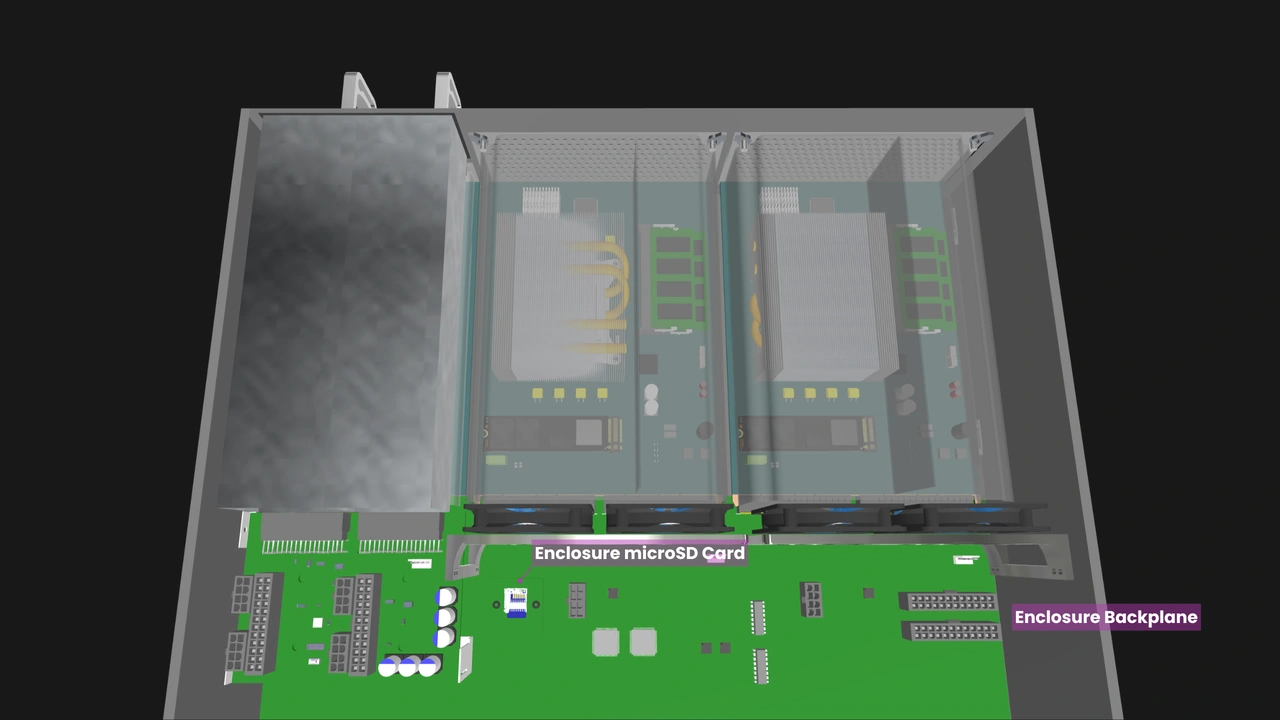
When a different smart Management Module is installed into the Enclosure, the module will copy the data from the ESDC, allowing the system to continue functioning as it was previously configured. This resilient, user-serviceable approach to management data is one of the significant benefits of our modular hardware boundaries.
The Pass-through reference design can also be a boon to users even though they ultimately want or need advanced features such as IP-KVM. A Pass-through Management Module will be significantly more affordable than a smart one, making it more economical to stock as an emergency spare.
Build with OpenSFF
The Management Module is the management layer in Enterprise Enclosures and compatible Core Enclosures. Without it, users will not be able to take advantage of an Enclosure’s management infrastructure, and they may not be able to connect peripherals to installed nodes. But we have also made it so when the module fails, it can be replaced easily and without interfering with nodes and the rest of the Enclosure. Users will be able to rely on a standardized tool-less procedure where the infrastructure and a copy of the management data stays in the Enclosure, ready for a replacement module to resume normal operation.
We encourage you to read our specifications, and we would be grateful if you help spread the word about OpenSFF. For technical clarifications, partnerships, and other inquiries, reach out to our development team at [email protected].
Other Articles

Meet OpenSFF: an open hardware standard that enables cross-vendor compatibility, modular systems, and sustainable hardware reuse.
August 11, 2025
We go over the rise of virtualization and the open software adopted by home server enthusiasts, as well as the current challenges and the future of the hobby.
September 06, 2025

Learn why OpenSFF adopted the SFF-TA-1002 connector standard and how it enables our vision.
September 18, 2025