Blog
Loadout: Processor Integration in OpenSFF Compute Nodes
Introduction
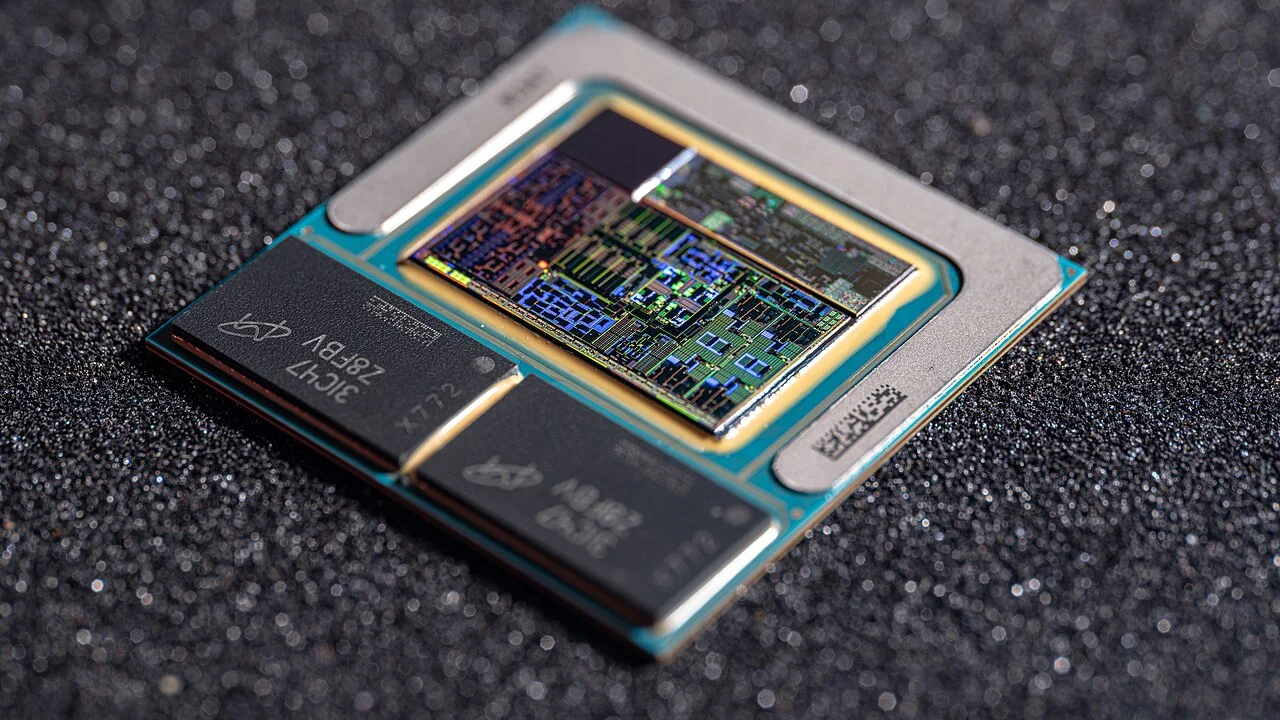
OpenSFF is a nonprofit organization developing an open standard for modular small form factor computers. Our standard’s building block is the Compute Node, a self-contained, replaceable processing module that connects to an Enclosure through a standardized card-edge connector. We established our standard on three core pillars: serviceability, interoperability, and scalability.
The Compute Node Specification does not restrict vendors to a specific processor, architecture, or even attachment method. Vendors can employ a processor that is socketed, soldered, or part of a plug-in module. There are numerous processors that meet the specification’s power, thermal, and signal requirements. Regardless of how vendors integrate the processor, the Compute Node remains a swappable processing unit.
In this article, we will compare the strengths and weaknesses of each processor integration based on our core pillars and the Compute Node Specification’s requirements.
What the Compute Node Specification requires
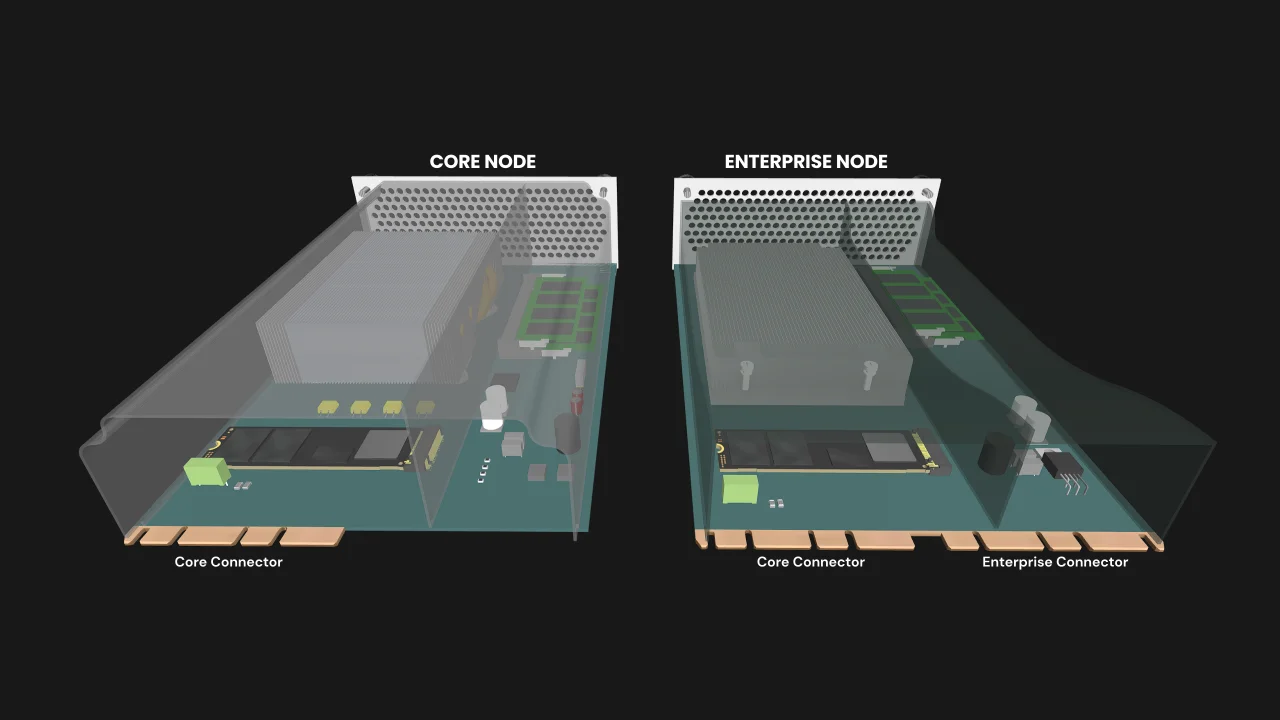
The Compute Node Specification defines two classes, Core and Enterprise. A Core Compute Node supports many of the signals that a modern computer provides through a single 4C+ connector. An Enterprise Compute Node provides additional I/O through a second 4C+ connector.
Power
12V delivered through the Core Connector, with a 120W maximum power target (MPT) for the entire Compute Node.
Dimensions
A 215 x 150 x 60 mm envelope, which includes the node’s passive thermal solution and cooling shroud.
Core Compute Node I/O
- 2x Ethernet at 2.5Gbps or faster
- 1x DisplayPort 1.4 or newer
- 2x Type-A USB 2.0
- 2x Type-A USB 3.0
- 1x Type-C USB 3.0 or newer
- 1x PCIe 4.0 or newer x1 lane
- Analog stereo line-out
- Microphone audio
- Power button
- Reset button
Enterprise Compute Node I/O
Everything that a Core Compute Node provides, along with:
- Additional 2x Ethernet at 2.5Gbps or faster
- An additional Type-C USB 3.0 or newer
In summary, memory, storage, networking, and other components share the 120W MPT with the processor, and passive thermal solutions must not exceed the node envelope. Finally, the processor must provide all the signals listed above.
Socketed processors
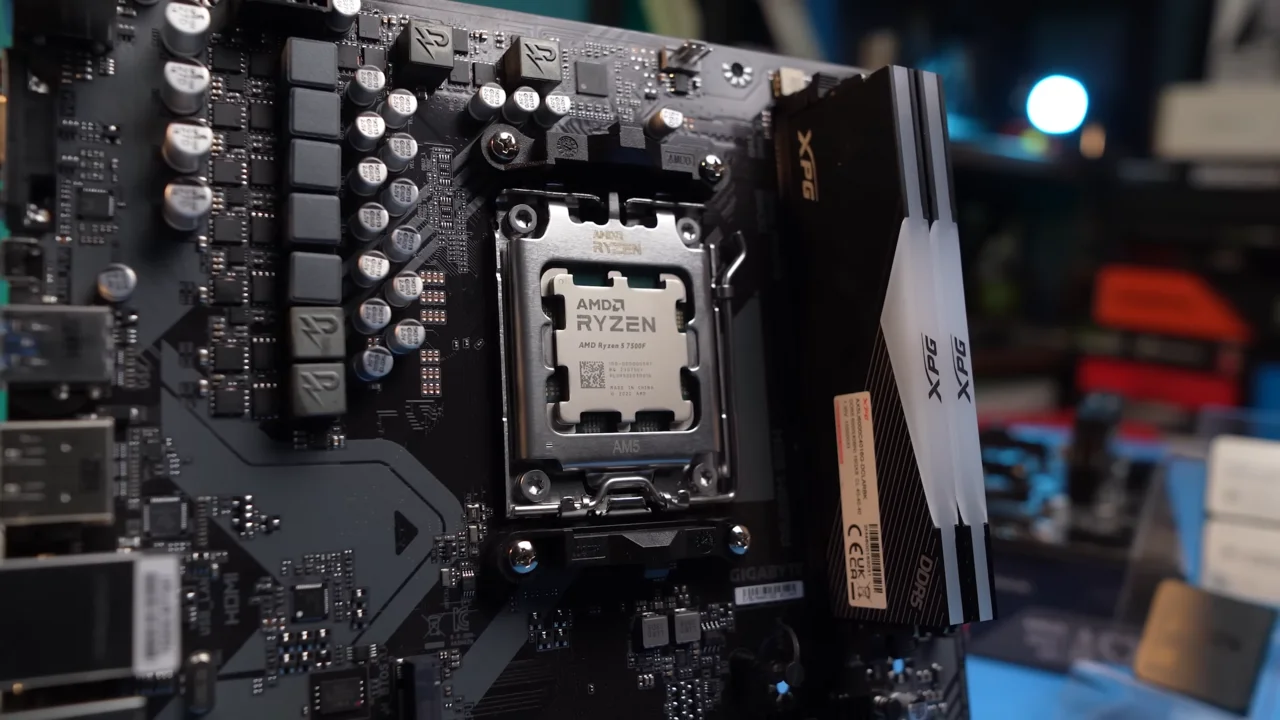
The main advantage of a socketed processor is that it allows vendors to create product tiers or variants simply by pairing different processors with the same board. There may also be cases where vendors can fulfill warranties related to a failed CPU by replacing the processor. Finally, a socketed processor may also eventually allow users to upgrade or switch processor generations, assuming the node’s socket, chipset, firmware, and MPT allow it.
Vendors have a fairly wide choice of socketed processor models, particularly low and mid-range desktop-class CPUs. That said, we are aware that many socketed CPUs exceed our MPT by themselves.
The pins and sockets that provide socketed processors’ main advantage is also one of their literal weak points. Contacts and retention hardware can fail, both during assembly and in the hands of users. Vendors also typically have more design and validation to do when using a socketed processor. They must route everything from the CPU and memory layout to power delivery, as well as verify firmware compatibility. Finally, the socket and its retention hardware take up board space, and socketed CPUs typically require larger heatsinks.
Examples of socketed CPUs that meet the Compute Node requirements
- 35W base power, 112W maximum turbo power
- 20 cores (8 performance and 12 efficiency), 20 threads
- P-cores: 1.5 GHz base, 5.2 GHz maximum turbo
- Supports ECC memory
- 65W default TDP
- 12 cores, 24 threads
- 3.4 GHz base, up to 5.4 GHz boost
- Supports ECC memory
Soldered processors
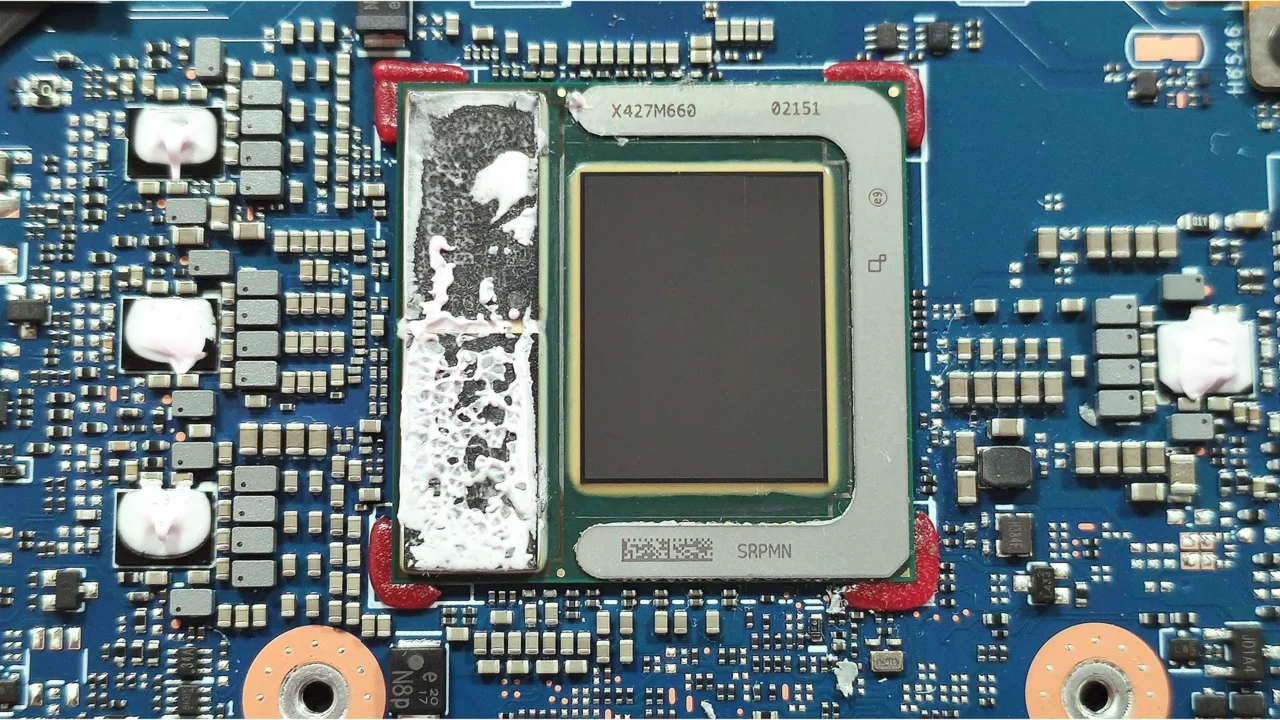
We expect this to be the most common integration approach for Compute Node processors. The primary strength of this approach is that it can be cost-effective at scale, since assembly does not involve a separate installation step. A soldered processor also takes up less board space than a socketed processor since it does not require a socket and a retention mechanism.
Vendors have a broad power range of mobile and embedded processors to choose from. There are also models with soldered memory, which can provide significantly higher memory bandwidth.
The tradeoff is of course that a soldered processor cannot be swapped on its own. Further, if a chip is discontinued, a vendor may have to redesign their entire Compute Node board to move to a new processor. But for users, the Compute Node’s modularity mitigates the weaknesses of a soldered processor. The node is the replaceable unit, decoupling it from the lifecycle of the Enclosure.
Examples of soldered CPUs that meet the Compute Node requirements
- 15W base power, 57W maximum turbo power
- 12 cores (2 performance, 8 efficiency, 2 low-power efficiency), 14 threads
- P-cores: 1.7 GHz base, 4.8 GHz maximum turbo
- Intel Graphics at up to 1.95 GHz
- 45W base power, 115W maximum turbo power
- 12 cores (4 performance and 8 efficiency), 16 threads
- P-cores: 2.6 GHz base, 4.5 GHz maximum turbo
- Iris Xe graphics at up to 1.45 GHz
- Configurable from 45W to 120W, default TDP 55W
- 16 cores, 32 threads
- 3.1 GHz base, 5.2 GHz boost
- Radeon 8065S graphics at up to 3 GHz
- 256-bit LPDDR5x memory
Modular processors
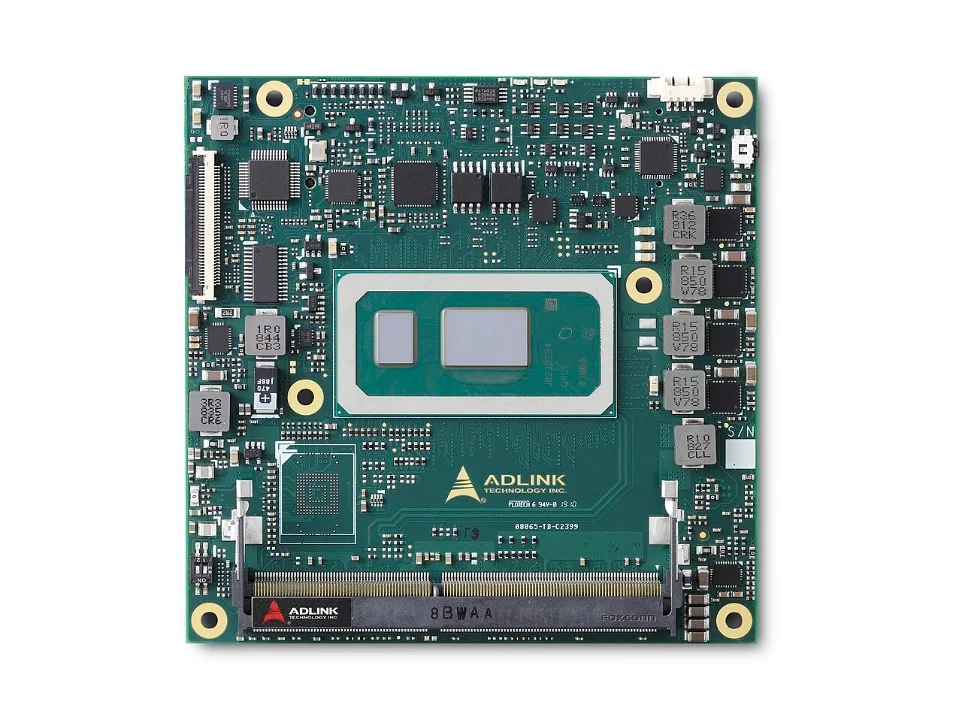
A Computer-on-Module (CoM) or System-on-Module (SoM) puts the processor, memory, and core logic on a small board, which is then soldered or plugged into a carrier board. This approach combines the strengths of soldered and socketed processors. It allows the processor, along with the other aforementioned components, to be upgraded while retaining the carrier board. There is also less engineering complexity with a CoM or SoM compared to using a socketed processor, since the CPU and memory are already integrated on the module.
Vendors may also be able to build Compute Nodes faster when using a well-documented CoM or SoM, since there will typically be several carrier boards that support it. The Raspberry Pi Compute Module 5, which is the foundation of our Full-featured reference design for Management Modules, is a popular example of a CoM. Numerous CoM and SoM models exist, but we do not expect this to be a common approach for OpenSFF-compatible Compute Nodes.
Most existing CoMs and SoMs are a poor match for the Compute Node’s requirements. SMARC, Qseven, and OSM modules are aimed at compact, low-power devices, and as such often do not provide the required Compute Node signals. On the upper end, COM-HPC Server and COM-HPC Client are aimed at higher power designs. As its name suggests, COM-HPC Server is aimed at headless systems, and as such has no native display output.
Based on our initial research, COM-HPC Mini and COM Express Type 6 are the module families that line up best with the Compute Node’s requirements. COM-HPC Mini supports DisplayPort, USB 3.2, USB4, PCIe 5.0 and 10Gb Ethernet. COM Express Type 6 Basic and Compact modules also support DisplayPort, USB4, PCIe 4.0, and 2.5GbE. Vendors may need to add additional network controllers on the carrier board to meet our requirements.
Examples of CoMs that meet the Compute Node requirements
- 13th Gen Intel Core i3 to i7 CPU, along with the Intel U300E
- 15W to 28W TDP
- Intel UHD or Xe graphics
- Up to 64GB soldered LPDDR5X with support for ECC memory
- Intel Core Ultra Series 3
- 25W TDP
- Intel Xe graphics
- Up to 64GB soldered LPDDR5X
- Intel Core Ultra Series 1 and 2 CPUs
- 15W to 45W processor power
- Intel Xe graphics
- Supports ECC memory
- Intel Core Ultra 5 135U/125U/135H/125H or Ultra 7 155H
- 15W to 28W TDP
- Intel Xe graphics
- Supports ECC memory
Build with OpenSFF
Our standard allows vendors to choose how to integrate a processor into their Compute Node, while still ensuring that users will have a replaceable processing unit. The Compute Node is the serviceable unit, while our standardized connector pinouts ensure interoperability with all compatible Enclosures.
Vendors can opt for socketed processors to provide an extra level of serviceability and upgradeability. They can choose soldered processors for cost-effectiveness, compactness, and optionally, high memory bandwidth. Vendors who manage to build around CoMs and SoMs may have faster development cycles while providing users with upgrade paths.
We invite you to read our specifications, and we would be grateful if you spread the word about OpenSFF. For technical clarifications, collaborations, and other inquiries, reach out to our development team at [email protected].
Other Articles

Meet OpenSFF: an open hardware standard that enables cross-vendor compatibility, modular systems, and sustainable hardware reuse.
August 11, 2025
We go over the rise of virtualization and the open software adopted by home server enthusiasts, as well as the current challenges and the future of the hobby.
September 06, 2025

Learn why OpenSFF adopted the SFF-TA-1002 connector standard and how it enables our vision.
September 18, 2025